Quick Facts
- Quickest Method: Dial the USSD command code *#06# on any phone to display the number instantly.
- Anatomy: A 15-digit code including a Type Allocation Code and a unique Serial Number.
- Activation Rule: Always use IMEI 1 for your primary carrier setup on dual SIM devices.
- Unlock Policy: Devices purchased after January 2026 will generally feature improved automatic unlocking protocols via carrier systems.
- Compatibility: Essential for ensuring 5G devices meet network latency standards of 15-27ms.
- Security: Used by the GSMA global database to prevent stolen hardware from being reactivated.
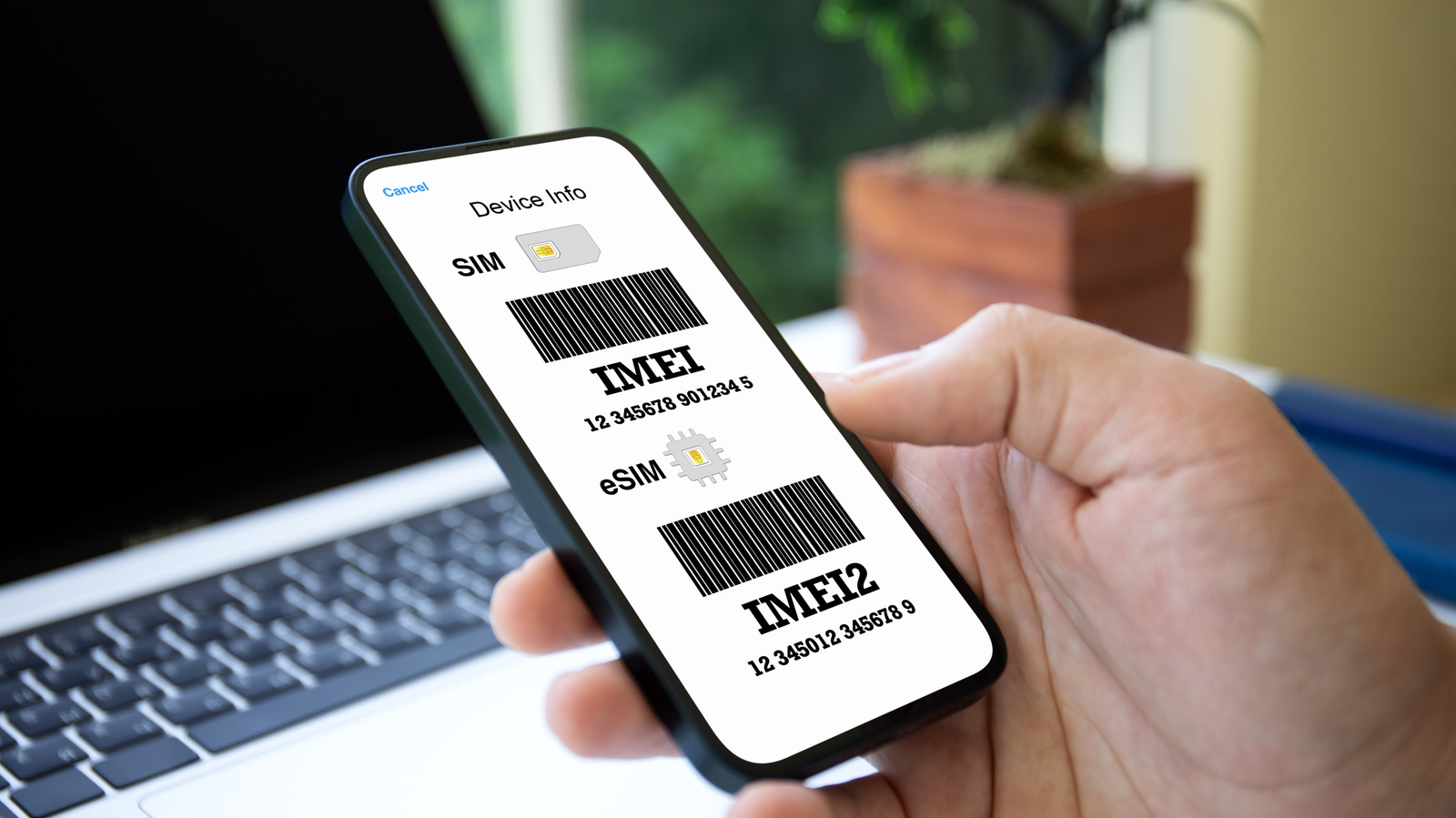
An imei number (International Mobile Equipment Identity) is a unique 15-digit identifier used to verify your device for mobile activation and network security. You can find this digital fingerprint on any smartphone by dialing the USSD command code *#06# on the keypad, or by checking the device settings menu under About Phone.
Setting up a new smartphone is usually a moment of excitement, but it can quickly turn into a session of frustration if you do not have the right identifiers on hand. Think of the imei number as the digital fingerprint or the Vehicle Identification Number (VIN) for your mobile device. Just as a VIN ensures a car is registered correctly and not reported stolen, the International Mobile Equipment Identity serves the exact same purpose for the billions of devices circulating globally.
In the current landscape, hardware management is becoming increasingly sophisticated. The global mobile device management market, which relies heavily on these unique identifiers to secure corporate and personal hardware, is projected to grow from 9.69 billion USD in 2025 to approximately 68.24 billion USD by 2035. With 82% of organizations implementing a Bring Your Own Device (BYOD) policy, knowing how to find this imei number is a fundamental skill for anyone living a connected life.
Pro Tip If you need your imei number right now, open your phone's dialer or phone app and type in *#06#. No need to press send—a box will immediately pop up showing your 15-digit identifier along with other hardware info.
What is an IMEI Number? The Digital Fingerprint Explained
At its core, the imei number is more than just a random string of digits. It is a standardized 15-digit code that communicates specific information about your device to carriers and manufacturers. Understanding what do imei digits represent can help you appreciate why this number is so strictly guarded by security professionals.
The number is structured into three distinct parts. The first eight digits are known as the Type Allocation Code, which tells the network the manufacturer and the specific model of the phone. Following the Type Allocation Code is a unique six-digit Serial Number assigned to that specific unit. Finally, the 15th digit is a check digit, usually calculated using the Luhn algorithm validation. This algorithm is a simple checksum formula used to validate a variety of identification numbers, such as credit card numbers, to ensure no mistake was made during manual entry.
When you use your imei number for mobile activation, the carrier checks it against the GSMA global database. This database acts as a master list of all valid and blacklisted devices. If a phone is reported stolen by its owner, the imei number is added to a blacklist, making it nearly impossible for the thief to activate the device on any participating network worldwide.
How to Find Your IMEI Number on iPhone and Android
Whether you are switching carriers or setting up a secondary line, the most common way to locate this identifier is through the software. Modern operating systems have made this process very straightforward, though the nomenclature differs slightly between platforms.
For those using Apple devices, the process for how to find imei number iphone is consistent across almost all versions of iOS. Simply follow this path:
- Open the Settings app.
- Tap on General.
- Tap on About.
- Scroll down until you see the label for the imei number.
If you are using an imei number for iphone setup, it is helpful to long-press the number to copy it to your clipboard. This prevents errors that might occur if you try to memorize and type a 15-digit string across different apps.
On the other hand, locating an imei number on android phone can vary slightly depending on the manufacturer's skin (like Samsung’s One UI or Google’s Pixel UI), but the general path remains the same:
- Open Settings.
- Tap on About Phone (usually found at the very bottom or the very top).
- Tap on Status or Phone Identity (on some older models).
- Locate the imei number listed there.
When checking these menus, you might see other acronyms like MEID and EID. The MEID is used for older CDMA networks, while the EID is the electronic identifier for an eSIM. If your carrier asks for an imei number for mobile activation, ensure you are providing the 15-digit string and not the shorter MEID.

No Screen? How to Find Your IMEI Number Without the Phone
There are times when your phone might be inaccessible. Perhaps the screen is shattered, the battery is dead, or you have already sold the device and forgot to write down the details. In these scenarios, knowing how to find imei number without phone is a lifesaver.
Manufacturers often engrave the identifier directly onto the hardware. On older iPhones and some legacy Android models, you can find imei number on physical phone casing, usually on the back near the bottom. However, as phone designs moved toward glass and seamless metal, this changed. On modern smartphones, the most common location is a SIM tray engraving. If you pop out the SIM tray using a pin, you will often find the imei number etched into the plastic or metal tray in tiny print.
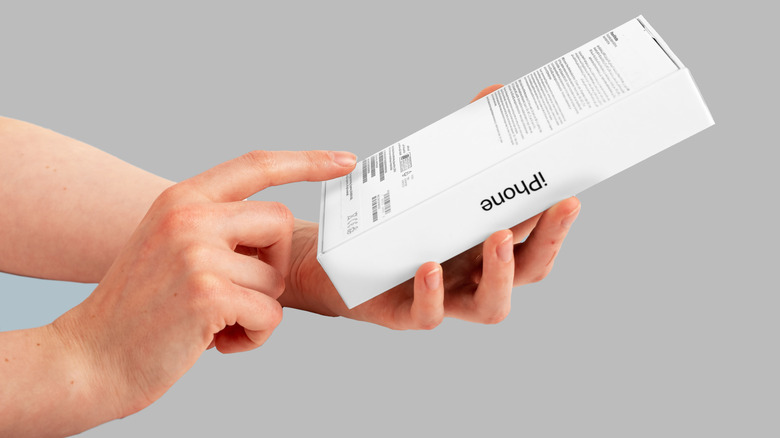
Your phone's packaging is another gold mine for information. Every retail box has a white sticker that lists the serial number and the unique device identifiers. Keeping your original retail packaging is highly recommended for this very reason.
If you have neither the phone nor the box, digital accounts come to the rescue. For Android users, Google Find My Device allows you to log in from a browser, click on your device, and tap the "i" icon to reveal your imei number. iPhone users can go to appleid.apple.com, sign in, and look under the "Devices" section to find the same information. Additionally, most carrier account portals list the imei number associated with your active lines.
Using IMEI for Activation, Security, and Used Phone Verification
The role of the imei number extends far beyond the initial setup. It is a critical component of device blacklisting and used smartphone verification. If you are buying a used device from a marketplace like eBay or Swappa, the first thing you should do is ask for the imei number.
You can then run this number through a free GSMA global database checker to ensure the phone hasn't been reported lost or stolen. A blacklisted phone is essentially a paperweight when it comes to cellular connectivity, as carriers will refuse to activate it.
There is also a common confusion regarding the difference between imei and serial number. While they both identify a device, they serve different masters. To help clarify, here is a quick comparison:
| Feature | IMEI Number | Serial Number |
|---|---|---|
| Primary Purpose | Global network identification and activation | Internal manufacturing and warranty tracking |
| Format | 15-digit numeric string | Alphanumeric (mix of letters/numbers) |
| Uniqueness | Unique to the modem/cellular hardware | Unique to the physical device unit |
| Visibility | Transmitted to carriers during every call/data session | Mostly used for physical repairs or software updates |
| Global Standard | Yes, standardized by GSMA | No, varies by manufacturer |
For those using modern smartphones, you will likely encounter an imei number for dual sim phones. Because each SIM slot (physical or eSIM) requires its own connection to the network, dual SIM devices have two separate IMEI numbers: IMEI 1 and IMEI 2. When performing an imei number for mobile activation, your carrier will usually ask for IMEI 1 to be the primary line. However, if you are adding a secondary business line via eSIM, knowing both numbers is required to ensure the correct "slot" is provisioned.
The integration of these numbers into automated systems is a massive efficiency booster for the industry. It has been noted that automation in mobile device onboarding can improve operational efficiency by 25% to 30%, as it removes the need for manual IT intervention during the activation process.
FAQ
How do I check my IMEI number?
The fastest universal way to check your imei number is by opening your phone's dialer application and entering the code *#06#. This works on almost every mobile device regardless of the manufacturer or operating system. Alternatively, you can find it in the Settings menu of your phone under the About Phone or About Device section.
What does the IMEI number tell you?
The imei number reveals the identity of the hardware, including the manufacturer, the specific model, and where the device was intended for sale. It does not contain any of your personal information, such as your name, photos, or contact list; it is strictly a hardware identifier.
Can a phone be blocked by IMEI?
Yes, a phone can be blocked by its imei number. If a device is reported lost or stolen, the owner or the carrier can place the number on a global blacklist within the GSMA global database. This block prevents the device from connecting to any cellular network, making it unusable for calls, texts, or mobile data.
Can a phone be tracked by IMEI?
While you personally cannot track a phone using only the imei number via standard apps, law enforcement and mobile carriers can. When a phone connects to a cellular tower, it broadcasts its imei number. This allows carriers to triangulate the device's location for emergency services or to assist in recovering stolen property.
Can I check an IMEI for free?
Yes, there are several reputable online services and carrier websites that allow you to check an imei number for free. These tools will tell you if the device is blacklisted, which carrier it was originally linked to, and its current activation status. This is highly recommended for anyone purchasing a used smartphone.
Does IMEI tell you who owns the phone?
No, the imei number itself does not contain the identity of the owner. Only the mobile carrier has the records linking a specific imei number to a customer’s account and personal identity. This information is typically protected by privacy laws and is only shared with law enforcement under specific legal circumstances.