Quick Facts
- Basic Plan: $3.99 per month or $39.99 per year for 1 device.
- Plus Plan: $11.99 per month or $119.99 per year for unlimited devices.
- Cloud History: 60 days of unlimited video storage included in both tiers.
- Local Storage: Available via Sync Module 2 and a USB drive for no monthly fee.
- Annual Savings: A 17% discount is applied when choosing annual billing over monthly.
- Key Exclusives: Subscription tiers unlock AI-powered person detection and live view recording.
Blink offers two subscription tiers in 2026: Basic and Plus. The Basic plan costs $3.99 per month for a single camera, while the Plus plan covers unlimited cameras at one location for $11.99 per month. These Blink subscription plans provide essential security features such as cloud video history and advanced motion filtering that are not available with local storage alone.
Blink Basic vs Plus: 2026 Comparison
Navigating the world of smart home security often comes down to balancing monthly costs with peace of mind. As someone who spends all day looking at home automation, I have seen Blink evolve into a powerhouse of value within the Amazon ecosystem. For 2026, the core decision revolves around how many cameras you own and how much history you need to keep.
The entry point for most users is the Basic tier. According to official pricing, as of October 8, 2025, the Blink Basic Plan costs $3.99 per month or $39.99 per year for a single device. This is a great choice if you only have a single Video Doorbell or an Indoor camera monitoring a specific hallway. However, as your system grows, the math shifts quickly.
If you have more than three cameras, the Plus tier is the obvious winner. It covers an unlimited number of devices at a single location. Beyond the quantity of cameras, the Plus plan introduces premium features like Blink Moments, which automatically edits clips into a single highlight reel. This makes reviewing a day's worth of activity much faster than scrolling through dozens of individual motion alerts.
| Feature | Blink Basic | Blink Plus |
|---|---|---|
| Monthly Cost | $3.99 | $11.99 |
| Annual Cost | $39.99 | $119.99 |
| Number of Devices | 1 Camera | Unlimited (Single Location) |
| Cloud Storage | 60 Days | 60 Days |
| Person Detection | Yes (Compatible devices) | Yes |
| Hardware Discount | No | 10% off at Amazon.com |
| Extended Warranty | No | Yes |
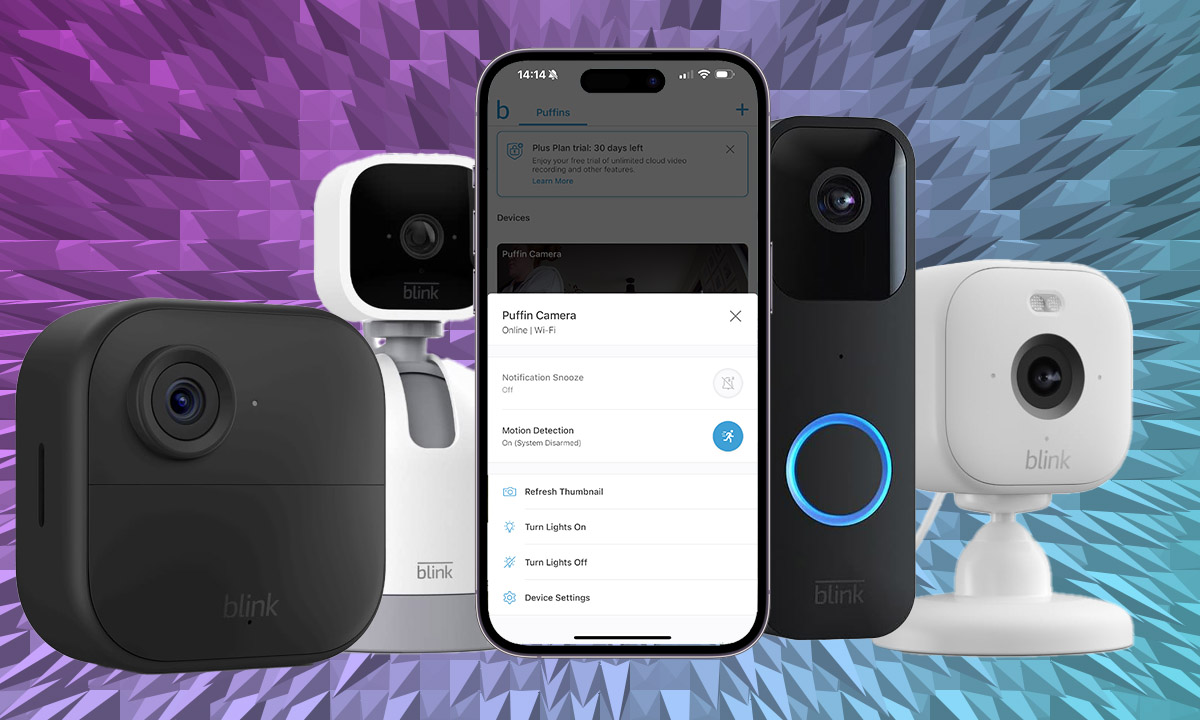
Choosing between these tiers involves looking at your long-term smart home goals. If you plan to add outdoor floodlights or several Mini cameras, the flat rate of the Plus plan simplifies your Blink monthly plan costs. Both tiers provide up to 60 days of unlimited cloud storage for motion-activated clips in the United States, giving you plenty of time to save or share evidence if an incident occurs.
Advanced AI and Security Features
What actually happens when you pay for a subscription? It isn't just about storage; it is about intelligence. The modern home surveillance system needs to be smart enough to tell the difference between a neighborhood cat and a delivery person. This is where the Blink subscription features really shine.
The AI-powered detection engine is a major upgrade for devices like the Outdoor 4. Without a plan, your camera will alert you every time a leaf blows across the lawn. With a subscription, you can toggle on person detection. This uses server-side processing to analyze the video feed in milliseconds, sending a more descriptive alert to your phone. These specific notifications allow you to ignore the noise and focus on what matters.
There are some regional nuances to be aware of. For example, users in Illinois or certain other jurisdictions may find specific AI features restricted due to local privacy laws. It is always worth checking your local regulations before relying solely on facial or person-based filtering.
Pro Tip: Illinois AI Restrictions Due to the Biometric Information Privacy Act (BIPA), certain advanced AI features like person detection may be disabled or modified for users located in Illinois. Always check the Blink app settings for your specific region to see which features are active.
Furthermore, the Plus plan allows for up to 90 minutes of continuous live view recording. If you are watching a live stream and see something suspicious, you can hit record and save that footage directly to the cloud. Without a plan, your live stream is just a temporary window that disappears as soon as you close the app.
Local Storage: Using Blink Without a Subscription
I often get asked if you can avoid monthly fees entirely. The answer is yes, but it requires a bit of hardware setup. To go the "no-subscription" route, you will need a Sync Module 2 and a compatible USB flash drive (up to 256GB). This setup creates a local hub where your cameras can offload video clips.
Setting up local storage is a smart move for the budget-conscious user, but it does come with significant technical trade-offs. While you avoid the Blink subscription cost per month 2026 prices, you lose the 60-day cloud buffer. Instead, you are limited by the physical size of your USB drive. Once it is full, you have to manually delete files or wait for the system to overwrite the oldest footage.
Technical Spec: Sync Module 2 USB Requirements
- Maximum Capacity: 256GB
- Format: FAT32 (Must be formatted on a PC/Mac before use)
- USB Type: USB 2.0 or 3.0 Type-A
Perhaps the biggest downside of local storage is the loss of speed and convenience. Cloud-based clips load almost instantly in the Blink app. In contrast, clips stored on a USB drive must be fetched from the Sync Module 2 over your home Wi-Fi, which can feel sluggish if you have a weak connection. You also lose access to the person detection feature, meaning you will receive more frequent, non-specific motion notifications.
Long-Term Benefits: Hardware Warranty and Discounts
When evaluating the total cost of ownership for a smart home, most people forget about hardware longevity. This is where the Blink Plus plan offers a unique financial advantage. As long as you maintain an active Plus subscription, your eligible Blink devices are covered by an extended warranty.
In a world where outdoor cameras are exposed to rain, snow, and extreme heat, having a perpetual warranty is a massive perk. If your Outdoor 4 camera fails due to a manufacturing defect three years from now, and you have been a Plus subscriber the whole time, you are covered. For the Basic plan, you are typically limited to the standard one-year manufacturer warranty.
Additionally, the Plus plan offers a 10% discount on Blink hardware purchased through Amazon.com. If you are building out a large system, this discount can eventually pay for the subscription itself. For instance, if you buy a few Floodlight Cameras and a couple of Add-on cameras, that 10% savings adds up to a significant amount of money back in your pocket.
FAQ
Do Blink cameras work without a subscription?
Yes, Blink cameras can function without a subscription. You can view live streams and receive motion notifications. However, to save video clips without a plan, you must use a Sync Module 2 with a USB flash drive for local storage.
How much does a Blink subscription cost per month?
In 2026, the Blink Basic plan costs $3.99 per month for one camera. The Blink Plus plan costs $11.99 per month and covers an unlimited number of cameras at a single location.
What is the difference between Blink Basic and Plus plans?
The main difference is the number of devices covered. Basic is for a single camera, while Plus is for unlimited cameras. Additionally, the Plus plan includes an extended warranty, a 10% discount on hardware, and advanced features like Blink Moments.
Is there a free trial for Blink subscription?
Most new Blink hardware purchases come with a 30-day free trial of the Blink Plus plan. This allows you to experience all the premium features, such as person detection and cloud storage, before deciding which plan fits your needs.
How many cameras are included in the Blink Plus plan?
The Blink Plus plan includes coverage for an unlimited number of cameras, provided they are all registered to the same account and located at the same physical address or location.
Can I use Blink local storage instead of a subscription?
Yes, you can use local storage by inserting a USB flash drive into a Sync Module 2. This allows you to save clips locally without a monthly fee, though you will lose access to cloud-exclusive features like person detection and extended warranties.
Conclusion and Setup Advice
Deciding which of the Blink subscription plans is right for you depends heavily on your hardware footprint. If you are just starting with a single doorbell, the Basic plan is an affordable way to secure your front porch. However, once you cross the threshold of four cameras, the Plus plan offers superior value, especially when you factor in the extended warranty and the 10% hardware discount.
To get started, the setup process is straightforward. First, ensure your cameras are synced to the Blink app. Then, link your Blink account to your Amazon account within the app settings. From there, you can select your preferred plan and choose between monthly or annual billing. I generally recommend the annual cycle for the 17% discount, as it ensures your home stays protected without the need to manage monthly invoices.
If you are a power user who values smart home integration, the Plus plan is the way to go. The combination of person detection and unlimited cloud history ensures that your cameras aren't just recording video—they are providing meaningful security data that keeps your family safe. Regardless of which path you choose, Blink remains one of the most flexible and cost-effective ways to build a connected home surveillance system today.