Quick Facts
- The 80% Throttling: This is a deliberate design choice introduced by Google to extend your phone’s lifespan, rather than a hardware defect or a faulty cable.
- The 77% Trigger: Speed typically begins to drop significantly once the battery capacity reaches 77% to minimize the internal voltage stress that occurs at high charge levels.
- The 10th Cycle Rule: To ensure the battery sensor remains accurate, your Pixel will occasionally charge to 100% even if you have the 80% limit enabled.
- Thermal Safety: Google uses aggressive thermal management to protect components; charging speeds will throttle if the device temperature rises above safe thresholds.
- Path to Change: You can adjust these settings by navigating to Path: Settings > Battery > Charging optimization.
- Performance Metrics: Power draw can plummet from approximately 12W down to less than 1W as the battery nears the 80% threshold to safeguard the chemical integrity of the cells.
The slow charging behavior observed between 77% and 80% on Pixel phones is an intended feature of the pixel charging optimization setting. By reducing power draw from 12W to under 1W, Google protects the lithium-ion cells from chemical aging and thermal stress, ensuring long-term pixel charging optimization. This prevents the high-voltage "push" that typically degrades battery capacity over time, helping your device last for years rather than months.
Understanding the 77% Throttling: Feature or Bug?
If you have ever plugged in your Pixel and watched the estimated "time until full" skyrocket once you hit the high 70s, you aren't alone. In fact, the Android Issue Tracker has seen numerous reports from users concerned that their fast-charging bricks have suddenly failed. However, this phenomenon is actually the result of a sophisticated software update. Specifically, the March Feature Drop introduced a more granular way to handle power delivery through the pixel 80 percent charging limit.
The reason you see a slowdown starting around 77% is that the phone is entering what engineers call the "approach phase" of the charging curve. In a standard charging cycle, a phone pulls maximum wattage when the battery is low. But as the state of charge nears its cap, the internal resistance of the battery increases. To mitigate this, recent Pixel software updates have introduced intentional charging slowdowns where the power draw can drop from approximately 12 watts to less than 1 watt as the battery approaches an 80% charging limit to safeguard long-term longevity.
This is why is my pixel charging slowly after march update has become such a common question in support forums. Google has shifted the priority from "speed at all costs" to "longevity through science." By tapering off the amperage so aggressively before hitting the 80% ceiling, the device avoids the heat spikes that are most damaging to the battery’s delicate internal chemistry.
Adaptive Charging vs. Limit to 80: Which Should You Use?
Google provides two distinct paths for managing battery health, and choosing the right one depends entirely on your daily routine. Many users are confused by the pixel adaptive charging vs limit to 80 comparison, but the difference lies in how they handle the final 20% of the capacity.
Adaptive Charging is designed for the "overnight charger." It uses on-device AI to learn your sleep patterns or looks at your set alarms. Google Pixel's Adaptive Charging feature is designed to preserve battery health by keeping the device at 80% charge for most of the night and only reaching 100% about one hour before a user's scheduled alarm. This prevents the battery from sitting at a stressful 100% state for six or seven hours straight.
On the other hand, the 80% limit is a hard cap. It is the gold standard for users who plan to keep their phones for four or more years. While it means you are effectively "shrinking" your battery capacity by 20% every day, the benefit to lithium-ion longevity is massive.
| Feature | Best For | How it Works |
|---|---|---|
| Adaptive Charging | Heavy users / Overnight chargers | Charges to 80%, then finishes to 100% right before you wake up. |
| Limit to 80% | Long-term keepers / Office workers | Stops charging entirely at 80% to maximize cycle life. |
| No Optimization | Emergency situations | Charges at maximum supported speed until full. |
If you find that the google pixel charging optimization 77 to 80 percent slowdown is hindering your day, you can always toggle these settings.
Path: Settings > Battery > Charging optimization
From here, you can choose between "Adaptive Charging," "Limit to 80%," or turning the feature off entirely. I generally recommend the 80% limit for those who spend most of their day near a desk or charger, as it provides the best battery health settings for pixel 9 and 10 models in the long run.
The Science of 80%: Why Lithium-Ion Cells Need the Break
To understand why the pixel 80 percent charging limit battery health benefit is so significant, we have to look at the physics of lithium-ion cells. Think of your battery like a sponge. When it is dry (0%), it can soak up water (energy) very quickly. As it gets saturated, you have to slow down the flow to keep the water from splashing out. In a battery, that "splashing" manifests as heat and voltage stress.
When a battery is pushed to 100%, the lithium ions are physically squeezed into the anode. This high state of charge creates significant voltage stress, which leads to chemical aging. Over time, this causes the battery to lose its ability to hold a charge, leading to the dreaded "battery bloat" or rapid mid-day shutdowns. By staying within the 20% to 80% range, you effectively double the number of charge cycles the battery can handle before it begins to degrade.
Thermal management also plays a huge role here. Charging creates heat, and heat is the natural enemy of electronics. While the Pixel 9 Pro XL is advertised to reach a 70% charge in approximately 30 minutes using a 45W charger, the charging curve is intentionally designed to flatten significantly after reaching this threshold to manage heat and battery resistance. If your phone feels warm to the touch, the system will throttle the speed even further to ensure the internal temperature stays below 35°C (95°F).
Advanced Maintenance: The 10th-Cycle Calibration
One of the most common questions I get from readers is: "I turned on the 80% limit, so why did my phone charge to 100% last night?"
This isn't a glitch in your Google Pixel battery health settings. It is a necessary maintenance task performed by the Power Delivery system. Battery sensors (the fuel gauge) can become slightly inaccurate over time if the battery never reaches a full state of charge or a completely empty state. This is known as "sensor drift."
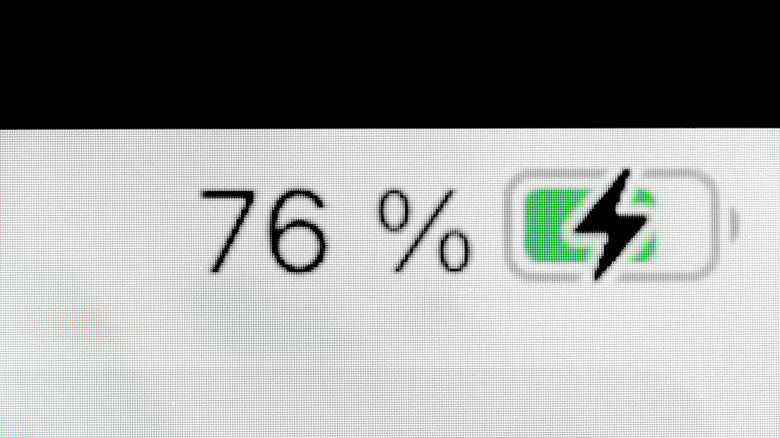
To counter this, Google has programmed the Pixel to occasionally ignore the 80% cap and charge to a full 100%. This typically happens every 10 charging cycles. This "10th-cycle calibration" allows the battery management system to recalibrate the "State of Charge" (SOC) markers. It ensures that when your phone says 80%, it actually is 80%. If your phone does this, don't panic—it is a healthy part of the firmware update logic designed to keep your battery readings accurate for the life of the device.
FAQ
Why is my Pixel charging so slowly?
It is likely due to active pixel charging optimization settings. When the battery reaches roughly 77-80%, the software reduces the wattage significantly to prevent overheating and chemical wear. Additionally, if the phone is being used while charging or is in a warm environment, the system will throttle speeds further to protect the hardware.
How does Pixel adaptive charging work?
Adaptive Charging uses your alarm settings and daily usage habits to pace the charging process. It will charge your phone to 80% relatively quickly and then "trickle charge" the remaining 20% so that it reaches 100% just before you normally unplug it in the morning. This minimizes the amount of time the battery spends at high voltage.
Why is my Pixel not charging to 100 percent?
If your charging stops exactly at 80%, you likely have the pixel 80 percent charging limit enabled in your battery settings. This is a feature, not a bug, intended to prolong the life of your battery by avoiding the high-stress zone of 80-100% capacity. You can change this in the Charging optimization menu.
How do I disable charging optimization on a Pixel?
To disable pixel 80 percent limit for faster charging, go to Path: Settings > Battery > Charging optimization and select the "Off" toggle. Note that while this will allow your phone to charge faster to 100%, it may accelerate battery degradation over several years of use.
Does fast charging damage the Pixel battery?
Fast charging itself is not inherently damaging, but the heat it generates can be. Google manages this by using a specific charging curve that only allows maximum speeds when the battery is low and cool. As the battery fills up, the speed is reduced to ensure that thermal management keeps the components safe.
Conclusion
At the end of the day, seeing your Pixel slow down as it approaches 80% can be jarring, especially when we’ve been conditioned to expect "fast charging" at all times. But as someone who has seen countless devices succumb to premature battery failure, I can tell you that Google’s approach is a breath of fresh air for consumer longevity.
By implementing the pixel charging optimization through features like the 80% limit and Adaptive Charging, Google is essentially giving you a "maintenance-free" way to ensure your phone stays healthy. While it might take a few extra minutes to top off, the trade-off is a phone that remains snappy and reliable three or four years down the road. If you are a power user who needs every drop of juice, feel free to toggle it off for a day, but for everyone else, my advice is to leave it on and let the software do its job. Your battery will thank you.