Quick Facts
- Primary Cause: A communication error or poor battery pack seating is the most frequent culprit behind the alternating lights.
- The 2-Minute Rule: To reset the internal rapid charger circuitry, you must unplug the unit for a full 120 seconds.
- Temperature Threshold: Milwaukee Lithium-Ion chargers require the pack to be within 0°C to 65°C (32°F to 149°F) for normal operation.
- LED Meaning: Alternating red and green usually signals a communication error or a defective battery pack.
- Maintenance Tip: Regular corrosion removal from the copper connectors can prevent 90% of charging failures.
- Replacement Cost: If a pack is truly defective, standard replacements typically range from $25 to $50 depending on the Amp-hour rating.
Comprehensive Milwaukee charger troubleshooting is the best way to address the frustrating flashing red and green light error that halts your project. This specific pattern usually indicates a communication error between the hardware or poor battery pack seating within the charging bay. By following a structured reset and cleaning process, most users can restore their M18 or M12 system to full functionality without needing professional repair.
Decoding the Light Codes: What Your Charger is Saying
Every professional contractor has experienced that moment of dread: you slide a battery into the dock, and instead of a steady red glow, you get a rhythmic flashing that looks like Christmas lights. Understanding the diagnostic LED indicators on your M12 or M18 fuel system is the first step toward a solution. These lights aren't just there for show; they are a sophisticated interface designed to protect your investment in Lithium-ion cells.
The most common misunderstanding involves the difference between a flashing red light and the alternating red and green flash. A single flashing red light is actually a safety feature known as thermal protection. It means the battery is either too hot from heavy use or too cold from being left in a truck overnight. In this state, the charger will wait until the internal sensors detect a safe temperature before it starts the energy transfer. On the other hand, the alternating red and green flashing suggests the charger has tried to talk to the battery and failed.
| LED Pattern | Meaning | Action Required |
|---|---|---|
| Continuous Red | Charging in progress | Wait for completion |
| Continuous Green | Charging is complete | Remove battery for use |
| Flashing Red | Temperature delay | Let battery reach room temperature |
| Flashing Red/Green | Communication/Connection fault | Perform a reset or clean terminals |
| Flashing Green | Battery is at 80% charge | Can be used for light tasks |
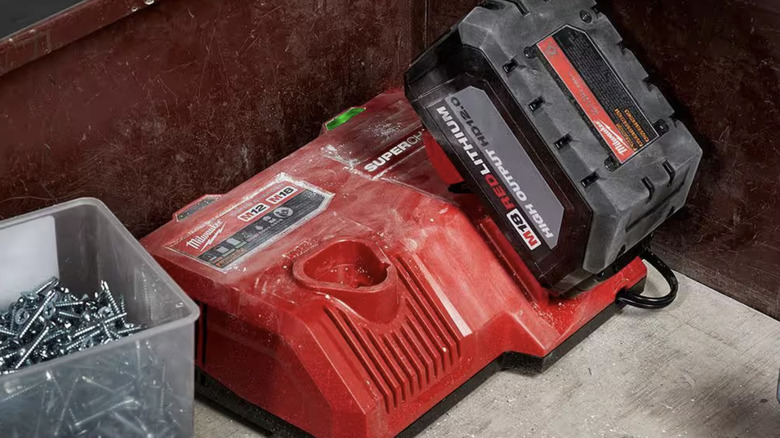
When you encounter the milwaukee m12 charger flashing red and green pattern, it is often because the battery hasn't "clicked" into place. Unlike some other brands, Milwaukee docks require a firm, decisive push. If the battery is even a millimeter out of alignment, the electrical terminals cannot maintain the data handshake required for the charger to initiate high-current flow. Having the milwaukee battery charger light codes explained helps you realize that a flashing light isn't always a death sentence for your tool; it is often just a request for a better connection.
Step-by-Step Fix: The 3-Tier Reset Protocol
If a simple push doesn't solve the issue, you need to move into more active Milwaukee charger troubleshooting. Electronic chargers use a printed circuit board (PCB) that can sometimes get stuck in an error loop, especially after a power surge or if a faulty battery was previously inserted. Resetting Milwaukee battery charger units follows a three-tier approach, starting with the simplest physical adjustment and moving toward a full system drain.
Step 1: The Reseat and Pressure Check Remove the battery entirely from the charger. Look inside the bay for any debris like wood chips or drywall dust. Reinsert the battery with significant force—enough to hear the plastic clips engage. Sometimes, placing the charger on a flat, hard surface like a workbench rather than a pile of gear helps you apply the necessary downward pressure to ensure proper battery pack seating.
Step 2: The 7-10 Second PCB Reset For many compact models, there is a logic reset that can be performed directly on the battery. While the pack is disconnected from any tool or charger, find the fuel gauge button. Press and hold this button for approximately 10 seconds. You may see the lights on the battery flash in a specific sequence. This clears the temporary memory in the battery's monitoring system and can often clear a false milwaukee battery defective symptoms and fixes flag.
Step 3: The Full 2-Minute Power Cycle If the charger continues to flash red and green even with no battery inserted, or immediately upon insertion, you must unplug the charger from its power source for at least two minutes. This duration is critical because it allows the internal capacitors to fully discharge, wiping the rapid charger circuitry clean of any stored error codes. After the two minutes have passed, plug the charger back in first, wait for the single green flash (the self-test), and then insert your battery. This is a highly effective way how to reset milwaukee m18 battery charger units that have become "confused" by voltage spikes.
Cleaning and Maintenance for Better Connectivity
The job site is a hostile environment for sensitive electronics. Over time, a thin layer of oxidation or carbon buildup can form on the electrical terminals of both the charger and the battery. This micro-layer increases electrical resistance, making it impossible for the charger to read the battery's health. This is a primary reason for the Milwaukee charger red and green flashing fix being necessary.
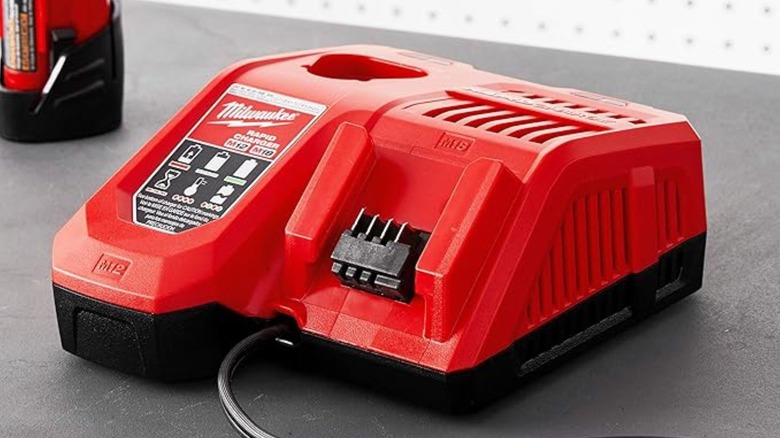
Focus your cleaning efforts on the small copper or brass slots. You should use compressed air cleaning to blow out loose dust first. For more stubborn residue, a cotton swab dipped in a small amount of isopropyl alcohol works wonders for corrosion removal. Avoid using any abrasive solvents or metal files, as these can strip away the protective plating on the terminals and lead to faster rusting in the future.
While cleaning, perform a visual inspection of the battery housing. Look for cracks or signs that the battery has been dropped. If the plastic casing is breached, moisture can enter and damage the Lithium-ion cells directly. Consistent power tool maintenance includes checking that the spring-loaded clips on the battery move freely. If they are stuck, the battery might sag during the charging cycle, triggering the connection error light.
Advanced Troubleshooting: Multimeters and Jump-Starting
When standard resets fail, it is time to determine if the battery is truly dead or just "sleeping." Lithium-ion cells have a low-voltage cutoff. If a battery is left in a tool for months or used until it is completely drained, the voltage may drop below the threshold that the charger recognizes as a valid battery. This is a common scenario when you see the milwaukee battery defective symptoms and fixes in older packs.
You can verify this by checking the voltage output with a digital multimeter. Set your meter to DC voltage and touch the positive and negative terminals on the battery pack. An M18 battery should ideally read above 15 volts to initiate a charge. If it reads significantly lower, like 5 or 6 volts, the charger will reject it as defective.
In some DIY circles, a jump-starting technique is used to revive these over-discharged packs. This involves using a pair of 14-gauge copper wires to connect a fully charged "donor" battery to the dead "patient" battery for about 30 seconds. By bridging the positive to positive and negative to negative terminals, you can transfer enough surface charge to raise the "patient" battery's voltage above the charger's recognition floor. Note that this should only be done by those comfortable with electrical safety, as it bypasses the standard thermal protection of the M18 fuel system. Once the voltage is boosted, the charger should recognize the pack and begin a standard cycle.
FAQ
Why is my Milwaukee charger flashing red and green?
This alternating pattern indicates a communication failure between the charger and the battery pack. It is most commonly caused by the battery not being fully seated in the bay, preventing the metal terminals from making a solid connection. It can also signify that the battery is damaged or that the voltage has dropped too low for the charger to safely begin the charging process.
How do I reset a Milwaukee battery charger?
To perform a full reset, remove the battery and unplug the charger from the wall outlet. Wait at least two minutes to allow the internal capacitors and PCB circuitry to fully discharge. Plug the charger back in and wait for the initial power-up light before firmly reinserting the battery pack to ensure a fresh handshake between the devices.
Why is my Milwaukee charger blinking red?
A blinking red light (without the green) indicates a temperature delay. This happens when the battery is outside the safe charging range of 32°F to 149°F. The charger will hold off on providing power to protect the cells from damage. Simply leave the battery on the charger; once it reaches room temperature, the light will turn solid red, and charging will begin automatically.
Can you jumpstart a dead Milwaukee battery that won't charge?
Yes, it is possible to jumpstart a battery that has dropped below the minimum voltage threshold using a donor battery of the same voltage. By connecting the positive and negative terminals of a charged battery to the dead one for 30 to 60 seconds, you can raise the voltage enough for the charger to recognize the pack again. This is often the solution for batteries that show red and green lights despite being physically intact.
How do I fix a Milwaukee charger that is not working?
First, ensure the outlet has power and the cord isn't frayed. Perform a two-minute power reset to clear any internal errors. Next, use a dry cloth or compressed air to clean the metal contact points on both the charger and the battery to ensure there is no dust or corrosion blocking the signal. If multiple batteries fail on the same charger after these steps, the charger's internal fuse or circuit board may be blown, requiring replacement.
If you have tried the reset protocol, cleaned the terminals, and even checked the voltage, but the charger still refuses to cooperate, it may be time to visit a local warranty service center. Milwaukee offers robust support for their M12 and M18 lines, and if your equipment is still under the 2-year or 5-year warranty period, you might be eligible for a free replacement. Remember, working with high-capacity Lithium-ion cells requires caution; if a battery is bulging, leaking, or emitting a strong chemical smell, stop using it immediately and dispose of it at a proper recycling facility.