Quick Facts
- Immediate Action: Power off the device immediately and disconnect it from any charging cables to stop further heat generation.
- Risk Level: High; a swollen Android battery can lead to thermal runaway, causing fires or explosions reaching temperatures up to 1,000°C.
- Storage Protocol: Place the compromised device in a fireproof container, such as a metal bucket filled with sand, in a well-ventilated area.
- Disposal Warning: Never discard a bloated battery in regular household trash; it must be taken to a certified e-waste recycling facility.
- Lifespan Context: Most lithium-ion batteries are rated for 300 to 500 charge cycles, typically lasting 18 to 24 months before chemical degradation increases swelling risks.
- Safety Gear: Always use protective safety gear, including gloves and safety glasses, if you must handle a device with significant chassis distortion.
Immediately disconnect the device from any power source and turn it off if you detect a swollen Android battery. Do not continue charging or usage, as internal gas buildup can lead to fire or explosion. Place the device in a fireproof container, such as a metal bucket with sand, and keep it in a well-ventilated area away from flammable materials until it can be professionally serviced.
Identifying the Danger: Signs of a Swollen Android Battery
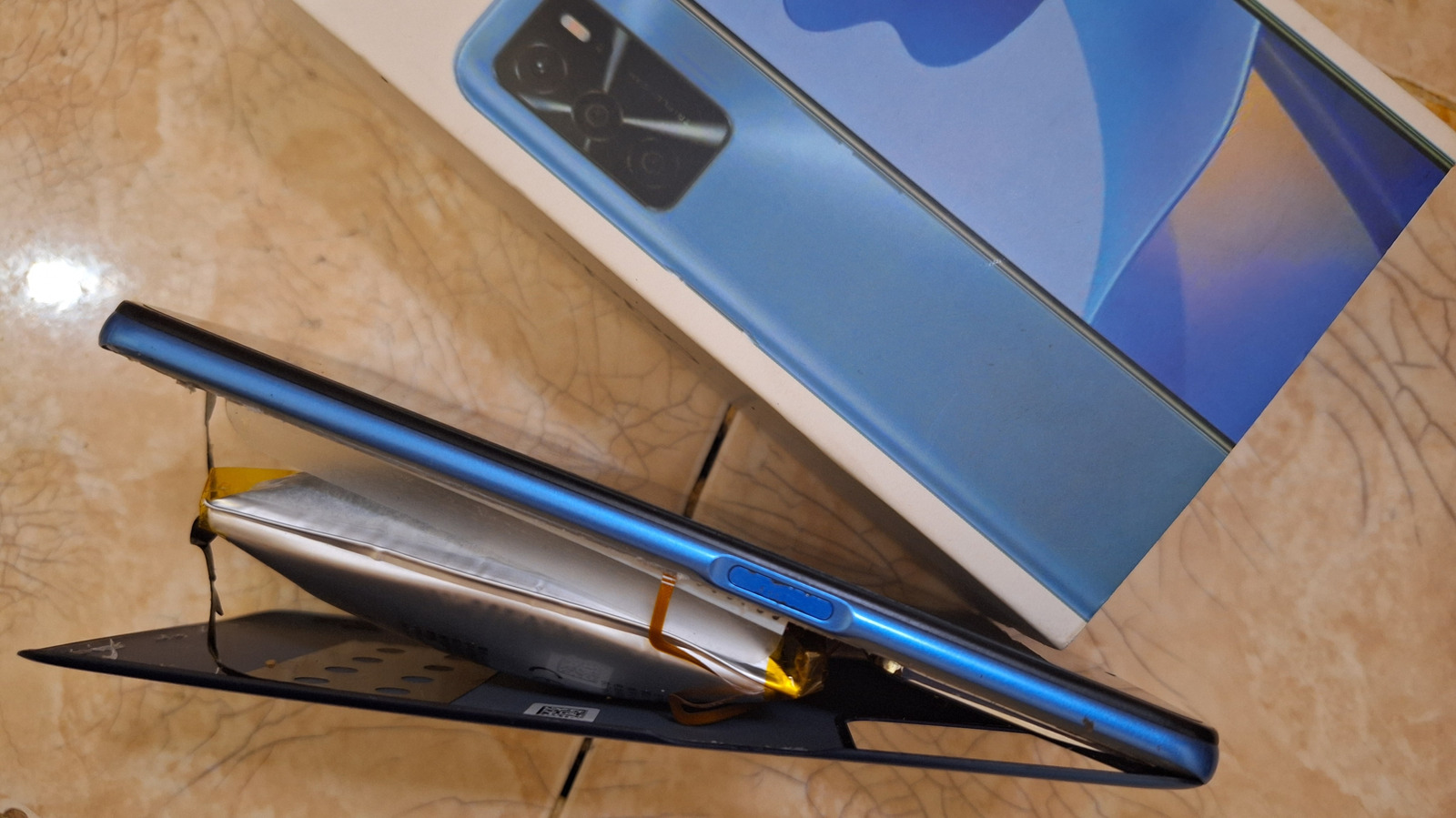
As a mobile editor, I have seen my fair share of hardware failures, but few are as visually alarming as a bloated battery. Detecting the signs of battery swelling early is crucial for your personal safety and the preservation of your home. The most obvious indicator is device chassis distortion. If your phone no longer sits flat on a table or if you notice the back cover or screen beginning to lift away from the frame, you are likely dealing with internal pressure from a failing cell.
One of the most effective DIY diagnostics is the Wobble Test. Place your Android phone on a perfectly flat surface, like a glass desk or a granite countertop. If the device spins easily when flicked or wobbles when you touch the corners, the battery has likely begun to expand, pushing against the internal components. This often manifests as what to do if your Android screen is bulging, as the pressure from beneath the display can create "pressure spots" or localized discoloration on the LCD or OLED panel.
Beyond the physical shape, keep your senses sharp for an olfactory warning. A failing lithium-ion cell often emits a faint, sweet, volatile chemical odor. This smell is the result of leaking gases from the battery’s internal layers. If you detect this metallic scent, or if the device feels abnormally hot even when not in use, these are definitive signs of a swollen Android battery that requires immediate isolation.
Emergency Handling: Immediate Steps for Safety
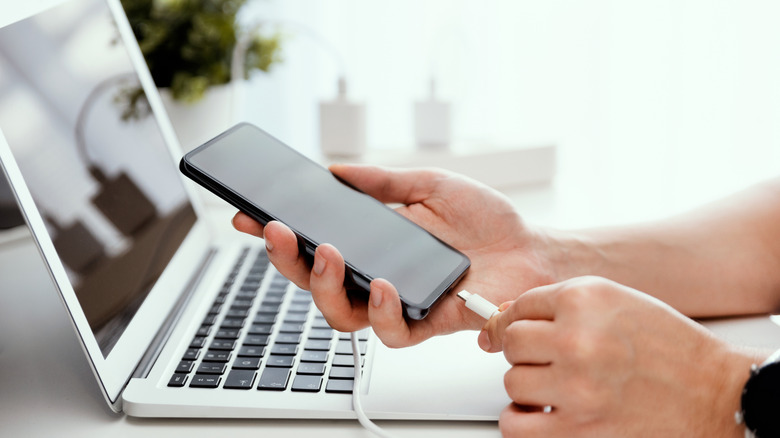
When you realize you are holding a potential fire hazard, the priority shifts from data recovery to bloated battery safety protocols. The first rule is absolute: stop charging the device. Introducing more current into a compromised cell accelerates the chemical breakdown. If the phone is currently plugged in, unplug the adapter from the wall first rather than pulling the cable from the phone to minimize the risk of a spark near the battery.
If the battery has expanded to the point where the phone case is splitting open, you are facing a significant physical puncture risk. Do not attempt to squeeze the phone back together or apply pressure to the screen. Puncturing the outer foil of a swollen lithium-ion battery allows oxygen to react with the volatile internal chemicals, which can trigger an immediate fire.
If you must move the device, equip yourself with protective safety gear. Heavy-duty gloves and safety glasses are essential to protect against chemical burns or sudden venting. The safest way to store the device until it can be disposed of is in a fireproof container. A metal sand bucket is the gold standard here; the sand acts as both a heat sink and a smothering agent should the battery ignite. Move this container to an outdoor area or a garage with concrete floors, far away from curtains, wood, or other flammable materials. This is a critical step in emergency handling for a punctured swollen battery, as it isolates the threat.
The Science of 'The Bloat': Why Batteries Swell
To understand why your device is growing, we have to look at the chemistry inside. Lithium-ion batteries generate power through a chemical reaction between the cathode and anode. Over time, or due to stress, a process called electrolyte oxidation occurs. This is where the liquid electrolyte inside the battery begins to break down, releasing gas as a byproduct. Because the battery is sealed in a foil pouch, this gas has nowhere to go, causing the pouch to expand like a balloon.
This expansion is more than just a physical nuisance; it is a precursor to a dangerous phenomenon known as thermal runaway. In this state, the heat generated by the failing cell causes further chemical breakdown, which in turn creates more heat in a self-sustaining cycle. According to safety experts, lithium-ion battery fires can reach intense temperatures between 700°C and 1,000°C during thermal runaway. This is why you should not repair a swollen battery yourself—the margins for error are non-existent.
Environmental factors often trigger this degradation. High temperatures are the primary enemy of battery health. Most manufacturers, including Samsung and Google, recommend keeping devices within a temperature range of 0°C to 35°C. Exceeding these hardware battery limiters through fast-charging in a hot car or using intensive apps in direct sunlight can permanently damage the cell’s internal structure.
Safe Disposal: How to Get Rid of a Bloated Battery
Once you have stabilized the device, the next challenge is finding a location for swollen battery disposal. You must never throw a lithium-ion battery into your kitchen trash or a standard curbside recycling bin. The U.S. Consumer Product Safety Commission has documented over 25,000 reports of overheating or fire incidents involving lithium battery-powered electronics over a five-year period, many of which occurred during waste processing.
The correct path is to locate a certified e-waste recycling facility or a hazardous waste management center in your area. These facilities are equipped to handle volatile cells and can safely neutralize the reactive chemicals. Many major electronics retailers, such as Best Buy or local specialized repair shops, offer dedicated collection points for damaged batteries.
Before you transport the device, ensure it remains in its fireproof container. If the battery is removable (common in older Android models), do not remove it if it is already swollen, as the act of prying it out increases the risk of a puncture. If the battery is integrated, take the entire device to the facility. Search for programs like Call 2 Recycle to find the nearest drop-off point and learn how to safely dispose of a bloated phone battery according to local regulations.
Prevention: Extending Your Android Battery Life
Prevention is always better than a crisis. While every battery will eventually degrade, certain habits can significantly delay the onset of battery health degradation. The most impactful change you can make is following the 20-80% rule. Keeping your battery level between 20% and 80% reduces the stress on the lithium ions, preventing the rapid electrolyte oxidation that leads to gas buildup.
Furthermore, be mindful of how you store unused devices. If you are keeping an old Android phone as a backup, do not store it with a 0% or 100% charge. The ideal state for long-term storage is approximately 50% to 70% charge in a cool, dry environment.
| Factor | Ideal Range | Risk of Swelling |
|---|---|---|
| Operating Temp | 15°C to 30°C | High above 45°C |
| Charge Level | 20% to 80% | High at constant 100% |
| Storage Charge | 50% | High at 0% for months |
| Charger Type | OEM / Certified | High with uncertified 3rd party |
Always use official or certified third-party charging equipment. Cheap, uncertified chargers often lack the necessary hardware battery limiters that prevent overcharging and manage heat dissipation. Preventing battery swelling in high temperatures starts with using the right gear and avoiding "vampire charging"—leaving your phone plugged in overnight on a soft surface like a bed or pillow, which traps heat.
FAQ
What causes a phone battery to swell?
Battery swelling is primarily caused by the buildup of gas through a process called electrolyte oxidation. This occurs when the internal battery chemistry breaks down due to age, manufacturing defects, or physical damage. External factors such as exposure to extreme heat, overcharging, or using faulty charging cables significantly accelerate this chemical degradation.
Is a swollen Android battery dangerous?
Yes, a swollen battery is extremely dangerous. The internal pressure indicates that the battery’s safety layers have been compromised. If the casing is punctured or if the internal heat reaches a certain threshold, the battery can enter thermal runaway, leading to a fire that is difficult to extinguish with water and produces toxic fumes.
Can a swollen battery explode?
While a literal explosion is less common than a rapid fire, a swollen battery can vent violently. When the gas buildup becomes too great for the battery's outer pouch, it can rupture suddenly. If this happens while the device is under thermal stress, it can result in a "fireball" effect or the rapid ejection of burning chemicals.
How do I safely dispose of a swollen phone battery?
You should take the battery or the entire device to a specialized e-waste recycling facility or a hazardous waste management center. Do not place it in household trash or standard recycling bins. Most professional repair shops and authorized retailers have specific protocols and containers for the safe handling of compromised lithium cells.
Can I still charge a phone with a swollen battery?
No, you should never charge a phone with a swollen battery. Adding an electrical current to a failing cell increases the heat and internal pressure, which significantly raises the risk of a fire or explosion. Once you detect swelling, you should power the device off and stop using it immediately.
Professional Assistance and Next Steps
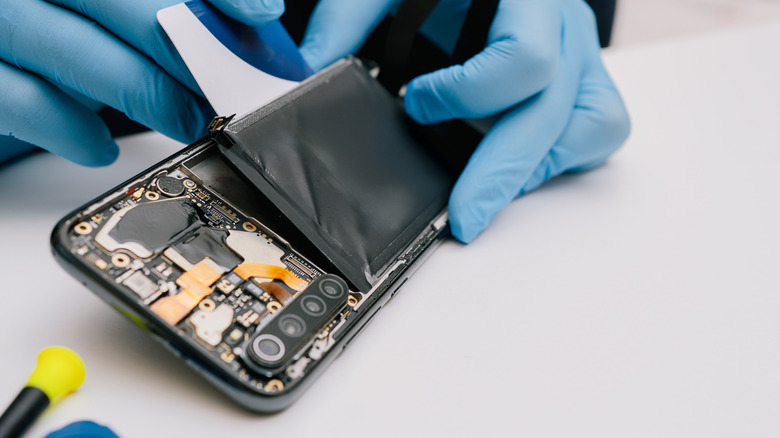
If you are unsure about the state of your device or if the swelling has made the phone too dangerous to touch, it is time to call in the experts. Certified repair technicians have the experience and the specialized tools (like suction-based screen removers and non-conductive prying tools) to extract a bloated battery without causing a puncture.
Before you head to a repair shop, check if your device is under warranty or if there has been a known recall for your specific model. Manufacturers sometimes offer free replacements for batteries that exhibit premature swelling due to factory defects. If your screen is bulging, contact a certified technician today to ensure your safety and the proper handling of the volatile components.