Quick Facts
- Security Level: Achieves NIST AAL3, the highest possible authentication assurance level available today.
- Phishing Resistance: Provides 100% protection against automated phishing by using origin-bound asymmetric cryptography.
- Efficiency: Users experience a 93% higher login success rate compared to traditional password-based systems.
- Storage Capacity: Leading options like Yubikey 5 series support 100 passkeys, while the Google Titan supports over 250.
- Hardware Cost: High-quality keys typically range from $25 to $70, depending on NFC and biometric features.
- Interoperability: Works across all major browsers and operating systems via the WebAuthn and CTAP2 standards.
FIDO2 security keys prevent phishing by utilizing asymmetric cryptography to create a unique public-private key pair for every registered website. These keys are cryptographically bound to the specific domain origin, meaning the device will refuse to authenticate on a fraudulent or spoofed website even if a user is deceived. This origin-binding mechanism ensures that credentials cannot be intercepted or replayed by attackers, making hardware security keys the most effective form of phishing-resistant MFA available in 2026.
The Rising Threat: Why SMS and Apps Are No Longer Enough
In the world of PC hardware and computing, we often obsess over benchmarks and clock speeds. But as an editor who lives in the trenches of hardware security, I can tell you that the most important "spec" for your digital life isn't your CPU frequency—it's your authentication method. For years, we were told that SMS-based two-factor authentication was enough. We were told that authenticator apps were the gold standard. In 2026, that advice is officially obsolete.
The reality check is sobering. Modern cybercriminals no longer need to be master hackers; they just need $200 to buy an AI-driven phishing kit like Tycoon 2FA. These kits can bypass traditional multi-factor authentication by intercepting session cookies in real-time. Legacy MFA vs hardware is no longer a fair fight. While an authenticator app code can be phished via a fake login page, FIDO2 security keys remain immune because they require a physical handshake that a remote attacker simply cannot replicate.
We are seeing a massive shift toward Zero Trust Architecture, where "trust" is never assumed based on a password alone. Statistics show that roughly 80% of data breaches are still attributed to weak or stolen passwords. By moving to hardware-backed security, you effectively eliminate credential stuffing protection as a concern, because there is no static "shared secret" for a hacker to steal from a server database.
How FIDO2 Security Keys Work: The Technology
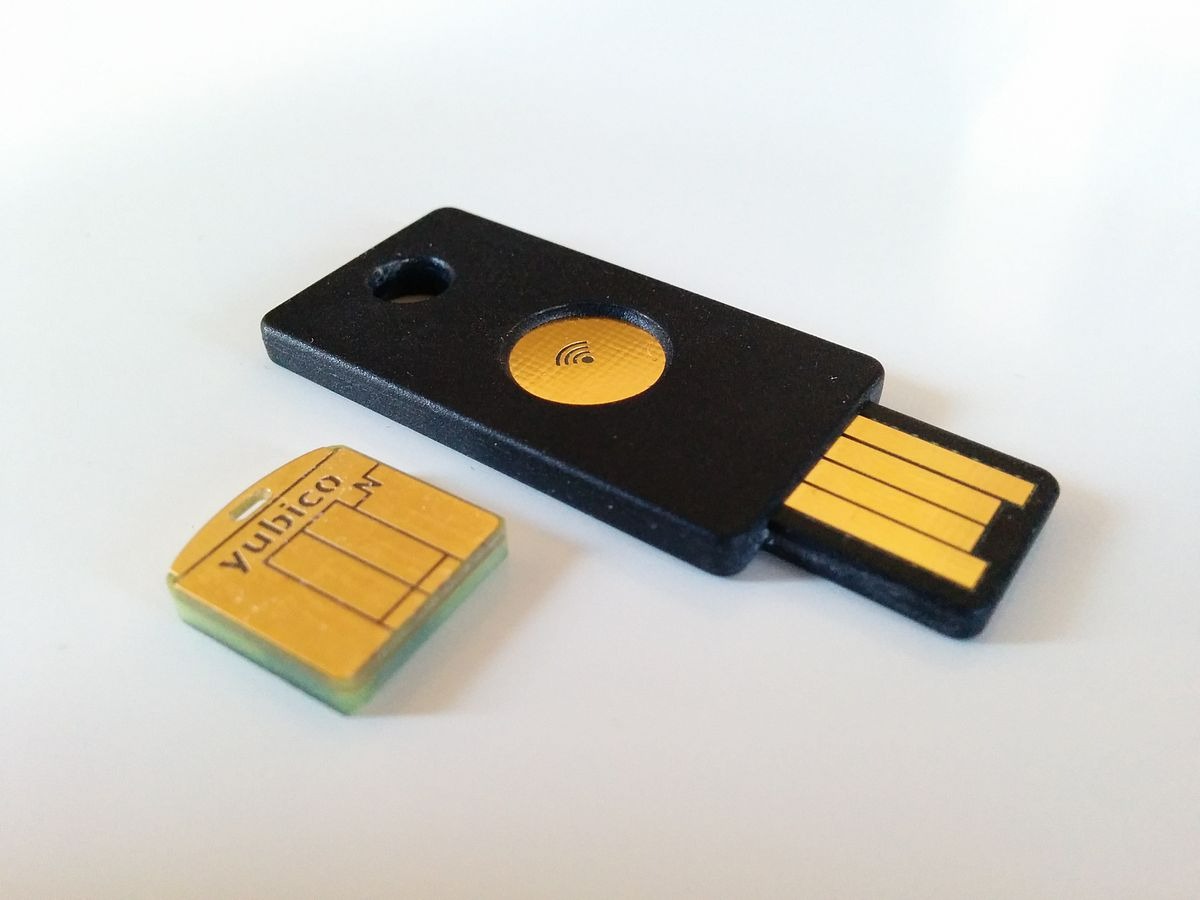
To understand why these devices are so effective, we have to look under the hood at the FIDO Alliance standards. The magic happens through two main protocols: WebAuthn (the API that allows websites to communicate with your browser) and CTAP2 (the protocol that allows your browser to talk to the physical key).
Think of a FIDO2 security key using the Locksmith analogy. In a traditional password system, you and the website both have a copy of the same key (the password). if a thief steals the website's copy, they can get into your house. With Public Key Infrastructure (PKI), the website only has a "lock" (the public key), while you hold the only "key" (the private key) inside a secure chip on your hardware device.
When you try to log in, the website sends a cryptographic challenge. Your FIDO2 security key signs this challenge using asymmetric cryptography. Crucially, this process utilizes origin binding. The hardware key looks at the domain in the browser address bar. If you are on "g00gle.com" instead of "google.com," the key recognizes the mismatch and refuses to sign the challenge. This makes it mathematically impossible for a phishing site to intercept your credentials. This level of rigor is what defines AAL3 Compliance, the peak of modern security.
2026 Hardware Security Keys Comparison: Finding the Right Key
Choosing the right hardware can be as nuanced as choosing a motherboard. You need to consider port compatibility (USB-C vs USB-A), mobile connectivity (NFC), and storage capacity. For most professionals, the choice comes down to two titans of the industry.
| Feature | Yubico Yubikey 5 Series | Google Titan Security Key |
|---|---|---|
| Passkey Capacity | 100 Passkeys | 250+ Passkeys |
| Connectivity | USB-A, USB-C, Lightning, NFC | USB-C, NFC |
| Authentication | FIDO2, OTP, Smart Card, PIV | FIDO2 / WebAuthn |
| Biometrics | Available on "Bio" models | Pin-based |
| Build Quality | High (Crush-resistant) | High (Compact) |
| Best For | Power users and IT pros | General consumer use |
When conducting a hardware security keys comparison, the Yubikey 5 series stands out for its versatility. It supports older protocols like one-time passwords (OTP) and Smart Card functionality, which is essential for legacy enterprise systems. However, the best fido2 security keys for personal use 2026 often include the Google Titan, especially for those deep in the Google ecosystem, due to its massive passkey storage capacity.
If you are looking for the absolute best, a yubikey vs google titan security key comparison often boils down to whether you need biometric verification. Yubico offers keys with fingerprint sensors that add an extra layer of "something you are" to the "something you have," removing the need for a PIN altogether.
Implementation: Setting Up Your Passwordless Future
Transitioning to a passwordless authentication setup is surprisingly straightforward. Most major platforms—including Google, Microsoft Entra, Apple, and various banking institutions—now support FIDO2 keys as a primary login method.
Here is a quick checklist for setting up your hardware key:
- Enter the security settings of your account (e.g., Google Account -> Security -> Passkeys and security keys).
- Select "Add a security key."
- Insert your key into the USB port or tap it against your phone's NFC reader.
- Follow the prompt to "touch" the key or enter a local PIN.
- Name the key (e.g., "Primary Yubikey") and save.
The benefits of fido2 keys for protecting bank accounts are particularly notable. Financial institutions have seen 20-40% higher conversion rates for passwordless sign in because users no longer have to remember complex strings of characters or wait for a slow SMS code. Once you know how to use fido2 keys for passwordless sign in, the friction of daily browsing virtually disappears. You simply tap your key, and you're in.
The Recovery Plan: What Happens If You Lose Your Key?
The most common question I get as an editor is: "what happens if i lose my fido2 security key?" It is a valid fear. Because these keys use unique cryptographic signatures rather than shared secrets, you can't just call a help desk and ask them to "reset" your physical key.
The solution is a robust backup strategy. You should always register at least two FIDO2 security keys for your most important accounts. Think of it like your car keys; you have a primary set and a spare in the kitchen drawer. Most services allow you to associate multiple hardware devices with a single account. If your primary key goes missing, you use the backup to log in and immediately remove the lost key from your account settings.
Additionally, most platforms provide one-time recovery codes when you first set up MFA. Print these out and keep them in a physical safe. setting up a backup fido2 security key is the single best way to ensure you are never locked out of your digital life.
Compliance and the 2026 Roadmap
As we move through 2026, phishing-resistant MFA is transitioning from a "nice-to-have" to a legal requirement. In Europe, the PSD3 framework is mandating stricter authentication for financial transactions. Similarly, in India, the DPDPA is pushing for higher data protection standards that favor hardware-backed security.
We are also seeing updated guidance from NIST (SP 800-63-4) which emphasizes that AAL3 Compliance is the only way to truly defend against sophisticated "Man-in-the-Middle" (Mitm) attacks. If you are a professional or a business owner, adopting these keys now isn't just about security—it's about staying ahead of the regulatory curve.
FAQ
What is a FIDO2 security key and how does it work?
A FIDO2 security key is a physical device used for secure authentication. It works by using public key cryptography to prove your identity to a website. When you log in, the key signs a challenge from the website that only your specific device can answer, ensuring that even if someone has your password, they cannot access your account without the physical key.
What happens if I lose my FIDO2 security key?
If you lose your key, you can use a backup key or a recovery code that you generated during the initial setup to regain access. Once logged in, you should immediately go to your account settings and remove the lost key so it can no longer be used for access.
Is a FIDO2 security key more secure than an authenticator app?
Yes, it is significantly more secure. While authenticator apps are better than SMS, they are still vulnerable to sophisticated phishing attacks where a user is tricked into entering a code into a fake website. FIDO2 keys use origin binding, which means they physically won't work on a fake or spoofed website.
Do I need more than one FIDO2 security key for backup?
Yes, it is highly recommended to have at least two keys. Having a secondary backup key registered to your accounts ensures that you can still log in if your primary key is lost, stolen, or damaged.
Which services and websites support FIDO2 keys?
Most major tech and financial services support FIDO2, including Google, Microsoft (Outlook and Windows Hello), Apple (iCloud), Facebook, X, Dropbox, and a growing number of international banks. You can check a site's security settings for "Security Keys" or "Passkeys" to see if it is supported.
Conclusion & Secure Your Accounts
Google reported that there have been no successful phishing attacks against its more than 85,000 employees since the company began requiring the use of physical FIDO security keys for authentication. If that statistic doesn't convince you, nothing will.
Moving toward passwordless authentication is the most significant upgrade you can make to your personal or professional computing environment in 2026. The ROI is clear: you trade a small hardware investment for a lifetime of immunity against the most common form of cybercrime. Stop relying on the fragile security of SMS and apps. Get a physical key, lock down your accounts, and experience the peace of mind that comes with true, hardware-backed security.