Quick Facts
- Target Performance: 1080p Ultra (120+ FPS) or 1440p High (60-90 FPS).
- Core CPU/GPU: AMD Ryzen 7 7600X3D + Nvidia RTX 5060.
- RAM Standard: 32GB DDR5.
- Storage: 1TB PCIe 4.0 NVMe SSD.
- Build Difficulty: Moderate (3-5 hours).
- Cost Logic: Prioritize GPU silicon over RGB lighting.
- Value Proposition: DIY saves 15-25% over prebuilt alternatives.
A balanced budget gaming pc build in 2026 aims for high-refresh 1080p or entry-level 1440p performance. Key components include mid-range processors like the AMD Ryzen 7 7600X3D or Intel Core i5-14400F, paired with modern GPUs such as the Nvidia RTX 5060 or AMD Radeon RX 7600. Opting for DDR5 memory and PCIe 4.0 storage ensures the system remains relevant for upcoming AAA titles while maintaining a high price-to-performance ratio.
The 2026 Reality Check: Why $1,000 Mid-Range Is the New Entry-Level
A few years ago, $1,000 would buy you a high-end powerhouse. In 2026, the economic landscape has shifted significantly. We have seen a steady price surge in RAM and NAND flash storage, resulting in build costs that would have looked premium just 24 months ago. This means that a budget gaming pc build 2026 requires a more disciplined approach to the FPS per Dollar calculation. While it is tempting to chase aesthetics, your money must go into the silicon—the CPU and GPU—to ensure longevity.
As of late 2025, the mid-range GPU segment, featuring cards priced between $500 and $600, accounted for approximately 44.2% of total hardware sales volume. This tells us that the bulk of the market is moving toward the $1,000 bracket for a complete system. Building a gaming pc on a budget today is not about finding the cheapest possible scrap parts; it is about finding the best value cpu and gpu for budget gaming 2026 that can handle modern ray-tracing demands and AI-driven upscaling without stuttering.
When you are looking for future-proofing, you have to accept that the 1080p floor has risen. We are no longer just aiming for 60 FPS; we are aiming for 120 FPS as the standard for eSports and 60 FPS for AAA title performance. To hit these marks under a grand, you have to be willing to cut corners on things that do not affect the frame rate, such as elaborate liquid coolers or tempered glass cases with eight extra fans.
The Ultimate $1,000 Parts List: Core vs. Supporting
To keep our budget gaming pc build parts list under the $1,000 ceiling, we categorize parts into Core and Supporting. The Core components represent your performance ceiling, while Supporting components ensure system stability and future upgradability. I highly recommend using PC Part Picker to track daily price fluctuations and ensure component compatibility before clicking "buy."
The Core Components
- Processor (CPU): AMD Ryzen 7 7600X3D. This chip offers a massive L3 cache that significantly boosts gaming performance. If you prefer Team Blue, the Intel Core i5-14400F is a solid alternative for productivity-heavy users.
- Graphics Card (GPU): Nvidia RTX 5060 8GB or AMD Radeon RX 7600 XT 16GB. The RTX 5060 is our pick for its superior power efficiency and DLSS 4.0 support.
- Memory (RAM): 32GB DDR5-6000 CL30. Do not settle for DDR4 in 2026; the price gap has narrowed enough that DDR5 is the only way to ensure an upgradable budget gaming pc build 2026.
The Supporting Cast
- Motherboard: B650M Chipset (Micro-ATX). Look for one with decent VRM heatsinks and at least two M.2 slots.
- Storage: 1TB PCIe 4.0 storage NVMe SSD. Speed here affects load times and the responsiveness of your OS.
- Power Supply (PSU): 650W 80 Plus Gold efficiency. Reliability is key here; never buy a generic PSU to save thirty dollars.
- Case: A high-airflow mesh front case. Good airflow is the best way to prevent thermal throttling without spending a fortune on cooling.
DIY vs. Prebuilt: Is Building Still Worth It in 2026?
For many, the convenience of a prebuilt PC is tempting. However, DIY gaming pc builds offer a significant financial and technical edge. When you build it yourself, you control the quality of every single fan and capacitor. Prebuilt manufacturers often use proprietary motherboards or lower-grade power supplies to maintain their margins.
The gaming pc build under 1000 vs prebuilt 2026 debate is largely decided by the assembly tax. Prebuilt systems typically carry a 15% to 25% price markup for mid-range configurations due to assembly and warranty services. By doing it yourself, you effectively get a free GPU tier upgrade or double the storage for the same price.
| Feature | DIY Custom Build | Prebuilt System |
|---|---|---|
| Cost | Baseline ($1,000) | $1,150 - $1,250 |
| Component Quality | High (User Selected) | Mixed (OEM Parts) |
| Upgradability | Excellent (Standard Parts) | Limited (Proprietary) |
| Warranty | Part-by-Part (Longer) | Whole System (1-year) |
| Setup Time | 3-5 Hours | 15 Minutes |
Step-by-Step Blueprint: Assembling Your Rig
Building your own machine is essentially high-stakes LEGO. Before you begin, clear a large, non-carpeted workspace and have a Phillipps #2 screwdriver ready. If you are worried about static, a simple anti-static wrist strap or occasionally touching the metal chassis will suffice for grounding.
1. The "Out of Box" Motherboard Setup Start by placing your motherboard on top of its own cardboard box. Install the CPU by aligning the triangle marks. Apply a pea-sized amount of thermal paste if your cooler doesn't have it pre-applied. Click your 32GB of DDR5 memory into the second and fourth slots for dual-channel performance. Finally, slot in your PCIe 4.0 storage drive and screw it down.
2. Case Preparation and Mounting Prepare your case by checking the standoffs. Most modern cases come with them pre-installed for ATX, but you may need to move them for a Micro-ATX board. Pop in the I/O shield (the most commonly forgotten step!) and then carefully lower the motherboard onto the standoffs. Secure it with the provided screws.
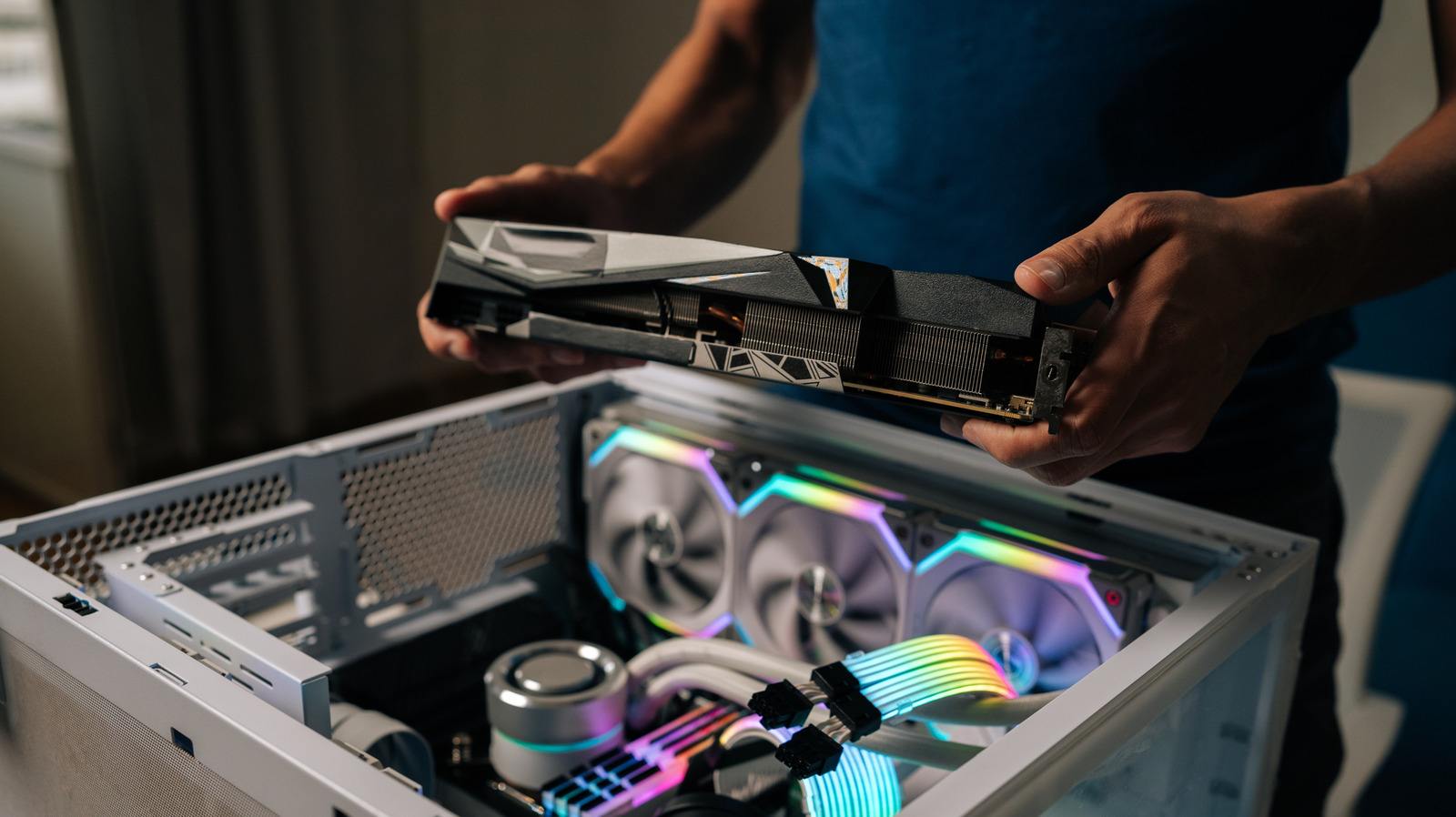
3. Power and GPU Slide the 80 Plus Gold efficiency PSU into its basement and route your 24-pin and 8-pin CPU cables through the back. This is where cable management becomes vital. Keeping cables tucked away isn't just for looks; it ensures proper airflow optimization and prevents hot air from getting trapped. Finally, install the GPU into the top PCIe slot. This is the heaviest component, so ensure it is screwed tightly into the case bracket.
4. Cooling and Airflow Ensure you have at least two intake fans at the front and one exhaust at the rear. This creates "positive pressure," which helps keep dust out and prevents thermal throttling during long gaming sessions. Check that your CPU cooler fan is blowing through the heatsink toward the rear of the case.
Post-Build: BIOS, Drivers, and Benchmarks
Once the hardware is together and the lights (hopefully) turn on, your work is only half done. You need to enter the BIOS configuration immediately by tapping the Del or F2 key upon startup. Here, the most important step is enabling XMP (for Intel) or EXPO (for AMD). Without this, your expensive DDR5 memory will run at its slowest default speeds, bottlenecking your budget gaming pc build 2026.
After installing Windows, download the latest drivers for your RTX 5060 directly from the manufacturer. I always recommend a "burn-in" test. Run a tool like Cinebench or FurMark for 30 minutes while monitoring temperatures. If your CPU stays under 85°C, you have successfully avoided thermal throttling.
Regarding performance, a balanced $1,000 gaming PC build in 2026 is capable of delivering 100–200+ FPS at 1080p Ultra settings and 60–90 FPS at 1440p High settings in most modern titles. This makes it a budget gaming pc build for 1080p gaming that can easily pivot into entry-level 1440p if you decide to upgrade your monitor later.

FAQ
Is it cheaper to build or buy a gaming PC?
Generally, building a PC is 15-20% cheaper than buying a prebuilt with identical specs. While prebuilts offer a single point of warranty, building it yourself allows you to pick higher-quality components that usually have longer individual warranties, providing better long-term value.
What's the cheapest I can build a gaming PC for?
While you can cobble together a functional machine for $500 using used parts, the floor for a reliable, new machine that can play 2026 AAA titles is roughly $700. At that price, you'll be looking at older generations like the Ryzen 5 5600 and a budget GPU like the RX 6600.
Is a $1000 gaming PC worth it?
Yes, $1,000 is the "sweet spot" for price-to-performance. At this price point, you move past the entry-level compromises and get into components that will last 3-5 years. It is much more cost-effective than a $500 PC that will need a total overhaul in 18 months.
Is 32 GB RAM overkill gaming?
In 2026, 32GB is the new standard. With modern games using high-resolution textures and background apps like Discord and Chrome becoming more memory-intensive, 16GB is often pushed to its limit. 32GB ensures you won't experience micro-stutters during heavy gameplay.
How long will a $1000 gaming PC last?
A well-maintained $1,000 build should comfortably handle new releases for 4-5 years. You may need to drop settings from Ultra to Medium as time goes on, but the move to a modern platform like AM5 ensures you can simply swap out the CPU or GPU in three years without rebuilding the entire system.