Quick Facts
- Primary Fix: Enable Wrist Detection in settings and ensure Sleep Focus is toggled on before bed.
- Battery Threshold: Your watch requires at least a 30% charge to track a full night of sleep data.
- Physical Fit: The band must be snug; a loose fit disrupts photoplethysmography (PPG) sensor readings.
- Detection Sensitivity: Apple Watch shows a 97% sensitivity for detecting sleep periods compared to clinical polysomnography.
- Stage Variance: While highly accurate for duration, the watch may underestimate deep sleep by roughly 43 minutes on average.
- Minimum Wear Time: You must wear the device for at least 4 hours for the algorithm to generate sleep stage data.
Fix your apple watch sleep accuracy issues by following our 3-step guide. We address why your data might be inaccurate and how to optimize your apple watch sleep tracking settings for 2026. To fix apple watch sleep data, ensure your device is snug, charged above 30%, and that Sleep Focus is active during your scheduled bedtime.
As a mobile devices editor, I spend a lot of time looking at green LED lights and accelerometer graphs. I have worn every iteration of the Apple Watch, and the most common question I receive from readers is some variation of: "Why does my watch say I only got 12 minutes of deep sleep when I feel great?" or "Why didn't it track my sleep at all last night?"
The reality is that while the Apple Watch is one of the most sophisticated wearable biosensors on the market, it is not a medical-grade EEG machine glued to your scalp. It relies on proxies—movement and heart rate—to guess what your brain is doing. When those proxies are interrupted by a loose strap or a misconfigured software toggle, the data falls apart. Improving your apple watch sleep accuracy requires a mix of hardware adjustment and software discipline.
Before we dive into the fixes, let’s ensure your hardware is actually capable of the latest tracking features.
| Feature | Requirement | Recommended Model |
|---|---|---|
| Sleep Stages Tracking | watchOS 9 or later | Series 4 and newer |
| Vitals App Trends | watchOS 11 or later | Series 8, Ultra, or newer |
| Blood Oxygen Sensing | Hardware-enabled | Series 6 through Series 9 (non-Banned) |
| Wrist Detection | Must be ON | All models |
Step 1: Optimize Physical Fit and Sensor Contact
The foundation of apple watch sleep accuracy is the physical connection between the sensor array and your skin. The Apple Watch uses a technology called Photoplethysmography (PPG). Essentially, green LED lights flash hundreds of times per second to measure the amount of light reflected back by your blood flow. This determines your heart rate and heart rate variability (HRV), which are the primary metrics used to calculate sleep stages.
If your watch is sliding down toward your hand or lifting off your skin when you roll over, the PPG sensor experiences light leakage. This "noise" makes it impossible for the device to distinguish between a resting heart rate and simple movement. To ensure the best apple watch band tightness for sleep sensors, you should be able to fit one pinky finger under the band, but the watch shouldn't move freely when you shake your arm.
Positioning also matters. Wear the watch about one finger-width above the wrist bone (toward your elbow). This area provides a flatter surface for the sensors to maintain consistent contact with the skin, which is crucial for capturing clean accelerometer data and respiratory rate. If you find your standard silicone band uncomfortable for overnight wear, consider a nylon Sport Loop; the hook-and-loop fastener allows for micro-adjustments that provide a snug but breathable fit that won't pinch during the night.
Step 2: Configure Critical Software Gatekeepers
Even with a perfect fit, your watch might fail to record data if the software isn't told to look for it. The most common reason for missing data is a failure in the apple watch sleep focus setup. Unlike some competitors that use "auto-detection" exclusively, Apple relies heavily on Sleep Focus to tell the watch when to prioritize sleep-related sensor data over general daily activity.
To ensure your settings are optimized, open the Watch app on your iPhone and navigate to the Sleep section. Ensure that Track Sleep with Apple Watch is toggled on. More importantly, verify your Sleep Schedule. While the watch can detect sleep outside of a schedule, the algorithm is significantly more sensitive and accurate when it knows your general circadian rhythm.
Another mandatory setting is Wrist Detection. You can find this under Passcode in the Watch settings. If Wrist Detection is off, the watch will not track heart rate in the background, and you will lose almost all sleep stage functionality. This is a common culprit for why is my apple watch sleep data inaccurate—users turn it off to save battery or avoid passcode prompts, unknowingly disabling the very sensors required for health tracking.
Lastly, check your battery. If your watch drops below 30% before you go to bed, it may disable high-frequency sensor polling to ensure the device doesn't die before your morning alarm. Always give your watch a "top-up" charge during your evening shower to ensure it has enough juice to power the PPG sensors throughout the night.
Step 3: Manage Data Hierarchy and Interpretation
If you are seeing data but feel it is "wrong," you need to understand how HealthKit manages information. Sometimes, a third-party app like Sleep Cycle or AutoSleep might be writing data to your Health app that conflicts with Apple's native calculations. To check this, go to Health > Sleep > Data Sources & Access. Ensure your Apple Watch is at the top of the priority list for data sources.
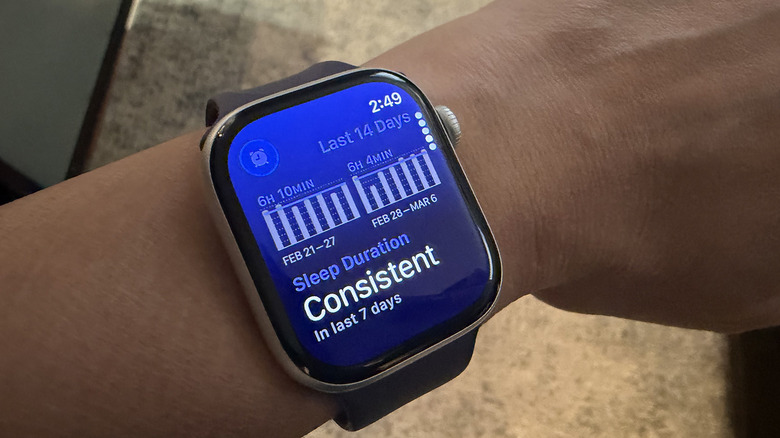
One frequent complaint involves how to fix apple watch not tracking sleep stages. Usually, this is due to the 4-hour rule. The Apple Watch requires at least four hours of recorded sleep to generate the REM, Core, and Deep sleep breakdown. If you have a highly fragmented night where you are awake for long periods, the watch may only show "Time in Bed" rather than specific stages.
It is also vital to manage your expectations regarding apple watch sleep stage accuracy vs polysomnography. There is a rising phenomenon known as Orthosomnia—a clinical term for the perfectionist pursuit of "perfect" sleep data. Users often obsess over getting more deep sleep, not realizing that even in a clinical sleep lab, two human experts only agree on sleep stage classifications about 80% of the time. The Apple Watch is a tool for identifying trends, not a diagnostic medical device.
Instead of panicking over a single night's low REM score, look at the Vitals app to see your long-term averages for heart rate and respiratory rate. These metrics are often more indicative of your actual recovery and sleep hygiene habits than the estimated stage durations.
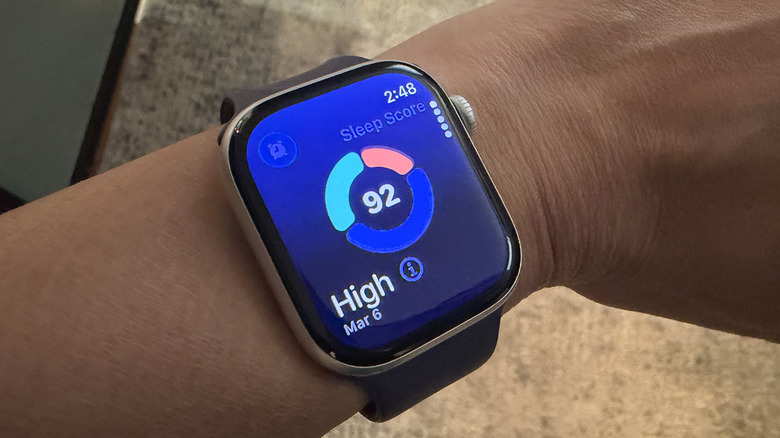
Understanding the 'Accuracy Gap': What Science Says
To truly fix apple watch sleep data, we have to look at what the watch can and cannot do. We are lucky to have significant independent research on Apple's algorithms. In a 2024 study published in the journal Sensors, researchers found that the Apple Watch Series 8 had a 97% sensitivity for detecting when a user was asleep versus awake. This is world-class performance for a consumer wearable and rivals professional actigraphy standards.
However, the "accuracy gap" appears when we look at specific stages. Research at Brigham and Women's Hospital found that the Apple Watch was 86.1% sensitive for light sleep but dropped significantly to 50.5% for deep sleep.
Sensitivity Comparison: Apple Watch vs. Polysomnography (PSG)
| Sleep State | Apple Watch Sensitivity | Note |
|---|---|---|
| Overall Sleep/Wake | 97% | Excellent for duration tracking |
| Light Sleep (Core) | 86.1% | Tends to overestimate by ~45 mins |
| REM Sleep | 82.6% | Very reliable for a wearable |
| Deep Sleep | 50.5% | Underestimates by ~43 mins |
This data suggests that if your watch tells you that you only got 20 minutes of deep sleep, you likely got closer to an hour. The watch is conservative with the "Deep" label, requiring a very specific combination of low heart rate and zero movement. Knowing this can help reduce the anxiety that often comes with reviewing apple watch sleep focus settings for accurate data. The device is best used as a monitor for your sleep-wake cycles and blood oxygen saturation trends rather than a definitive judge of your deep sleep quality.
FAQ
How accurate is Apple Watch sleep tracking?
The Apple Watch is highly accurate at detecting total sleep duration and sleep-wake transitions, with studies showing up to 97% sensitivity. It is considered one of the top-performing consumer wearables for distinguishing between being awake and asleep. However, its accuracy in distinguishing between specific sleep stages like Deep and REM is lower than medical-grade equipment.
Is Apple Watch sleep stages data reliable?
It is reliable for tracking long-term trends but should not be taken as an absolute clinical measurement. The watch is particularly good at identifying REM sleep but frequently underestimates the amount of deep sleep a user gets by about 40 to 45 minutes per night.
How does Apple Watch compare to a professional sleep study?
A professional sleep study (polysomnography) uses EEG to measure brain waves, which is the gold standard for sleep staging. The Apple Watch uses heart rate and movement, which are secondary indicators. While the watch is excellent for home use and identifying general patterns, it cannot diagnose clinical disorders like sleep apnea with the same precision as a lab study.
Why is my Apple Watch sleep data inconsistent?
Inconsistency usually stems from a loose watch band, low battery (below 30%), or not using the Sleep Focus mode. If the watch cannot maintain a steady heart rate reading via its PPG sensors, the algorithm will have "gaps" in its data, leading to inconsistent or missing stage reports.
How does the Apple Watch know when you are asleep?
The device uses a multi-sensor approach. The accelerometer tracks movement (or lack thereof), while the photoplethysmography sensors monitor your heart rate and heart rate variability. When these metrics reach a specific threshold defined by Apple's machine-learning models—usually after several minutes of stillness and a lowered heart rate—the watch logs the start of a sleep period.
By following these three steps—tightening your band, ensuring your software is correctly toggled, and interpreting the data with a scientific grain of salt—you can transform your Apple Watch from a simple heart rate monitor into a powerful ally for your long-term health. Check your battery levels and band tightness before you head to bed tonight, and let the sensors do the rest.