Quick Facts
- Average Loss: Tech scam victims lose an average of over $800 per incident.
- Frequency: An investigation found that approximately 34 percent of all advertisements on the platform are fraudulent.
- Top Red Flag: Requests for payment via non-reversible apps like Zelle, Venmo, or Cash App.
- Physical Safety: The gold standard for meeting is a police station parking lot or a designated public safety zone.
- Victim Stats: A survey showed 60 percent of respondents have encountered a scammer on the service.
- Total Cost: Social media scams cost American consumers more than $1.2 billion in 2022.
Common red flags for Facebook Marketplace scams include electronics listed at suspiciously low prices and sellers with brand-new profiles that have zero ratings. To stay safe, you should avoid listings for high-value items like MacBooks or iPhones priced far below market value, as these are often used as bait for advance payment or shipping fraud.
Facebook Marketplace has become a hub for tech deals, but with a 38% rise in fraud, knowing how to spot Facebook Marketplace scams is essential. Whether you're buying an iPhone or selling a laptop, recognizing red flags like suspicious payment requests via Zelle or Venmo can save you hundreds. As someone who spends my days testing the latest mobile devices, I know how tempting a "steal" can be. However, in the world of used electronics, a price that looks too good to be true is usually the first sign of a sophisticated trap designed to separate you from your cash.

Sign 1: The 'Too Good to Be True' Price Tag
We all love a bargain, but the secondary market for tech is remarkably stable. If you see a functional MacBook Pro or the latest iPhone 15 Pro Max listed for $150, your alarm bells should be ringing. Scammers use these bait listings for high-value electronics to lure in a high volume of potential victims quickly. They rely on the buyer's fear of missing out (FOMO) to bypass their natural skepticism.
When identifying fake Facebook Marketplace electronics listings, I always recommend cross-referencing the price with reputable refurbished sites like Back Market or Swappa. If the Marketplace price is more than 30% lower than the professional refurbished price, it is almost certainly a scam. These fraudulent listings often use stolen photos from eBay or legitimate retail sites. Before you even message the seller, do a mental check: why would someone sell a device for $200 when they could trade it into a carrier or Apple for $500? Digital trust is built on logic, not luck.
Sign 2: The Push for Non-Reversible Payment Apps
This is perhaps the most critical indicator of a scam. If a seller insists that you pay via Zelle, Venmo, or Cash App before they "ship" the item or even before you meet, walk away. These platforms are designed for sending money to friends and family, not for commercial transactions with strangers. They do not offer the same level of buyer protection as a credit card or the official Facebook checkout system.
Scammers prefer these platforms because once the money is sent, it is virtually impossible to recover. This is the core of the Payment Trap Playbook. A legitimate seller will usually be happy to accept cash in person or use the platform's secure transaction tools. If you are looking for safe payment methods for Facebook Marketplace, stick to physical cash after inspecting the device or use the official "Buy Now" button if the item is eligible for Facebook's Purchase Protection.
| Payment Method | Risk Level | Protection |
|---|---|---|
| Cash (In-Person) | Low | You inspect the tech before handing over money. |
| Facebook Checkout | Low | Includes official purchase protection and tracking. |
| PayPal Goods & Services | Low | Offers dispute resolution for buyers. |
| Zelle / Venmo | High | No buyer protection; money is gone instantly. |
| Wire Transfer | High | Preferred by international scammers; untraceable. |
Choosing Facebook Marketplace payment methods for safe gadget buying requires discipline. Never let a seller talk you into a "friends and family" payment on PayPal either, as this removes your ability to file a claim if the MacBook turns out to be a box of rocks.
Sign 3: Brand New Profiles and Missing Histories
Before you engage with a listing, you must audit the seller. Click on their profile and look for Facebook Marketplace red flags. Is the profile brand new? Profiles created in the last few months are a massive warning sign. Does the person have any ratings from previous sales? A lack of history suggests a burner account created specifically to run a scam before being reported and shut down.
When avoiding fake Facebook profiles, look for inconsistencies. If the seller claims to be a local "tech enthusiast" but their profile has zero friends, no mutual groups, and an AI-generated profile picture, proceed with extreme caution. One effective trick I use is a reverse image search on their profile picture and the listing photos. If the "local seller" is using a headshot from a stock photo site, you have found one of the most obvious signs of fake Facebook profiles on Marketplace. Genuine sellers usually have a digital footprint that matches their claims. Identity verification is your best defense against bot accounts.
Scammer Vocabulary
Watch out for these common phrases used by fraudulent sellers:
- "I'm currently out of town, but my cousin can drop it off once you pay."
- "There are five other people interested, pay a deposit now to hold it."
- "I can't use the Facebook payment system because my account is being verified."
- "Send me your phone number so I can send you a verification code."
Sign 4: The Google Voice Verification Trap
This is a particularly nasty scam that targets both buyers and sellers. The scammer will message you and claim they want to verify that you are a real person and not a bot. They will ask for your phone number and tell you that you will receive a code from Google. They then ask you to read that code back to them.
In reality, they are using your phone number to set up a Google Voice account or to gain access to one of your existing accounts via two-factor authentication. By giving them that code, you are helping them hijack your identity or create a "verified" phone number they can use to scam others. If anyone asks for a code sent to your phone, stop communicating immediately. Reporting fraudulent Facebook Marketplace sellers for tech scams involving phishing links or identity verification theft is essential to keeping the community safe. Remember: no legitimate transaction requires you to share a security code.
Sign 5: Shipping-Only Demands for Local Tech
Facebook Marketplace is primarily designed for local, face-to-face exchanges. However, scammers frequently list high-value items in your local area, only to tell you that they’ve "just moved" or are "working away" and must ship the item. They will often offer to cover the shipping costs or use a fake "escrow" service to make the deal seem safer.
These Facebook Marketplace shipping scams for high value electronics usually end in one of two ways: you receive an empty box, or you receive nothing at all. Because you paid outside of the platform’s official system, you have no recourse. As a mobile tech editor, my rule is simple: if it costs more than $50 and it's on Marketplace, I meet in person. Transaction security is significantly higher when you can physically touch the product before the money changes hands. If a seller refuses a local pickup for a "local" listing, it is a guaranteed fraud.
Sign 6: Refusal to Meet in Public Safety Zones
Your physical safety is just as important as your financial security. When arranging a meeting, always suggest a public, well-lit location. Many police departments now offer public safety zones—specifically designated areas in their parking lots with 24/7 camera surveillance for online transactions.
If a seller insists on meeting in a secluded park, a dark alley, or their private residence, this is a major red flag. Legitimate sellers who are also concerned about their safety will appreciate the suggestion of a police station or a busy coffee shop. Using safe meeting spots for Facebook Marketplace tech exchanges reduces the risk of robbery or "snatch-and-grab" incidents. If the seller makes excuses about why they can't meet in a public place with cameras, cancel the deal. No gadget is worth your personal safety.
Sign 7: The Overpayment or 'Courier' Script
While most advice focuses on buyers, sellers need to be wary too. A common tactic is the overpayment scam. A "buyer" will send you a digital payment (often via a fake check or a doctos-up screenshot) that appears to be for more than the asking price. They will then ask you to refund the difference via Zelle or Venmo. Weeks later, the original payment is flagged as fraudulent or the check bounces, and you are out both the "refunded" money and your item.
Another variation is the "courier" trick. The scammer claims they are too busy to meet and will send a courier (like FedEx or a private driver) to pick up the item. They will send you a fake link to pay for "insurance" or "shipping fees" which they promise to reimburse. When avoiding overpayment scams when selling tech on Facebook, never accept more than the agreed price and never pay a fee to receive money for an item you are selling. Genuine buyers show up with cash or use the platform's verified checkout.
How to Test Tech Gadgets Before Paying
Once you’ve avoided the red flags and met in a safe location, you need to verify the hardware. Scammers often sell "iclou-locked" or blacklisted phones that are essentially expensive paperweights. Follow this checklist for any mobile device purchase:
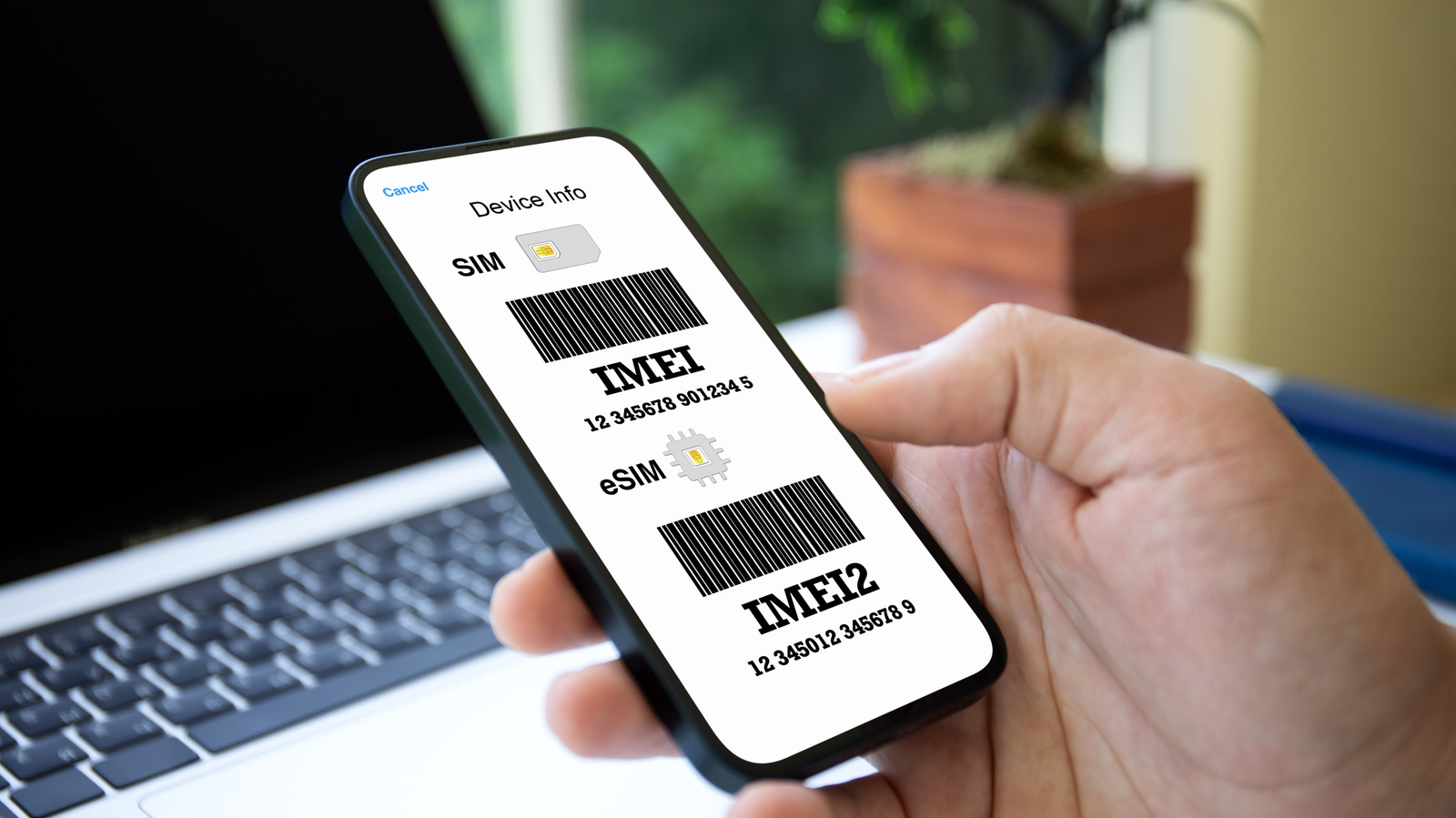
- Verify the IMEI: On a smartphone, dial *#06# to get the IMEI number. Run it through a free online checker to ensure the device isn't reported stolen or blacklisted by carriers.
- Check Activation Locks: For iPhones, ensure "Find My" is turned off and the seller has signed out of iCloud. If they "can't remember the password," the phone is likely stolen.
- Battery Health: Go into settings and check the battery maximum capacity. If it's below 80%, you should negotiate a lower price for a future replacement.
- Screen and Ports: Bring a portable power bank and a cable to ensure the charging port works. Open a white background to check for dead pixels or screen "burn-in."
- Hardware Buttons: Test every physical button (volume, power, mute switch) and the biometric sensors (FaceID or TouchID).
Knowing how to test a used smartphone before buying on Facebook Marketplace is your final line of defense. Take your time; a legitimate seller will not mind you spending five minutes ensuring the device works as advertised.
FAQ
How can you tell if a Facebook Marketplace seller is legitimate?
A legitimate seller typically has a profile that is several years old, a history of positive ratings from other buyers, and a clear, consistent posting history. They will be willing to meet in a public place, allow you to test the tech thoroughly, and won't pressure you into using non-reversible payment apps like Zelle or Venmo.
What are the most common scams on Facebook Marketplace?
The most prevalent scams involve "too good to be true" prices for high-end tech, payment fraud via third-party apps, and the Google Voice verification code trick. For buyers, shipping fraud is common, while sellers are often targeted by overpayment scams or fake courier requests.
Is it safe to pay with Zelle or Venmo on Facebook Marketplace?
No, it is generally not safe to use these apps for Marketplace transactions with strangers. Neither Zelle nor Venmo offers buyer protection for unauthorized or fraudulent commercial sales. If the seller doesn't deliver the item or sends a broken device, you cannot get your money back through the app.
How can I avoid being scammed as a seller?
To protect yourself as a seller, only accept cash in person or use Facebook’s official payment system. Be wary of anyone who offers to pay more than your asking price or asks you to pay for "shipping insurance." Always meet in a public safety zone and never hand over the item until you have verified the funds are in your possession.
Why do scammers ask for your phone number on Marketplace?
Scammers often ask for your phone number to move the conversation off the Facebook platform, where their fraudulent messages can't be tracked or reported. They may also use your number to attempt a 2FA hijacking scam or to sign you up for spam services.
How do I report a scammer on Facebook Marketplace?
You can report a seller by clicking on their listing, selecting the "three dots" menu, and choosing "Report Listing." From there, follow the prompts to flag the account for scamming or fraudulent behavior. Reporting fraudulent Facebook Marketplace sellers for tech scams helps protect the entire community from future attacks.
Final Security Reminder
Navigating Facebook Marketplace for tech deals requires a healthy dose of cynicism. By staying on the platform for communication, insisting on public meetings, and using secure payment methods, you significantly reduce your risk. If a deal feels off, trust your gut and walk away—there will always be another listing, but your hard-earned money is much harder to replace. Stay safe out there, and happy hunting for your next upgrade.