Quick Facts
- Lifespan: Smartwatches typically have a functional life of 2-5 years due to battery wear.
- Eco-Impact: The production phase of a wearable accounts for 89% of its total environmental impact.
- Top Use Case: Transforming the device into a dedicated bedside or desk clock with a charging stand.
- Best Technical Mod: Installing AsteroidOS on legacy Wear OS hardware to bypass software limitations.
- Efficiency Tip: Utilize Always-On Display (AOD) and battery health management settings to extend service.
- Storage Stat: Approximately 8% of wearable devices currently sit unused in drawers.
You can repurpose an old smartwatch into a variety of dedicated household gadgets, such as a permanent desk or bedside clock, by enabling the Always-On Display and using a charging stand. These versatile tools can also be transformed into dedicated bike computers or media remotes to extend their utility beyond their typical two-year primary lifecycle.
We all have that one drawer. You know the one—the graveyard of retired technology where old phones and tangled cables go to be forgotten. Nestled in that pile is likely a smartwatch that served you well for a few years until a newer, shinier model took its place on your wrist. While the battery might not last a full marathon anymore, that little screen still has plenty of computing power left.
Given that wearable devices have a functional lifespan of two to five years, it is a shame to let them go to waste. In fact, extending the life of these devices is one of the best things you can do for the planet. Since the production phase of these gadgets accounts for nearly 90 percent of their environmental footprint, finding new uses for old smartwatches is a major win for e-waste reduction.
Level 1: The Always-On Desktop Companion
The simplest way to give your wearable a second life is to take it off your wrist and put it on a pedestal. Most smartwatches feature beautiful high-resolution displays that are wasted when tucked away in a drawer. By turning the device into a permanent ambient information display, you create a helpful tool for your workspace.
Setting up old apple watch as permanent bedside clock is a popular choice for many users. When paired with a vertical charging stand from brands like Spigen or ELETIUO, an old watch becomes a stylish nightstand companion. If you are using an Apple Watch, the Nightstand Mode is already built-in, showing the time and your next alarm in a soft green glow that is easy on the eyes in the dark.
For Android users, you can achieve a similar effect by enabling the Always-On Display (AOD) setting. However, when using a watch as a permanent smartwatch as desk clock, you must consider OLED burn-in prevention. Modern screens are durable, but displaying the same high-contrast image for months can leave a ghost of the numbers on the panel. To avoid this, choose watch faces that feature shifting elements or lower brightness levels.
Proper battery health management is also key. If the watch is plugged in 24/7, the battery can stay at 100 percent, which might cause it to swell over time. If your device supports it, use a smart plug to schedule charging for only a few hours a day, or use built-in software features that limit the maximum charge to 80 percent to prolong the hardware life.
Level 2: Dedicated Smart Home & Media Remote
If your home is filled with smart bulbs, thermostats, and speakers, you know the frustration of having to find your phone just to dim the lights. This is where your old tech becomes a powerful home automation interface.
Learning how to repurpose old smartwatch for smart home control allows you to create a dedicated hub for your living room or guest room. By installing apps like Home Assistant or the native Google Home and Apple Home apps, you can mount the watch to a wall or side table. This creates a permanent IoT dashboard that anyone in the house can use without needing access to your personal phone.
Another brilliant use is as a dedicated media playback controller. If you frequently host friends, you can leave the watch on the coffee table. Guests can skip tracks, adjust the volume of your Sonos or Spotify Connect speakers, and see what is playing at a glance. It keeps your primary phone in your pocket and prevents the music from stopping every time you receive a text message or a call.
Level 3: Specialized Sports & Vehicle Mounting
Your primary smartwatch is likely something you want to keep in pristine condition. For high-risk activities or specific niches, your old unit is the perfect "beater" device.
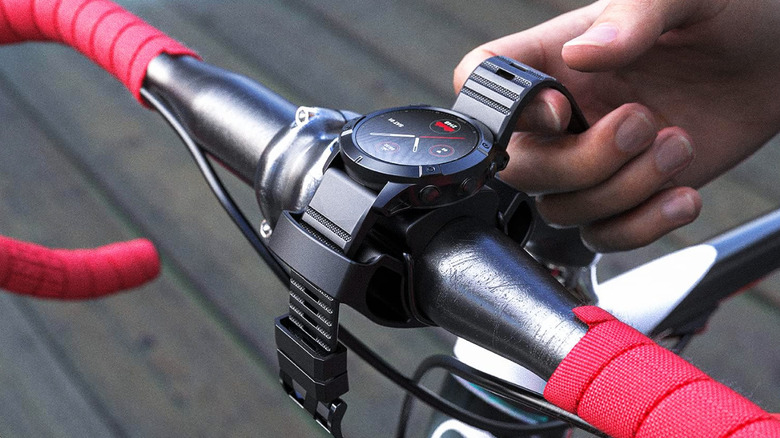
A favorite project among cyclists is repurposing old smartwatch as dedicated bike speedometer. Instead of buying an expensive standalone bike computer, you can use a TUSITA mount to fix your old watch to your handlebars. Because the watch is no longer your primary communication device, you can turn off Bluetooth and Wi-Fi, leaving only the GPS active. This significantly helps with battery life during long rides.
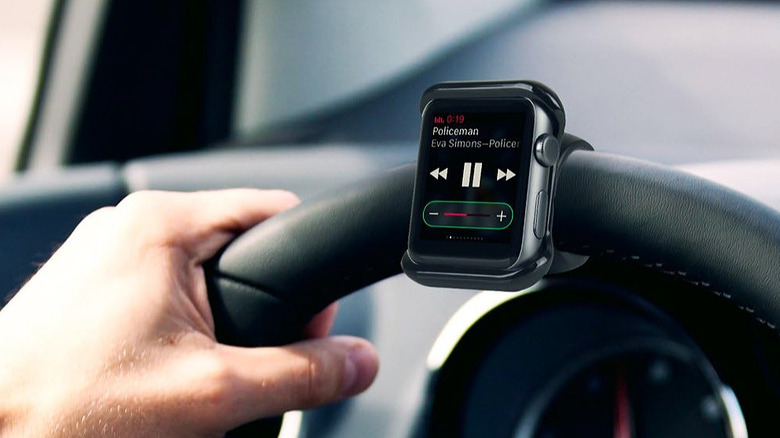
Drivers can also benefit from this setup. By mounting the watch to a car steering wheel or dashboard, it serves as a remote music controller or a quick-glance display for maps. This is particularly useful for older cars that lack Apple CarPlay or Android Auto. It provides a touch-friendly interface for your media that is safer to glance at than a phone mounted far away on the windshield.
Finally, amateur photographers often find value in using old smartwatch as bluetooth remote shutter for camera. Whether you are taking a group photo or a long-exposure shot, having a dedicated shutter button on your wrist (or held in your hand) ensures you don't shake the camera when pressing the button on the screen.
Level 4: Technical Revival with Custom Firmware
For the DIY enthusiasts, the real fun begins when you move beyond the standard operating system. If you have an older Wear OS or Android Wear device that no longer receives updates, it might be time to explore old smartwatch custom firmware.
The most prominent project in this space is AsteroidOS. This is an open-source, Linux-based operating system designed to give users back control over their hardware. While the installation process requires some technical comfort—including unlocking a bootloader—the rewards are significant. You get a clean, privacy-focused interface that isn't bogged down by Google services or manufacturer bloatware.
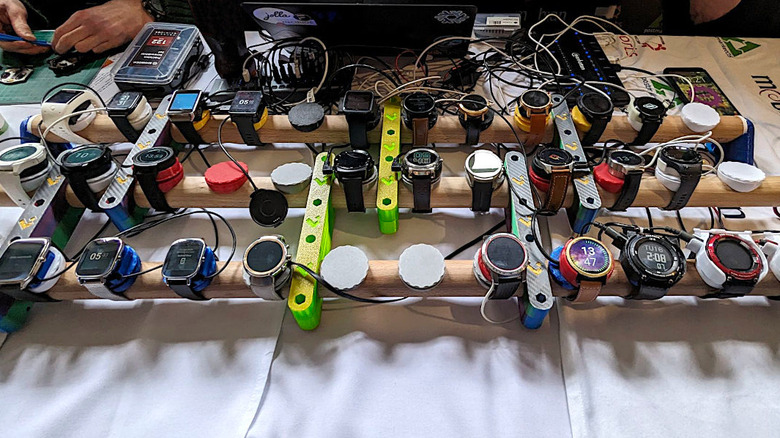
Before you start, check your hardware compatibility. AsteroidOS works best on devices with specific chipsets.
| Device Model | Chipset | Compatibility |
|---|---|---|
| LG G Watch | Snapdragon 400 | Fully Supported |
| Huawei Watch | Snapdragon 400 | Supported |
| TicWatch E/S | MediaTek MT2601 | Experimental |
| Sony SmartWatch 3 | Broadcom BCM4771 | Supported |
A guide to installing asteroidos on old wear os devices usually involves sideloading applications via a computer. While you might lose some specific features like NFC payments or advanced heart rate tracking due to driver limitations, you gain a device that is much faster and more responsive than the original laggy software.
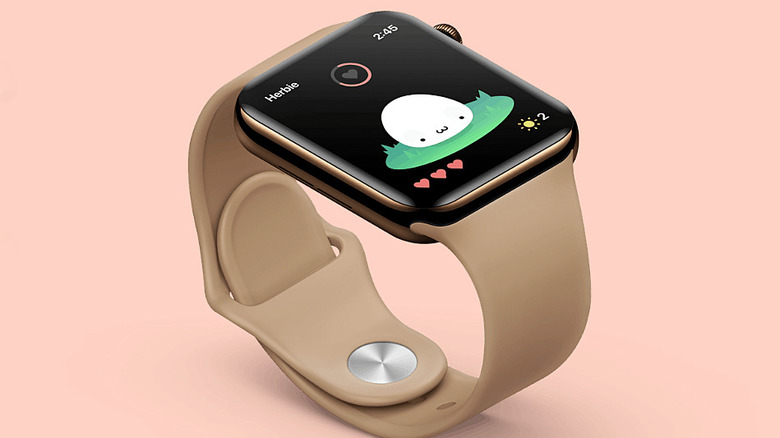
If custom firmware sounds too daunting, you can still transform the device through creative software use. For example, you can turn old smartwatch into tamagotchi style digital pet. There are several virtual pet apps designed specifically for wearables. Since the screen is small and always available, it becomes a dedicated "pet station" on your desk. It is a whimsical way to practice upcycling electronics while adding a bit of personality to your workspace.
In professional environments, these devices are surprisingly effective as discreet productivity tools. You can set up the watch as a dedicated Pomodoro timer. By keeping the timer on your wrist or desk rather than your phone, you remove the temptation to check social media every time you look at the clock. Similarly, some apps allow the watch to function as a presentation clicker, letting you swipe through slides during a meeting without hovering over your laptop.
FAQ
What can I do with an old smartwatch?
You can repurpose it into a variety of dedicated gadgets. Common uses include a permanent bedside clock, a smart home controller, a bike speedometer, or a remote camera shutter. For more advanced users, installing custom firmware like AsteroidOS can provide a fresh, open-source experience on older hardware.
How do I turn an old smartwatch into a dedicated desk clock?
To create a desk clock, you should purchase a dedicated charging stand to hold the watch at a viewable angle. Enable the Always-On Display setting and choose a high-visibility watch face. Ensure you manage the battery health by using a timer or smart plug to avoid keeping the battery at 100 percent indefinitely.
Can I use an old smartwatch without a cellular plan or phone?
Yes, most smartwatches can function independently on Wi-Fi for many tasks. While you won't receive phone calls or SMS without a tethered phone, you can still use the watch for local apps, music control, smart home interfaces, and timekeeping. Some features like GPS will also work without a data plan.
How do I repurpose an old smartwatch for sleep tracking only?
If the battery life is no longer sufficient for all-day use, you can use the device exclusively for sleep tracking. Keep it on a charger during the day and put it on only when you go to bed. This saves the battery on your primary watch and ensures you always have sleep data even if your main device is charging overnight.
Where is the best place to recycle a non-functional smartwatch?
If the device is completely broken, do not throw it in the trash due to the lithium-ion battery. Most major electronics retailers offer recycling programs. You can also check with your local municipality for e-waste collection days. Many manufacturers, including Apple and Samsung, offer trade-in programs or free recycling for their older models.
Making the choice to reuse your tech is a small but meaningful step toward a more sustainable lifestyle. Whether you turn your old wearable into a high-tech kitchen timer or a dedicated fitness tracker for your bike, you are keeping a complex piece of engineering out of the landfill. Pick one project from this list today and give your old watch the second life it deserves.