Quick Facts
- Brightness Baseline: Projectors used in daylight conditions typically require brightness levels of at least 3,000 to 4,000 ANSI lumens to maintain clarity.
- Screen Technology: Specialized Ambient Light Rejecting (ALR) screens are engineered to block up to 99% of unwanted light from windows.
- Screen Gain: A screen gain of 1.5 can effectively increase the perceived brightness of a 1,000-lumen projector to the equivalent of 1,500 lumens.
- Contrast Ratio: High contrast ratios (2,000:1 or higher) are essential to prevent image washout in bright environments.
- Placement: Maintain a throw distance of approximately 1.5x the image width to optimize light concentration.
- Thermal Safety: Proper heat management is required to prevent hardware failure when operating in high-ambient-temperature environments.
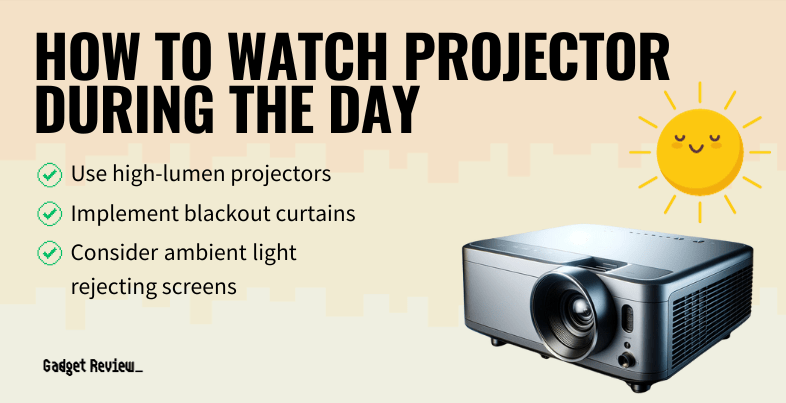
Achieve a clear, vibrant image even in direct sunlight. This guide covers everything from ANSI lumens to ALR screens for the ultimate daytime projector setup. To achieve a successful daytime projector setup, prioritize a high lumen projector for daylight, ideally exceeding 3,000 ANSI lumens, to combat natural light. Position the screen in a shaded area and utilize an ambient light rejecting screen to minimize direct sunlight interference and prevent image washout.
Step 1: Select a High-Lumen Projector
The foundation of any successful daytime projector setup is raw power. In the world of projection, power is measured in ANSI lumens. When you are fighting against the sun, standard home theater projectors designed for dark basements simply will not cut it. For a daytime projector setup for living room environments with moderate light, you should look for a minimum of 2,500 to 3,000 ANSI lumens. However, if you are planning an outdoor movie projector setup for daytime or a room with floor-to-ceiling windows, you need to push that envelope further.
Industry standards suggest that projectors used in daylight typically require at least 3,000 to 4,000 ANSI lumens to maintain a clear image and prevent visual washout from ambient light. It is crucial to distinguish between marketing lumens and ANSI lumens; many budget brands list high lumen counts that do not reflect actual performance. Always verify the ANSI rating to ensure the best projector lumens for daylight viewing.
Furthermore, consider the light source. Laser projectors are increasingly popular for home theater integration because they maintain their brightness levels longer than traditional lamp-based models. A laser light source can provide consistent, high-intensity light for up to 20,000 hours, making it a reliable choice for a high lumen projector for daylight that you intend to use as a primary television replacement.
Insider Tip: When shopping for a high lumen projector for daylight, look for models with a dedicated Bright mode. While this may slightly shift color accuracy toward green or blue, it provides the necessary punch to overcome direct sunlight during peak hours.
Step 2: Use an Ambient Light Rejecting (ALR) Screen
Even the most powerful projector will struggle if the light is bouncing off a standard matte white wall or a cheap vinyl screen. This is where an ambient light rejecting screen becomes the MVP of your setup. Unlike traditional surfaces that reflect light in all directions, an ambient light rejecting screen uses specialized optical coatings to filter out light coming from the sides or above, while selectively reflecting the projector's light toward the audience.
For those debating an ambient light rejecting screen vs white screen, the difference is night and day—literally. A standard white screen will reflect 100% of the light hitting it, including the sunlight coming through your windows. This leads to a grey, muddy image. Conversely, an ALR screen can block up to 99% of unwanted light, preserving deep blacks and vibrant colors.
If you are dealing with a particularly bright room, look for a projector screen for bright rooms that features a high screen gain. For instance, a high-gain projection screen with a rating of 1.5 can effectively concentrate reflected light toward the center seating position, significantly boosting the perceived brightness.
Standard White Screen vs. ALR Screen
| Feature | Standard White Screen | Ambient Light Rejecting (ALR) |
|---|---|---|
| Light Reflection | Reflects all light sources | Filters out off-axis light |
| Daytime Contrast | Poor (Image washout) | High (Preserves black levels) |
| Viewing Angle | Wide (180 degrees) | Narrower (Concentrated gain) |
| Best Use Case | Dedicated dark rooms | Living rooms & daylight viewing |
| Surface Coating | Matte or Satin | Multi-layer optical coating |
Step 3: Optimize Throw Distance and Positioning
Where you place your equipment is just as important as what you buy. To solve the problem of how to fix washed out projector image issues, you must manage the throw distance. The throw distance is the measurement between the projector lens and the screen. The further away the projector is, the more the light spreads out and loses intensity.
For a daytime projector setup, I recommend adhering to the 1.5x image width rule. By keeping the projector relatively close to the screen, you maximize the concentration of photons on the surface. This increases the lux measurement of the projected image relative to the lux measurement of the room’s ambient light.
Positioning also involves considering the angle of the sun. If you are setting up a backyard cinema, ensure the screen is not facing the sun directly. If you have an Ultra-Short Throw (UST) projector, you must use a specific type of ALR screen known as a Ceiling Light Rejecting (CLR) screen. These have micro-ridges designed to catch light coming from a steep angle below while blocking overhead light.
Warning: Avoid using high-gain screens with Ultra-Short Throw projectors unless the screen is specifically designed for them. Standard high-gain screens can cause hot-spotting, where the center of the image is blindingly bright while the edges are dark.
Step 4: Physical Ambient Light Control
While we want to use technology to overcome light, sometimes common sense is the best tool in your smart home arsenal. Reducing the ambient light in the room will always yield better results than trying to outshine it. For a daytime projector setup for living room use, investing in high-quality light-filtering material or blackout curtains is a game changer.
As an IoT editor, I love integrating motorized shades into a daytime projector setup. You can program your smart home system so that when the projector turns on, the shades automatically lower to a specific level, or even close completely if the lux measurement in the room exceeds a certain threshold.
For an outdoor movie projector setup for daytime, environmental control is trickier but not impossible. Use a canopy or a pop-up gazebo to create an artificial shadow over the screen. Positioning the screen against a north-facing wall can also help minimize the impact of direct sunlight during the afternoon.
- Smart Shades: Use Zigbee or Matter-enabled curtains to automate light control.
- Canopies: Essential for backyard cinema setups to provide constant shade.
- Dark Decor: Darker walls near the screen help absorb stray light rather than reflecting it back onto the image.
Step 5: Monitor Heat Management and Maintenance
High-lumen projectors generate a significant amount of heat. When you run a device at its maximum brightness to combat daylight, the internal components work much harder. If you are trying to figure out how to prevent projector overheating in sun, the first rule is ventilation.
Never place your projector on a soft surface like a couch or a rug, as this can block the air intake vents. For outdoor use, ensure the projector is kept in the shade. Direct sunlight hitting the black chassis of a projector can cause it to reach thermal shutdown temperatures in minutes.
Regular maintenance is also vital. Dust buildup on the intake filters can reduce airflow, causing the fans to spin louder and the internal temperature to rise. A clean projector runs cooler and maintains its brightness more effectively over time. If you notice your image losing its punch, it might not just be the light—it might be a dusty lens or a failing lamp due to heat stress.
FAQ
How many lumens do I need for a projector in a bright room?
For a room with significant ambient light, you generally need a projector that produces between 3,000 and 4,000 ANSI lumens. If the room has many windows and no curtains, aiming for the higher end of that range is necessary to prevent the image from appearing faded. In controlled environments with some light-filtering material, 2,500 lumens may suffice.
What is the best projector screen for daytime viewing?
The best choice for daytime viewing is an ambient light rejecting screen. These screens are specifically designed to reflect light coming from the projector while absorbing or deflecting light from other sources like windows or lamps. A screen with a gray base or a high-gain coating (around 1.5 gain) is often preferred to enhance contrast levels in bright spaces.
Can you use a projector in a room with windows?
Yes, you can use a projector in a room with windows, provided you have a high lumen projector for daylight and an appropriate screen. Using blackout curtains or smart shades can significantly improve the experience. Positioning the projector and screen so that windows are behind the screen or to the side (rather than behind the viewers) also helps reduce glare.
How do I make my projector picture clearer during the day?
To improve clarity, focus on three things: increasing projector brightness, using an ALR screen, and reducing the throw distance. Additionally, ensuring your projector is set to its highest output mode and calibrating the contrast ratio can help the image stand out against the ambient light. Keeping the lens clean and the room as shaded as possible are also quick ways to fix washed out projector image quality.
Do you need a special screen for ambient light?
While a standard white wall can work in total darkness, a special screen is highly recommended for environments with ambient light. An ambient light rejecting screen is engineered with multi-layered optical filters that significantly improve the contrast ratio and color saturation compared to a standard white surface, making the image visible even when the lights are on.