Our Top Picks
- Best Overall Value: The JMGO N1S Pro 4K offers a perfect middle ground in the lineup, providing high-end triple laser performance at a significantly lower price point than the Ultimate model.
- Most Flexible Setup: Thanks to the unique gimbal design, this is the top choice for renters or those who don't want to mount a heavy unit to their ceiling.
- Color Enthusiast’s Choice: With MALC 2.0 triple laser technology, it delivers a color depth that single-laser competitors simply cannot match.
The JMGO N1S Pro 4K is a triple-laser powerhouse that promises to replace your living room TV. In this JMGO N1S Pro 4K review, we test the 2,400 ANSI lumens, the unique integrated gimbal, and the MALC 2.0 engine to see if it lives up to the hype. The JMGO N1S Pro 4K utilizes MALC 2.0 triple laser technology, which employs independent red, green, and blue lasers rather than a standard single-laser phosphor wheel. This setup produces 2,400 ANSI lumens and covers 110% of the BT.2020 color gamut, resulting in significantly higher color accuracy and contrast compared to traditional budget projectors.
Hardware: The Gimbal Advantage and Placement Reality
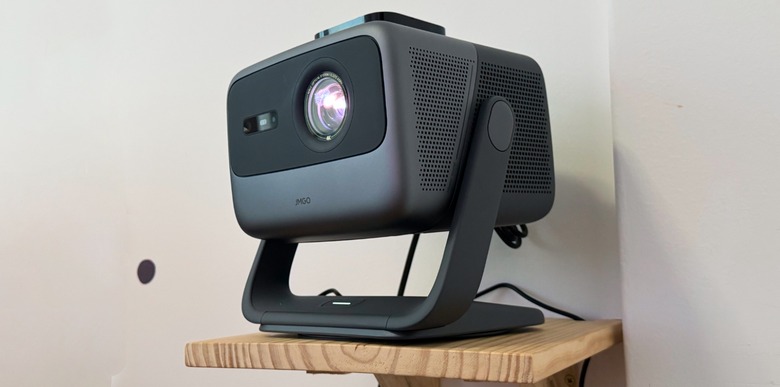
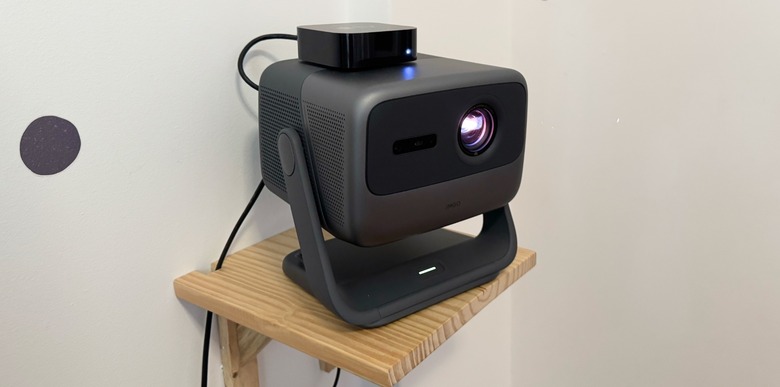
When you first unbox the JMGO N1S Pro 4K, the first thing that strikes you isn't the lens, but the stand. JMGO has leaned heavily into the lifestyle segment by integrating a gimbal system directly into the chassis. This integrated gimbal stand allows for 360-degree horizontal rotation and 135-degree vertical tilt for flexible image alignment. In practice, this means you can point the projector at your ceiling for a late-night movie in bed or swivel it toward a side wall without stacking books under the device to get the angle right.
However, there is a reality to the placement that many marketing materials gloss over. While the JMGO N1S Pro 4K gimbal features make the physical alignment easy, the projector lacks optical zoom. It uses a fixed 1.2:1 throw ratio. If you want a 120-inch image, you must place the unit exactly 10 feet and 5 inches away from the wall. While digital zoom is available to shrink the image, using it effectively throws away resolution and brightness. For those calculating the best distance for JMGO N1S Pro 4K 120 inch screen setups, remember that physical distance is your only way to maintain true 4K clarity.
The build quality feels premium, with a wrap-around grill for cooling and a surprisingly robust hinge on the gimbal that doesn't "creep" or sag over time. On the back, you will find two HDMI 2.1 eARC ports, which is a welcome addition for anyone looking to connect a high-end soundbar or a modern gaming console.
MALC 2.0 Triple Laser: Color Accuracy vs. The Speckle Problem
The core of this projector's appeal is the MALC 2.0 Triple Color Laser technology. Most projectors in this price bracket use a single blue laser with a phosphor wheel to create other colors. The N1S Pro 4K uses dedicated lasers for red, green, and blue. The result is a color volume that is visually stunning, achieving 110% coverage of the BT.2020 color gamut. When watching HDR10 content, the reds are deep and saturated without looking "neon," and the greens have a lifelike vibrancy that single-laser units lack.
During my testing, the 2,400 ANSI lumens proved bright enough for moderate ambient light, but you shouldn't expect it to compete with direct sunlight. To keep the 1,600:1 native contrast from looking washed out, a dimmed room is still your best friend.
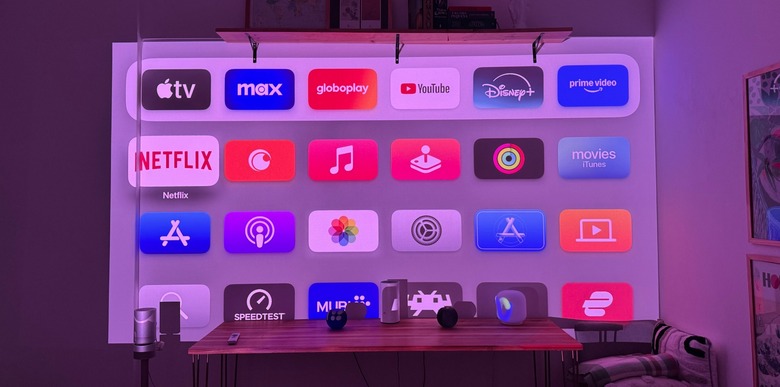
One thing users often notice out of the box is a slight color shift in the menus. Here are some JMGO N1S Pro 4K color accuracy tips for blue and pink tint issues: dive into the settings and switch the color temperature to "Natural" or "Warm." The default "Standard" setting tends to lean a bit too heavy on the blue end of the spectrum, which can make white backgrounds look clinical.
The "physics of disappointment" with triple lasers often comes down to laser speckle—a shimmering, grainy texture visible on bright, uniform surfaces. JMGO has included a LSR (Laser Speckle Reduction) sheet in the MALC 2.0 engine, but it isn't perfect. If you project onto a high-gain silver screen, the speckle will be very noticeable. I found that a 1.0 to 1.2 gain matte white screen is the sweet spot for this unit, as it helps diffuse the laser light and smooths out that shimmering effect.
Comparing JMGO N1S Pro 4K MALC 2.0 triple laser vs single laser projectors, the triple laser wins on color every time, but you have to be mindful of your screen choice to avoid the speckle trade-off.
Real-World Irritations: Software Bugs & Room Requirements
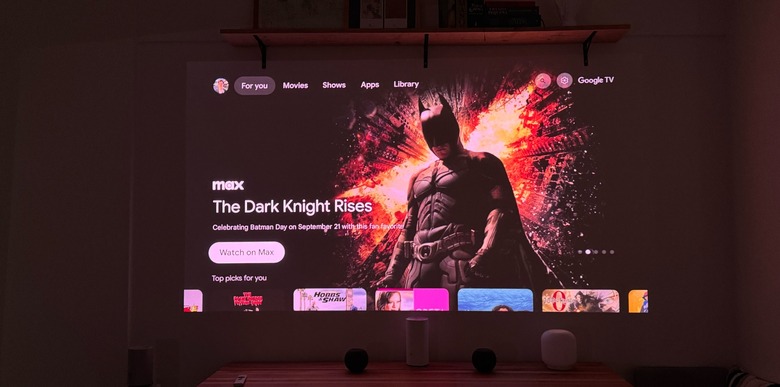
While the hardware is impressive, the software experience is a bit of a mixed bag. The inclusion of Google TV and native Netflix support is a massive upgrade over previous JMGO models that required side-loading apps or using external sticks. The interface is fluid, powered by a capable MediaTek SoC that handles 4K streaming without stuttering.
However, there is a persistent bug regarding how to fix JMGO N1S Pro 4K image adaptation reset issues. The projector features an "Image Adaptation" suite that handles auto-keystone and obstacle avoidance. If you use digital zoom to fit your screen and then power cycle the unit, it occasionally forgets those custom parameters, reverting to the full throw size. To mitigate this, I recommend disabling the auto-calibration on startup once you have the projector in a permanent spot.
Gamers should also manage their expectations. While it has HDMI 2.1, the panel is limited to a 60Hz refresh rate. It is perfectly fine for cinematic RPGs or casual gaming, but if you are looking for 120Hz competitive play, this isn't the unit for you. Furthermore, while it is marketed as bright, is JMGO N1S Pro 4K bright enough for rooms with windows? Only if you have blackout curtains. In a room with significant afternoon sun, the 1600:1 contrast ratio struggles to maintain black levels, leading to a flat image.
The Big Choice: JMGO N1S Pro 4K vs. 4K TV
Choosing between a laser projector vs 4K TV value proposition usually comes down to "size vs. blacks." A high-end 85-inch Mini-LED TV will offer better contrast and peak brightness than any projector. However, when you look at the JMGO N1S Pro 4K vs 4K TV for living room setup, the projector offers a 120 or 150-inch experience for a fraction of the cost of a 100-inch TV.
The N1S Pro 4K is for the person who wants the "cinema feel." There is a softness and a scale to a projected image that a glass-panel TV cannot replicate. Plus, the portability of the gimbal means you can move your theater from the living room to the backyard in minutes—something you definitely won't be doing with a 98-inch television.
JMGO N1S Family Comparison Table
| Feature | N1S Standard | N1S Pro 4K | N1S Ultimate |
|---|---|---|---|
| Resolution | 1080p | 4K UHD | 4K UHD |
| Brightness | 1,200 ANSI Lumens | 2,400 ANSI Lumens | 3,500 ANSI Lumens |
| Light Source | Triple Laser | MALC 2.0 Triple Laser | MALC 2.0 Triple Laser |
| Contrast | 1,600:1 | 1,600:1 | 1,600:1 |
| Gimbal | 2-axis | 2-axis | 2-axis |
FAQ
Is the JMGO N1S Pro 4K worth the price?
Yes, for users who value color depth and setup flexibility. While it sits at a premium price point, the inclusion of a triple-laser engine and an integrated gimbal provides a combination of image quality and convenience that is rarely found in the sub-$2,000 category. It effectively bridges the gap between entry-level 4K projectors and high-end home theater installs.
What is the brightness of the JMGO N1S Pro 4K in lumens?
The JMGO N1S Pro 4K is rated at 2,400 ANSI lumens. This is sufficient for a clear, vibrant image in a dark room or a room with very controlled, dim ambient lighting. However, it is not bright enough to replace a television in a sun-drenched living room during midday without shades.
Does the JMGO N1S Pro 4K have native Netflix support?
Yes, unlike many other international projector brands that require a separate streaming stick, the JMGO N1S Pro 4K comes with licensed Google TV and native Netflix support. This allows you to stream 4K content directly from the Netflix app without any workarounds or external hardware.
How does the JMGO N1S Pro 4K compare to the N1 Ultra?
The N1S Pro 4K is the successor to the original N1 series, featuring the updated MALC 2.0 laser engine. While the N1 Ultra was the flagship of the previous generation, the N1S Pro 4K offers better software integration with Google TV and refined laser speckle reduction technology. The N1S Ultimate remains the current top-tier model with higher brightness, but the Pro 4K offers much better value for the average home user.
Is the JMGO N1S Pro 4K suitable for gaming?
It is suitable for casual and cinematic gaming. It features an HDMI 2.1 eARC port and a dedicated game mode with low latency (around 15ms). However, it is limited to a 60Hz refresh rate at 4K resolution. Competitive gamers looking for 120Hz or 144Hz performance should look elsewhere, but for titles like Elden Ring or God of War, the scale is incredible.
What are the main pros and cons of the JMGO N1S Pro 4K?
The main pros include the incredible 110% BT.2020 color gamut, the highly convenient gimbal stand, and the integrated Google TV with Netflix. The main cons are the lack of optical zoom (requiring specific physical placement), the presence of some laser speckle on high-gain screens, and occasional software bugs where digital image settings reset after a power cycle.
Verdict: Who Should Buy the N1S Pro 4K?
After spending a week with this unit for our JMGO N1S Pro 4K review, the conclusion is clear: this is a projector for people who love color and hate complicated installations.
Right-Fit Matrix
- Buy it if: You want the best possible colors for HDR movies, you live in a rental where you can't drill into the ceiling, or you want a simple one-cable setup with built-in Netflix.
- Skip it if: You have a very bright room with no curtains, you require 120Hz gaming, or you have a very small room where the 1.2:1 throw ratio won't allow for a large enough image.
The JMGO N1S Pro 4K isn't a perfect machine—the "Image Adaptation" reset bug is a legitimate annoyance, and the lack of optical zoom requires you to be careful with your floor plan. But once you turn the lights down and feed it a high-quality 4K Blu-ray, those frustrations melt away. The MALC 2.0 triple laser technology produces a picture that feels alive, and in the world of home cinema, that immersive feeling is exactly what you are paying for.