Our Top Picks
- Value Verdict: High-end HDR performance now $400 more accessible; effectively rendering the older Pro Display XDR obsolete for most professional setups.
- Best Feature: 2,000 nits peak brightness paired with 120Hz ProMotion, providing a fluid and ultra-bright canvas for high-dynamic-range content.
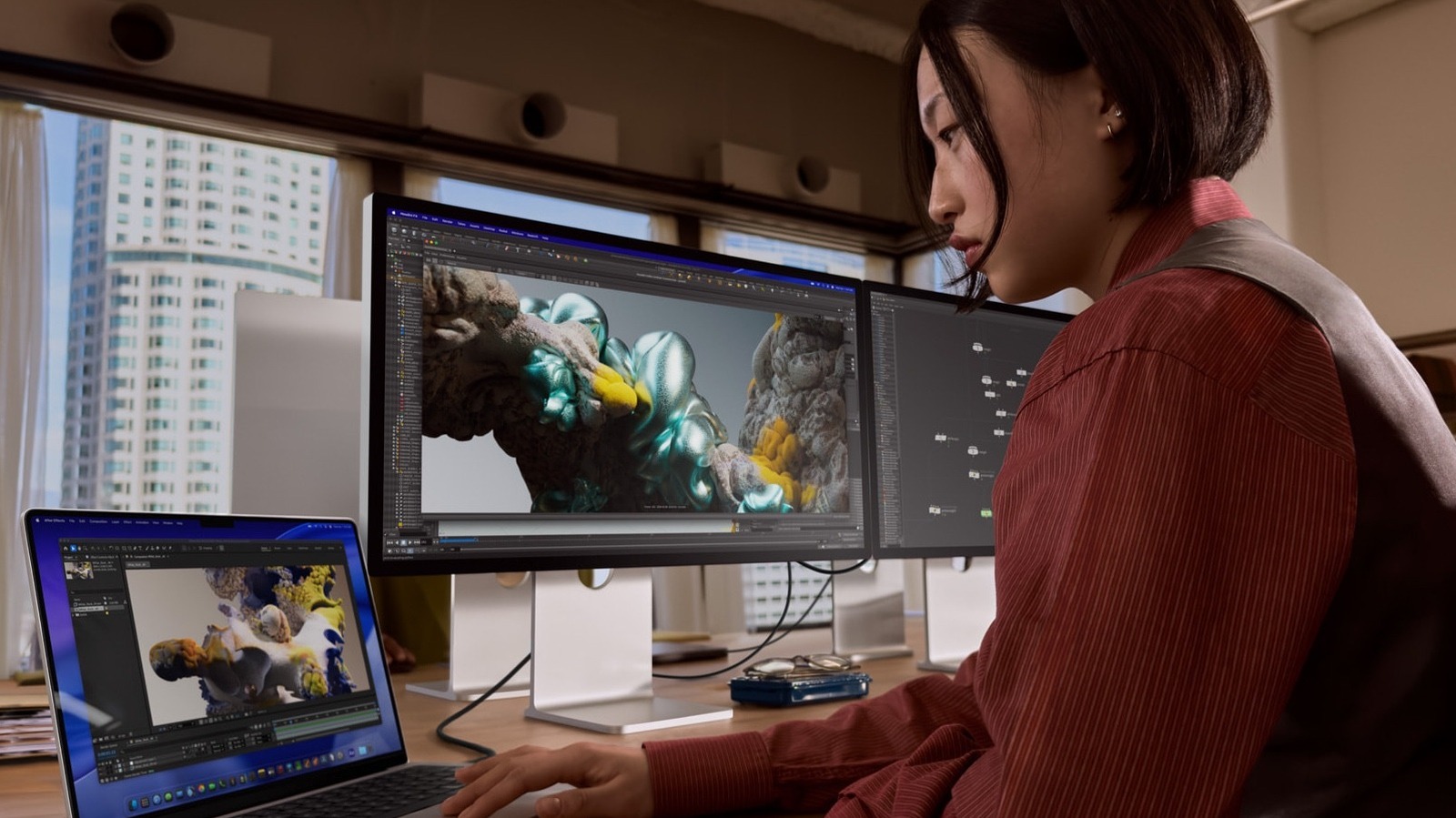
- Target Audience: Video editors, 3D animators, and radiologists who require reference-grade color accuracy and extreme contrast.
The Apple Studio Display XDR is absolutely worth it after the $400 price drop for professionals needing a reference-grade 5K miniLED monitor, as it effectively replaces the more expensive Pro Display XDR by offering modern connectivity and superior brightness at a lower entry point.
The $400 Shift: Pricing and Hardware Tiers
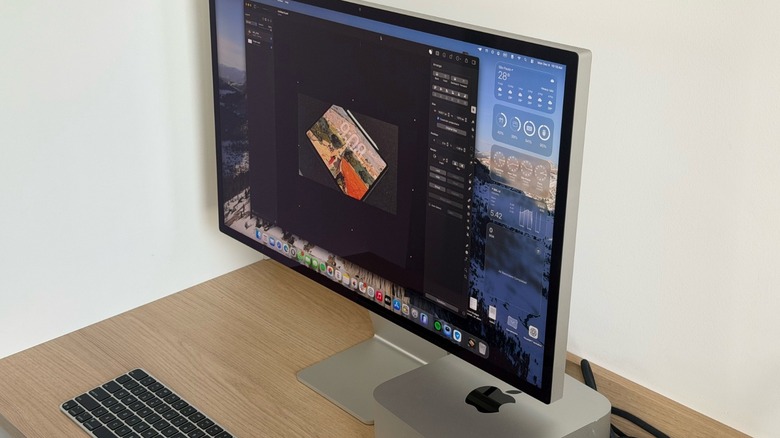
When Apple launched the original Pro Display XDR years ago, it was a revolution for the industry, but its $4,999 price tag (without a stand) kept it out of reach for many independent creators. Today, the landscape has changed. The Apple Studio Display XDR has officially reduced by $400, bringing the entry price for the VESA mount version down to $2,899. If you prefer the nano-texture model to combat glare in bright offices, that version now sits at $3,199.
This price adjustment is more than just a seasonal discount; it represents a strategic repositioning. By narrowing the gap between the standard Studio Display and this XDR variant, Apple is essentially nudging high-end users away from the legacy 6K model and toward this more modern 27-inch 5K powerhouse. While the 6K model offered more screen real estate, the Apple Studio Display XDR brings newer silicon and faster connectivity to the table.
Choosing between Studio Display XDR VESA mount or adjustable stand is often the first hurdle for buyers. In a professional studio, the VESA mount is usually the superior choice, allowing for precise ergonomic positioning on a monitor arm. However, for those who want the out-of-the-box Apple aesthetic, the integrated stand remains a beautifully engineered, albeit pricey, option. Under the hood, this monitor is more than just a panel; it is powered by A19 Pro Silicon. This internal logic board manages everything from the sophisticated backlight array to the advanced image processing required for various reference modes.
Technical Performance: Why 'XDR' Matters
The term XDR stands for Extreme Dynamic Range, and in this monitor, it is backed by serious hardware. The display features a massive array of 2,304 mini-LED zones, allowing for local dimming that produces deep blacks and a 1,000,000:1 contrast ratio. While standard IPS monitors often struggle with "IPS glow" or greyish blacks, the 5K miniLED monitor features of the XDR model ensure that dark scenes in a film or 3D render maintain their integrity.
Brightness is another area where this screen dominates. With a sustained brightness of 1,000 nits and a peak brightness of 2,000 nits, it provides enough headroom for the most demanding HDR Performance workflows. This is double the peak output of many competing professional displays in this price bracket. Furthermore, the inclusion of 120Hz ProMotion makes a tangible difference in daily use. Whether you are scrolling through a dense timeline in Final Cut Pro or navigating a complex UI, the Studio Display XDR 120Hz ProMotion benefits for 3D animators cannot be overstated—motion blur is significantly reduced, and the interface feels incredibly responsive.
Connectivity has also received a major upgrade. The inclusion of Thunderbolt 5 Connectivity is a forward-looking move. These ports allow for massive data throughput, but perhaps more importantly for laptop users, the Studio Display XDR 140W power delivery for MacBook Pro means you can fast-charge a 16-inch machine while only using a single cable. This simplifies workspace ergonomics and ensures your mobile workstation is always topped off.
| Feature | Standard Studio Display | Studio Display XDR |
|---|---|---|
| Panel Technology | Standard IPS LCD | 5K miniLED |
| Peak Brightness | 600 nits | 2,000 nits |
| Contrast Ratio | 1,200:1 | 1,000,000:1 |
| Refresh Rate | 60Hz | 120Hz ProMotion |
| Local Dimming | None | 2,304 zones |
| Charging Output | 96W | 140W |
| Connectivity | Thunderbolt 3 | Thunderbolt 5 |
Specialized Workflows: Creative and Medical
While the Apple Studio Display XDR is a dream for video editors, its utility extends into highly specialized niches. For photographers and graphic designers, the display offers incredible Color Accuracy, supporting a wide range of reference modes. Users can easily switch between Adobe RGB and P3 color modes for designers, ensuring that what they see on screen will match the final print or digital output.
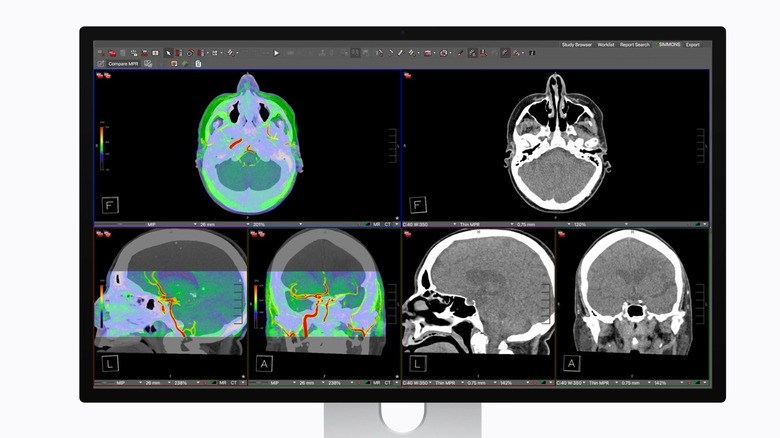
One of the most surprising and high-value additions is the support for the Radiology Workflow. Apple has tailored this monitor for healthcare environments by including DICOM medical imaging presets for radiology. Traditionally, medical-grade monitors are incredibly expensive and often lack the general-purpose utility of a Mac-compatible display. With DICOM Compliance and a pending Medical Imaging Calibrator, this display becomes a viable tool for clinical specialists who need to review high-resolution X-rays or MRI scans with extreme contrast precision.
Beyond the panel itself, the integrated A19 Pro Silicon enables Center Stage Technology through the built-in 12MP ultra-wide camera. For remote professionals or medical consultants, this means the camera will automatically pan and zoom to keep you in the frame during video calls. Combined with a studio-quality three-microphone array and a six-speaker sound system with Spatial Audio, the Studio Display XDR for medical professionals and remote executives offers a complete communication suite that rivals dedicated conferencing hardware.
Final Verdict: Who Should Buy It?
Is the Apple Studio Display XDR worth it after the price drop? For the professional market, the answer is a resounding yes. It bridges the gap between the entry-level Studio Display and the ultra-expensive reference monitors used in Hollywood color grading suites. By bringing the price down to $2,899, Apple has made world-class HDR Performance accessible to a much broader range of creators.
The Studio Display XDR vs 6K Pro Display XDR comparison reveals that while you lose a bit of resolution, you gain a significantly more modern feature set, including 120Hz refresh rates and much faster charging for your laptop. However, this is not a monitor for everyone. If you are primarily a gamer, the lack of HDMI 2.1 ports and native support for high-refresh gaming consoles makes this a poor investment compared to dedicated OLED gaming monitors.
Buy it if:
- You are a professional video editor or colorist working in HDR.
- You are a radiologist or medical professional requiring DICOM presets.
- You use a 16-inch MacBook Pro and want a single-cable 140W charging solution.
- You value the 120Hz ProMotion experience for productivity and animation.
Don't buy it if:
- You mainly use your PC for gaming (look for 240Hz OLEDs instead).
- You only perform basic office tasks where 600 nits of brightness is sufficient.
- You require a 6K or 8K resolution for specific large-scale canvas work.
Ultimately, the Apple Studio Display XDR stands as the new gold standard for the Mac ecosystem. It offers a professional-grade Reference Monitor experience without the five-figure price tag once associated with this level of performance. With the recent price cut, it is no longer just a luxury—it is a high-ROI tool for anyone whose livelihood depends on visual precision.
FAQ
What is the difference between the Apple Studio Display and the Pro Display XDR?
The standard Studio Display uses a traditional IPS panel with 600 nits of brightness and a 60Hz refresh rate, whereas the Studio Display XDR utilizes miniLED technology for 2,000 nits of peak brightness and 120Hz ProMotion. Additionally, the XDR model features Thunderbolt 5 and higher power delivery for laptops.
Does the Apple Studio Display feature XDR technology?
Yes, the specific Apple Studio Display XDR model features Extreme Dynamic Range (XDR) technology, achieved through a sophisticated 2,304-zone miniLED backlight system that allows for a 1,000,000:1 contrast ratio and significantly higher peak brightness than the standard model.
Is the nano-texture glass option worth the extra cost?
The nano-texture glass is highly recommended for professionals working in environments with uncontrolled lighting or many windows, as it scatters light to minimize glare without significantly sacrificing contrast. However, for controlled studio environments, the standard glossy glass provides the perceived sharpest image.
Does the Apple Studio Display include a built-in camera and speakers?
Yes, the monitor includes a 12MP ultra-wide camera with Center Stage support, a studio-quality three-mic array, and a high-fidelity six-speaker system that supports Spatial Audio, all powered by an internal Apple silicon chip.
Is the Apple Studio Display suitable for professional color grading?
The Studio Display XDR is highly suitable for professional color grading in P3, Adobe RGB, and HDR workflows, as it includes dedicated reference modes and factory calibration that meets the standards required for most video post-production and digital design tasks.