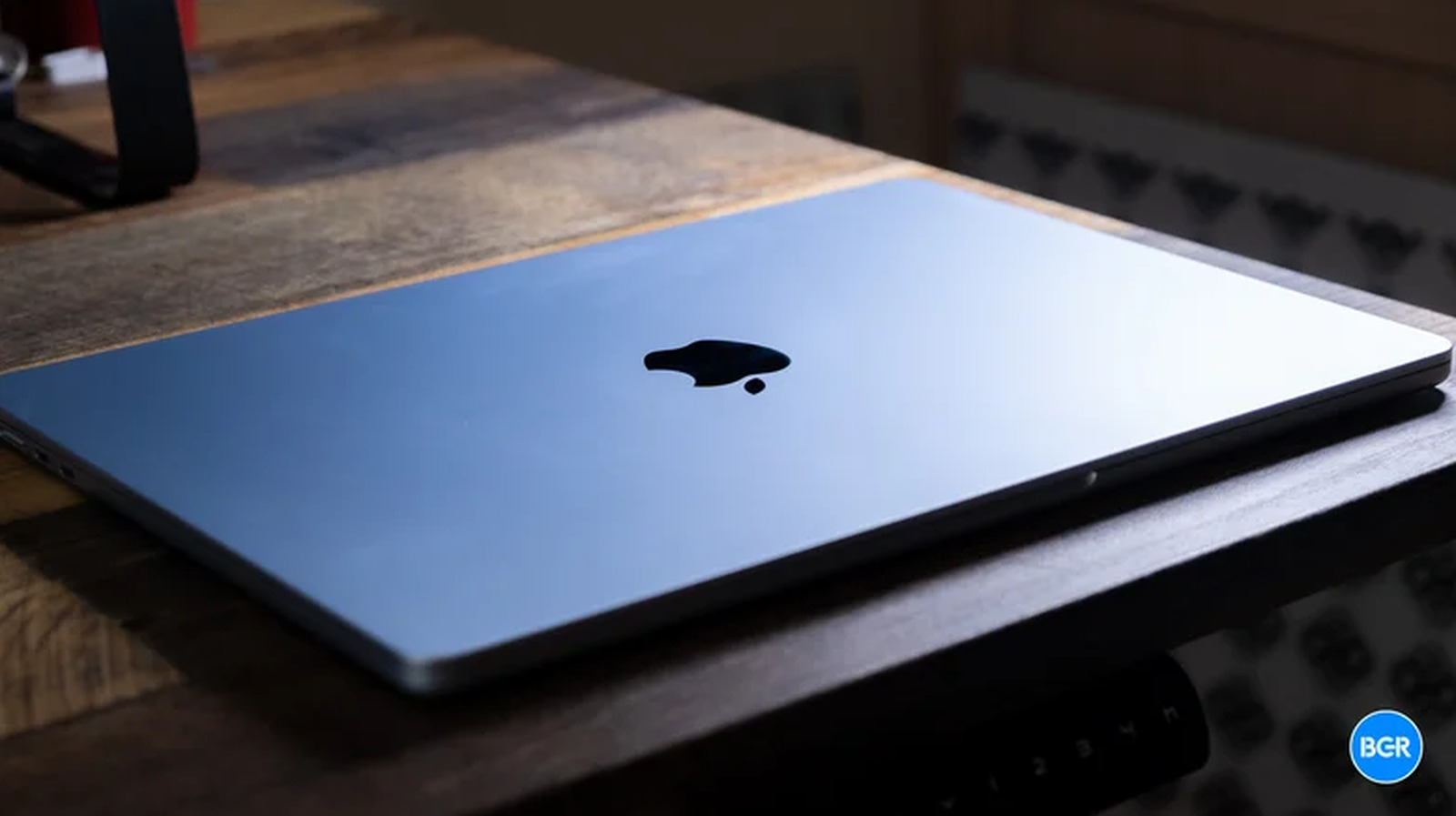
Quick Facts
- Core Cooling: Uses a passive cooling system featuring an internal aluminum heat spreader instead of mechanical fans.
- Silicon Efficiency: Relies on the extreme power efficiency of the ARM-based M-series chips to minimize waste heat.
- Thermal Sink: The entire aluminum chassis acts as a giant heat sink to dissipate warmth into the environment.
- Performance Delta: Sustained high-intensity workloads can trigger a performance drop of 20% to 25% compared to actively cooled models.
- Temperature Threshold: Core temperatures can peak at 114 degrees Celsius during extreme stress tests before throttling occurs.
- Simple Hack: Elevating the device by just 2cm can improve convective airflow and reduce internal heat by up to 10 degrees Celsius.
The MacBook Air stays cool through a passive cooling system that leverages the extreme power efficiency of Apple’s M-series chips. A thick cold plate draws heat directly from the processor and conducts it to an internal aluminum heat spreader. This spreader transfers the heat to the laptop’s metal chassis, which acts as a large heat sink to dissipate warmth into the surrounding environment without the need for moving parts. Understanding how does macbook air stay cool without a fan requires looking at both the silicon architecture and the physical thermal conductivity of the device.
The Anatomy of Silence: Hardware Internals
When you crack open a modern fanless laptop, the first thing you notice is the lack of clutter. For decades, the internal landscape of a high-performance portable was dominated by a squirrel-cage fan and a labyrinth of copper heat pipes. The MacBook Air jettisons this mechanical complexity in favor of a solid-state approach. This design is only possible because of the thermal envelope of Apple Silicon. Unlike traditional x86 processors that often waste significant energy as heat, the M-series chips are designed for high performance-per-watt.
At the heart of this system is a thick cold plate that sits directly atop the SoC (System on a Chip). This plate is designed for high thermal conductivity, pulling heat away from the CPU and GPU cores as quickly as possible. Because there is no fan to push air across a fin stack, the heat needs somewhere to go. MacBook engineers utilize an internal aluminum heat spreader that distributes the thermal energy across a wider surface area inside the case.
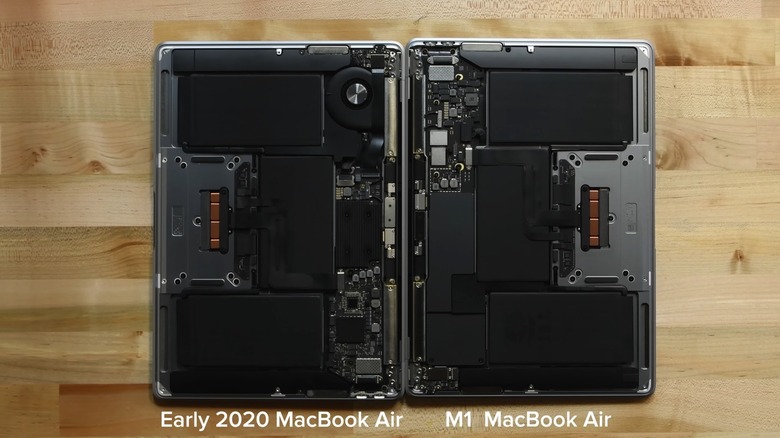
The final step in this silent chain is the aluminum chassis itself. By thermally coupling the internal spreader to the outer shell, the MacBook Air transforms its entire body into a radiator. This ensures that heat is constantly moving away from the sensitive silicon and out to the surrounding air via natural convection. While this makes the bottom of the laptop feel warm to the touch during heavy use, it is a deliberate design choice to ensure the longevity of the internal components.
Performance vs. Silence: The M5 Thermal Trade-off
Choosing a fanless laptop usually means accepting a compromise between peak performance and noise levels. In short-burst tasks—like opening a browser, compiling a small snippet of code, or applying a filter in Photoshop—the MacBook Air is indistinguishable from its more expensive, fan-equipped siblings. This is because the thermal mass of the aluminum heat spreader can absorb the "burst" heat before the system reaches its thermal limit.
However, the delta becomes apparent during sustained performance. Once the aluminum chassis reaches its saturation point and can no longer dissipate heat as fast as the chip generates it, the system enters a state known as thermal throttling. To prevent hardware damage, the macOS power management system automatically reduces the clock speed of the M5 chip cores.
What is Thermal Throttling? Thermal throttling is a protective mechanism where the processor’s frequency is lowered to reduce heat output. This usually happens when the chip reaches a pre-defined temperature ceiling (often around 100°C to 105°C). While it saves the hardware, it results in a tangible slowdown in processing speed during long renders or gaming sessions.
Research into these thermal limits shows that the fanless MacBook Air can experience a performance drop of approximately 20% to 25% during sustained high-intensity workloads compared to the active-cooled MacBook Pro. Furthermore, stress tests on the M3 and M5 architectures have shown that internal CPU core temperatures can peak at 114 degrees Celsius in extreme scenarios before the system aggressively cuts power to manage heat. For users, this means that while the Air is the best fanless laptop for productivity, it is not the most powerful fanless laptop for long-term 8K video exports.
M5 MacBook Air vs. 14-inch MacBook Pro (Sustained Workload)
| Feature | MacBook Air (M5) | MacBook Pro 14 (M5 Pro) |
|---|---|---|
| Cooling Type | Passive (Fanless) | Active (Dual Fans) |
| Noise Level | 0 dB (Silent) | 0 to 45 dB (Variable) |
| Weight | ~2.7 lbs | ~3.5 lbs |
| Sustained Cinebench R23 | ~8,400 pts (Throttled) | ~14,200 pts |
| Thermal Throttling | After ~8-10 mins | Rarely / After ~30 mins |
| Typical Operating Temp | 40°C - 95°C | 35°C - 85°C |
For the average user, fanless laptop gaming performance is generally acceptable for casual titles or short sessions. But if you are planning to run AAA titles for hours at a time, the m5 macbook air thermal throttling will eventually limit your frame rates to ensure the device remains safe to touch.
The Landscape in 2026: Mac vs. Windows Fanless Alternatives
As we move through 2026, the market for the best fanless laptop 2026 has expanded beyond Apple's ecosystem. Windows manufacturers have attempted to strike back with the Snapdragon X Elite and the latest Intel N-series chips. However, the fanless windows laptop market still faces hurdles that Apple solved years ago.
While the Snapdragon chips offer impressive efficiency, many Windows OEMs still struggle with the thermal conductivity of their chassis designs. A fanless laptop requires a specific marriage of low-power silicon and premium metal housing to work effectively. Many budget fanless Windows machines use plastic shells, which act as insulators, trapping heat inside and leading to even more aggressive throttling than what you find on the MacBook Air.
The Surface Pro 12 stands out as a strong hybrid competitor, utilizing a refined vapor chamber to manage heat in a slim form factor. Nevertheless, in the laptop passive vs active cooling debate, Apple maintains a lead in pure "performance per cubic inch" because of how tightly integrated their software is with the hardware thermal limits.
Optimization Guide: Keeping Your Fanless Laptop Cool
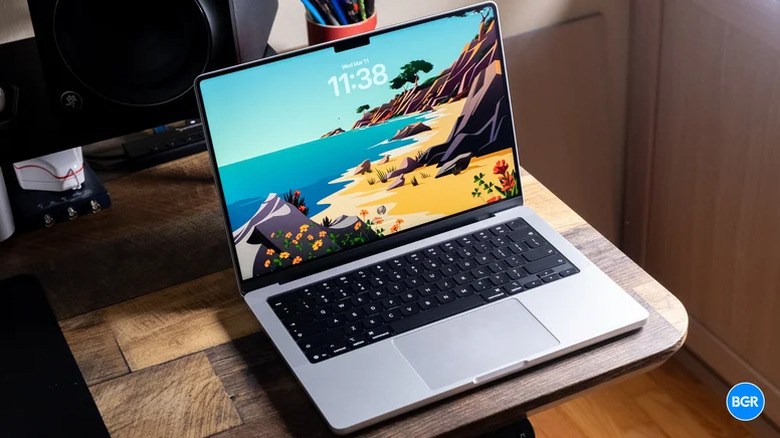
Just because your laptop doesn't have a fan doesn't mean you can't help it stay cool. Thermal management is all about surface area and convective airflow. If you are pushing your machine to its limits, follow these steps to maintain high clock speeds:
- Elevation is King: Lifting the back of your laptop by just two to three centimeters allows air to circulate under the aluminum chassis. This simple trick can reduce internal temperatures by 5 to 10 degrees Celsius by preventing heat from pooling against the desk.
- Hard Surfaces Only: Never use a fanless laptop on a bed, pillow, or carpet. These soft materials act as blankets, trapping heat and preventing the aluminum from doing its job.
- The Copper Hack: Some enthusiasts use high-conductivity thermal pads to bridge the gap between the heat spreader and the bottom case. While effective at moving heat out, it makes the bottom of the device significantly hotter to the touch and may void your warranty.
- Targeted Airflow: If you are at a desk, a small desk fan pointing at the keyboard deck can significantly improve heat dissipation.
- Use a Stand: Consider using a passive cooling stand made of high-mass aluminum. These stands act as an extension of the laptop’s own heat sink, absorbing thermal energy through contact.
- Mind the Sun: Avoid using your laptop in direct sunlight, especially if it has a dark finish. The aluminum chassis will absorb solar heat, leaving less "thermal headroom" for the processor to work with.
If you find yourself constantly hitting thermal limits, a fanless laptop cooling pad can help. While it seems counterintuitive to add a fan to a fanless machine, these pads work by forcing air against the bottom aluminum plate, accelerating the convective cooling process.
The Future: Solid-Sate Cooling (AirJet)
The future of the fanless laptop might not actually be "passive" in the traditional sense. Emerging technologies like Frore Systems' AirJet are introducing the concept of solid-state cooling. Instead of a rotating fan, AirJet uses vibrating silicon membranes to create high-back-pressure airflow.
This technology could allow a device to remain essentially silent and have no visible vents, yet have the cooling capacity of an active fan. If implemented in future MacBook Air models, it could eliminate the performance drop currently seen during sustained workloads. For now, however, the MacBook Air remains the gold standard for silent, high-performance computing through pure thermal engineering.
FAQ
How do laptops without fans work?
Laptops without fans rely on passive cooling. This involves using components with high thermal conductivity, like a cold plate and a heat spreader, to move heat away from the processor. The heat is then transferred to the laptop's metal exterior, which radiates the warmth into the surrounding air.
Are fanless laptops better?
Fanless laptops are better for users who prioritize silent operation, portability, and durability. Because there are no moving parts, they don't accumulate dust internally and are less prone to mechanical failure. However, they are less suited for high-intensity, sustained tasks like long-form 4K video editing compared to laptops with fans.
Can a laptop run without fans?
Yes, a laptop can run without fans if its processor is designed for high power efficiency and its chassis can dissipate heat effectively. Modern ARM-based chips generate much less waste heat than older processors, allowing them to operate safely within a passive thermal envelope.
Can a laptop survive without a fan?
A laptop can survive without a fan as long as it has a robust thermal management system and built-in safety features like thermal throttling. If the internal sensors detect that temperatures are reaching dangerous levels, the system will automatically slow down to prevent hardware damage.
Which laptop does not have a fan?
The most prominent example of a laptop that does not have a fan is the MacBook Air (M1, M2, M3, and M5 models). Other examples include certain models of the Microsoft Surface Pro, the iPad Pro (which uses similar M-series chips), and ultra-portable Windows machines using Intel N-series or Snapdragon X Elite processors.