Quick Facts
- Underrated Metric: Tools with under 100 million downloads but high user satisfaction ratings.
- Accessibility Leader: Lookout (available for Android 6.0 and above).
- Top Education App: Read Along (supports 11 languages and is entirely ad-free).
- Productivity Booster: Chrome Remote Desktop (delivers 4x faster interaction than mobile typing).
- Search Trends: Google Lens handles over 20 billion visual search queries every month as of 2025.
- Global Reach: Google Earth covers over 36 million square miles of satellite imagery.
- Success Marker: Moving from manual app switching to an integrated AI-driven ecosystem.
While most users rely on Gmail and Maps, a suite of underrated google apps exists that can solve complex math, aid literacy, and bridge accessibility gaps. These tools, such as Lookout for visual assistance and Photomath for STEM learning, extend the Google ecosystem to provide specialized, high-impact utility for students and professionals who need more than just basic communication tools.
Breaking Barriers with AI Accessibility Tools
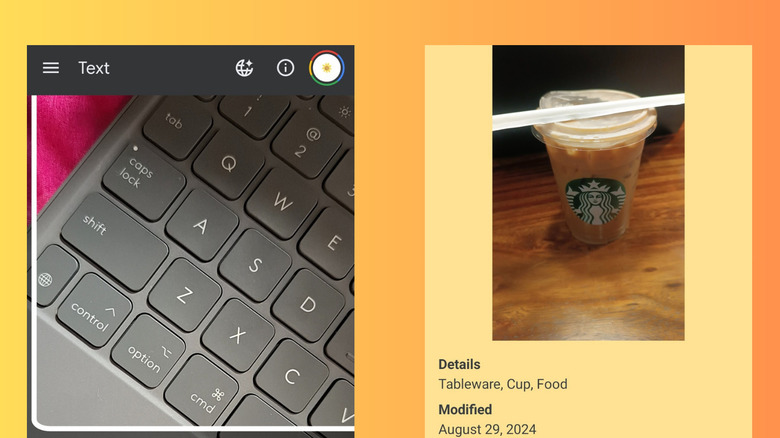
As a mobile editor, I often see software designed for the masses, but the real magic happens when technology is built for inclusivity. Google Lookout is perhaps the most powerful example of computer vision being used for good. It is essentially a pair of digital eyes for people with low vision or blindness. By using the camera on your smartphone, Lookout identifies objects, reads text aloud, and even scans barcodes to identify food products.
The app operates through several distinct modes. Food Label mode allows users to scan the packaging of pantry items, while Documents mode can read entire pages of text in real-time. For many, this is more than just a useful google productivity apps choice; it is a fundamental tool for independence. Because it requires Android 6.0 or higher, it is accessible on almost any modern mobile device, turning a standard smartphone into sophisticated assistive technology.
When we talk about the best hidden google apps, we usually look for productivity shortcuts, but Lookout changes the lifestyle of its users. It leverages the same technology that powers high-end augmented reality, yet it focuses that power on the immediate physical environment. For a visually impaired student, it is a game-changer for navigating a new campus or reading a physical syllabus without waiting for a Braille or digital conversion.
- Success Markers: Immediate text recognition, offline processing capabilities, and increased user autonomy in unfamiliar environments.
The Ultimate Study Stack for STEM and Literacy
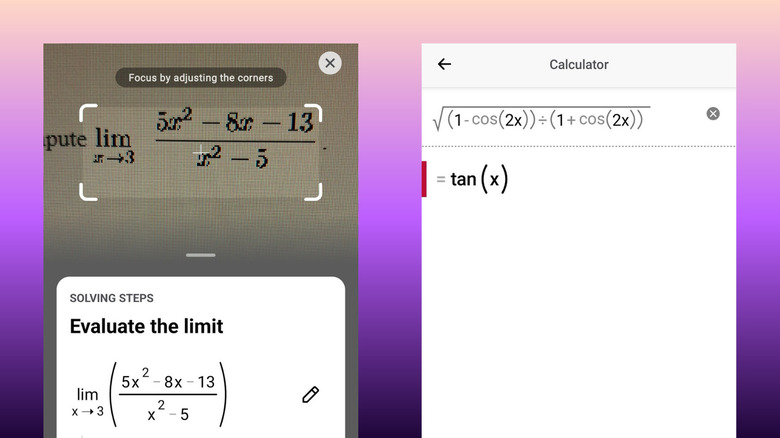
In my reviews, I often categorize apps into stacks. For students, the combination of Photomath and Read Along creates a comprehensive educational environment. Photomath, which Google acquired to bolster its STEM education offerings, is a revelation for anyone struggling with calculus or algebra. It is much more than a calculator; it is an interactive pedagogy tool. When you scan a handwritten equation, it doesn't just give you the answer. It provides google apps for solving math problems step by step, explaining the logic behind every move.
For those managing university workloads, having a tutor in your pocket that understands complex variables is invaluable. It reduces the frustration of getting stuck on a single problem at midnight. This is one of those underrated google apps that should be on every student's home screen alongside their calendar.
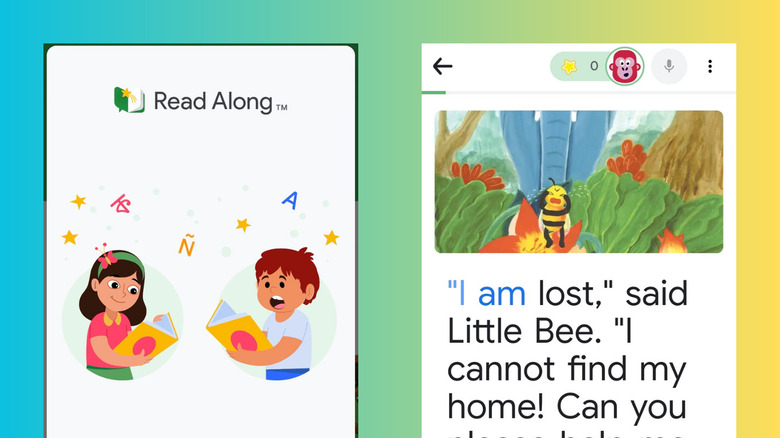
On the other end of the learning spectrum is Read Along by Google. This app is designed for early childhood literacy, using an AI voice assistant named Diya. As children read stories out loud, Diya listens and provides real-time feedback. If a child struggles with a word, they can tap it for help; if they read correctly, they receive positive reinforcement.
What makes Read Along one of the best google apps for teaching kids to read is its safety and accessibility. It works offline, has no ads, and supports 11 different languages. It is a perfect example of how the google ecosystem can support diverse learning styles across different age groups.
- Success Markers: Improved math comprehension scores, higher reading engagement in children, and reduced academic anxiety.
Mastering Your Remote Workflow
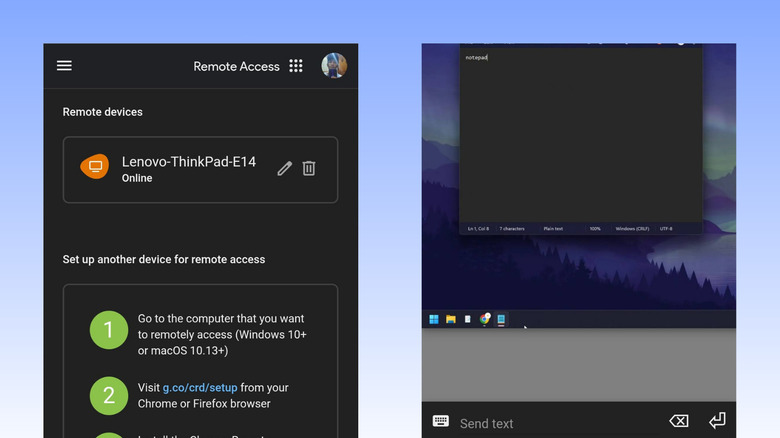
If you are working from a tablet or a phone, you know the struggle of realizing the file you need is on your desktop at home. This is where Chrome Remote Desktop becomes an essential part of your practical google productivity apps for remote work toolkit. Most people think they need expensive enterprise software to access a PC from a mobile device, but this free tool handles it seamlessly.
I use this frequently when I need to perform a quick task that is too heavy for mobile processing, such as rendering a video or accessing a legacy database. The latency is remarkably low, and it essentially allows for accessing your computer from android with google apps without the need for a complex VPN setup. Interestingly, research shows that speaking to your device is often 4x faster than typing on a mobile keyboard; by using remote access, you can trigger voice-to-text on your powerful desktop from the palm of your hand.
Another area where Google shines is in time management. While everyone uses the basic calendar, many miss the underrated google calendar features for time blocking. By integrating with AI tools like Reclaim AI, you can automate your schedule to protect deep work time. These google education tools for managing university workloads or professional projects ensure that your most important tasks aren't buried by meetings.
- Success Markers: Zero missed deadlines, eliminated "forgotten file" scenarios, and streamlined cross-platform synchronization.
Culture and Exploration: The Digital Humanities Stack
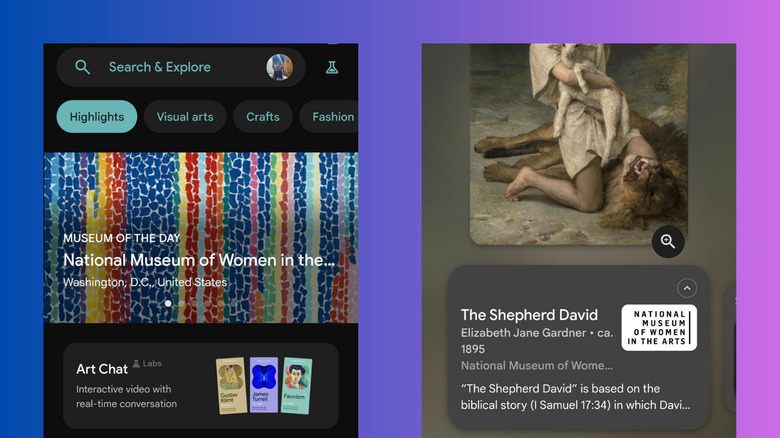
Beyond utility and work, some of the best hidden google apps focus on the enrichment of the human experience. Google Arts & Culture is a massive, free library of human history. It has partnered with over 2,000 cultural institutions to bring museum collections into your living room.
If you have ever wondered how to use google arts and culture for virtual tours, the process is incredibly intuitive. You can walk through the halls of the Musee d'Orsay or examine the brushstrokes of a Van Gogh in high resolution. It is a cornerstone of digital humanities, providing access to art that many might never see in person.
Similarly, Google Earth provides a perspective that standard navigation apps cannot match. With its massive database covering over 98 percent of the world's real estate, it is a tool for both education and exploration. Whether you are a student researching urban development or a traveler scouting a remote hiking trail, the depth of satellite imagery is unparalleled.
- Success Markers: High engagement with historical content, successful virtual field trips, and enhanced spatial awareness.
Maximizing the Google Ecosystem
To get the most out of these underrated google apps, you have to think about how they talk to each other. The modern professional doesn't just use one app; they build a workflow. For instance, you might use Google Lens to capture a physical document, Lookout to read it, and then use Chrome Remote Desktop to save it to your main workstation.
We are moving away from manual logging and toward a model of an AI-driven "Second Brain." By utilizing these specialized tools, you are leveraging the billions of dollars Google spends on research and development. From computer vision to interactive pedagogy, the software available for free on your phone is more powerful than the supercomputers of twenty years ago. The key is simply knowing they exist and making them a part of your daily digital habit.
FAQ
What are some hidden Google apps I should know about?
You should explore Google Lookout for accessibility, Photomath for math help, and Google Arts & Culture for education. Read Along is also excellent for children, and Chrome Remote Desktop is vital for remote work.
Which Google apps are the most useful but least popular?
Lookout and Chrome Remote Desktop are incredibly high-utility but often overlooked because they aren't pre-installed on every device. Read Along is another gem that parents often miss despite its powerful AI features.
What are the best productivity apps from Google?
Beyond the standard Workspace apps, Chrome Remote Desktop and Google Tasks (when integrated with Calendar) are the top choices. Reclaim AI integration with Google Calendar is also a pro-level productivity move for time blocking.
Are there any Google apps for photo editing?
Yes, Snapseed is a powerful, professional-grade photo editor owned by Google that offers tools many standard gallery apps lack. Additionally, Google Photos has deep AI editing features like Magic Eraser.
What Google apps are best for student use?
Photomath is essential for STEM students, while Google Arts & Culture and Google Earth are perfect for history and geography. For younger students, Read Along provides a safe, interactive reading environment.