Quick Facts
- The Hardware Bypass: Using an external device is the most effective way to fix a slow smart TV because it replaces an aging processor with a modern System-on-a-Chip.
- Top 2025 Contenders: The Amazon Fire TV Stick 4K Plus, Roku Streaming Stick 4K, and Onn 4K Pro lead the market for under $50.
- Speed King: The Onn 4K Pro is benchmarked as being approximately 12% faster than the Amazon Fire TV Stick 4K Max and significantly snappier than standard Google TV sticks.
- Connectivity Standards: Look for Wi-Fi 6 compatibility to ensure smooth 4K UHD resolution playback, especially if your router is in a different room.
- Ecosystem Trends: Roku is projected to reach an estimated 126.4 million users by 2025, maintaining a slight lead over the Amazon Fire TV platform.
- Smart Home Role: Modern budget streaming sticks now act as essential nodes for smart home hub integration, supporting protocols like Matter and various voice assistants.
The top budget streaming sticks for 2025 include the Amazon Fire TV Stick 4K Plus, Roku Streaming Stick 4K, and Onn 4K Pro. These devices deliver 4K UHD resolution, Dolby Vision, and Wi-Fi 6 compatibility for under $50. For basic high-definition needs, the Roku Streaming Stick (2025) and Amazon Fire TV Stick HD offer reliable plug-and-play performance for older or secondary televisions.
Our Top Picks
When you are looking for the best budget streaming sticks, the choice usually comes down to which operating system feels most natural to you. In 2025, the hardware gap has narrowed, meaning you are getting incredible performance for very little money.
| Device | Operating System | Max Resolution | Wi-Fi Standard | Price (Approx.) |
|---|---|---|---|---|
| Onn 4K Pro | Google TV | 4K UHD | Wi-Fi 6 | $50 |
| Roku Streaming Stick 4K | Roku OS | 4K UHD | Wi-Fi 5 (Long-range) | $45 |
| Fire TV Stick 4K Plus | Fire OS | 4K UHD | Wi-Fi 6 | $49 |
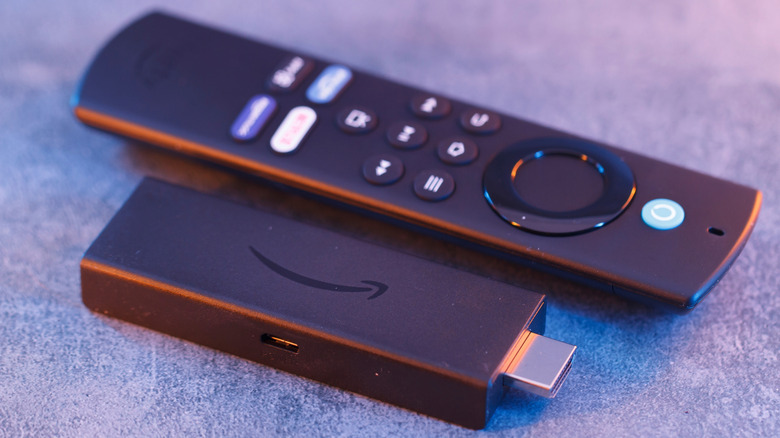
Upgrade your home entertainment without breaking the bank. Our 2025 guide to budget streaming sticks explores why devices like the Roku Streaming Stick 4K and Onn 4K Pro are essential for fixing sluggish smart TV interfaces.
Why Your Smart TV is Laggy (and How a Stick Fixes It)
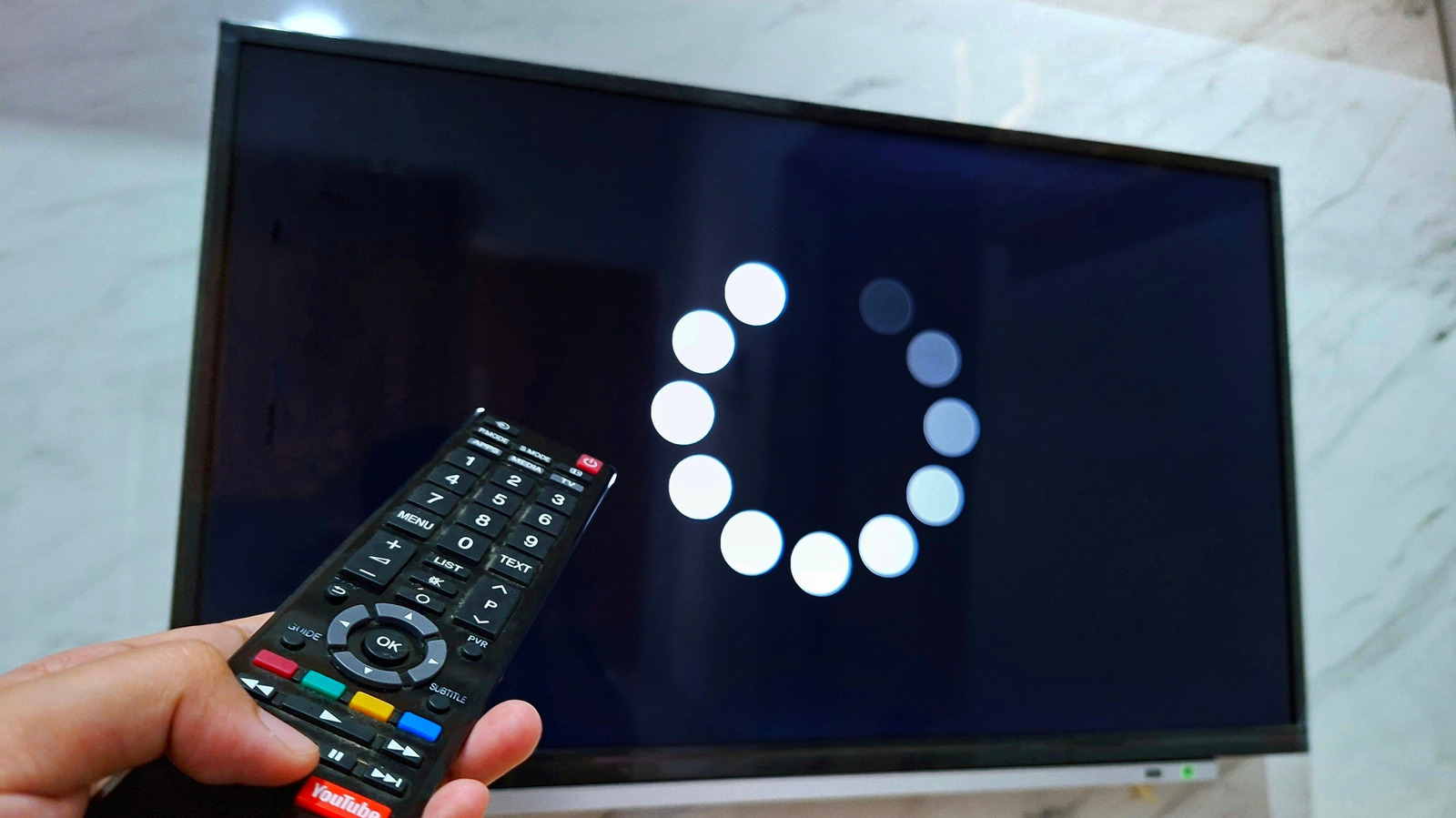
If you have ever felt your heart sink while waiting for the Netflix logo to load on your three-year-old television, you are not alone. The secret that manufacturers don't often advertise is that the internal System-on-a-Chip (SoC) inside most smart TVs is designed to be just "good enough" at the time of purchase. As streaming apps become more complex and require more memory, that built-in hardware simply cannot keep up, resulting in a stuttering user interface.
You can fix a slow or laggy smart TV by connecting a modern streaming stick to the HDMI port. These devices utilize their own internal processors and memory to run apps, bypassing the television's outdated hardware. This provides a more responsive user interface and ensures compatibility with the latest streaming services and system updates without the expense of purchasing a new television. When you use a dedicated media player, your TV essentially becomes a "dumb" monitor, leaving the heavy lifting to the plug-and-play setup of the stick.
This method of upgrading older smart tv with budget media player is the single most cost-effective way to extend the life of your hardware. Instead of spending $500 on a new screen, a $40 investment in a budget streaming stick comparison 2025 winner brings back that "new TV" feel.
The 2025 Budget Streaming Stick Comparison: Roku, Fire TV, and Onn
Choosing between these three giants involves weighing your preference for simplicity against your desire for features. Each platform has a distinct philosophy regarding how you should discover content.
Roku Streaming Stick 4K: The Simple Choice
Roku remains a favorite for users who want a clean, app-focused grid without intrusive advertisements. It is projected to reach approximately 118.6 million streamers alongside its competitors, largely due to its ease of use.
- Reasons to Buy:
- Clean, distraction-free interface.
- Excellent long-range Wi-Fi receiver built into the power cable.
- Supports AirPlay 2 for Apple users.
- Reasons to Avoid:
- Interface feels a bit dated compared to the visual flair of Google TV.
- Limited smart home hub integration compared to Amazon.
Amazon Fire TV Stick 4K Plus: The Power User’s Pick
The Fire TV ecosystem is built for those who live and breathe Alexa. It offers deep integration with Ring doorbells and Zigbee or Matter devices. While it is more ad-heavy than Roku, its search capabilities are top-tier.
- Reasons to Buy:
- Fast Wi-Fi 6 compatibility for lag-free streaming.
- Best-in-class voice assistants and global search.
- Frequent sales make it the best value media streamers pick.
- Reasons to Avoid:
- Home screen is cluttered with Amazon-sponsored content.
- Some menus can be confusing for non-technical users.
Onn 4K Pro: The Performance Surprise
Walmart’s house brand has evolved from a budget alternative to a performance leader. The Onn 4K Pro is a standout in any budget streaming stick comparison 2025 because it offers hardware features usually reserved for devices twice its price. It is notably 25% faster than Google TV devices in its price bracket.
- Reasons to Buy:
- Includes an Ethernet port and a USB port for expanded storage.
- Built-in "Find My Remote" button on the device.
- Hands-free Google Assistant with a physical privacy switch.
- Reasons to Avoid:
- Larger footprint; it's a small box rather than a slim stick.
- Brand name lacks the prestige of Roku or Amazon.
Technical Reality Check: Wi-Fi 6 vs. Wi-Fi 4
As an editor focused on the seamless home, I have to give you a reality check on the specs. Many manufacturers still sell entry-level models like the Roku Streaming Stick (2025) or older Fire TV models that rely on Wi-Fi 4 or Wi-Fi 5. While these are fine for a bedroom TV, they often struggle with high-bitrate 4K content.
For the best experience, I recommend spending the extra $10 to get a device with Wi-Fi 6 compatibility. This standard is designed to handle "congested" environments where many devices are fighting for the same signal. If you are aiming for 4K UHD resolution, the bandwidth stability of Wi-Fi 6 is a game-changer. The Onn 4K Pro and the Fire TV Stick 4K Plus both offer this, while the Roku Streaming Stick 4K relies on a proprietary long-range Wi-Fi 5 receiver.
Furthermore, pay attention to frame rate matching. This semantic feature allows the streaming stick to adjust the TV's refresh rate to match the movie's original format (usually 24fps), eliminating the "judder" you might see in slow panning shots. While Fire TV and Google TV have improved here, Roku still offers the most consistent plug-and-play setup for this feature.
| Feature | Roku Streaming Stick 4K | Fire TV Stick 4K Plus | Onn 4K Pro |
|---|---|---|---|
| HDR10+ | Yes | Yes | Yes |
| Dolby Vision | Yes | Yes | Yes |
| Dolby Atmos | Passthrough | Yes | Yes |
| Bluetooth connectivity | Yes | Yes | Yes (v5.2) |
Smart Home Integration & Ecosystem Choice
Your streaming stick is no longer just a way to watch movies; it is a gateway to your smart home. When comparing budget streamers, Roku is preferred for its simple interface and ease of use, while Amazon Fire TV offers deep Alexa integration and smart home hub controls.
If you have a Ring doorbell, the Fire TV can automatically show a Picture-in-Picture feed on your screen when someone presses the button. On the other hand, the Onn 4K Pro uses Google TV, which is highly effective at content curation and organizing personalized recommendations across all your subscriptions.
For Apple users, the Roku is often the best choice among budget streaming sticks because it natively supports AirPlay 2 and HomeKit. This allows you to cast photos or mirror your MacBook screen without needing a $130 Apple TV. Higher-end budget models like the Roku Streaming Stick 4K provide better Wi-Fi range and faster app loading times than entry-level HD sticks, making them the smarter long-term investment.
FAQ
What is the best affordable streaming stick for a TV?
The Onn 4K Pro is currently the best affordable option for those who prioritize speed and features like extra ports. However, if you prefer a simpler, more intuitive experience, the Roku Streaming Stick 4K is the best overall value for most households.
Are budget streaming sticks worth the money?
Absolutely. Budget streaming sticks are the most cost-effective way to modernize a television. For under $50, you get a faster processor, better Wi-Fi, and access to more apps than almost any built-in smart TV system can offer after a few years of use.
Do cheap streaming sticks support 4K resolution?
Yes, most mid-tier budget sticks in 2025, such as the Fire TV Stick 4K and Roku Streaming Stick 4K, fully support 4K UHD resolution. You should verify that the device specifically lists 4K in the name, as basic models like the Fire TV Stick HD are limited to 1080p.
Which budget streaming stick is easiest to set up?
Roku is widely considered the easiest to set up. Its plug-and-play setup involves a simple on-screen activation code, and the remote is famous for its "no-nonsense" design with large, easy-to-read buttons.
Can I use a budget streaming stick on an older TV?
Yes, as long as your older TV has a standard HDMI port. Even if your TV is not 4K, a 4K streaming stick will still work and provide a much faster, smoother interface than the TV's original software, though the picture will be limited to the TV's maximum resolution.
Final Recommendation
When choosing your next device, think about your daily habits. If you want a device that disappears behind the TV and just works every time you press a button, the Roku Streaming Stick 4K is your winner. It balances simplicity with the essential 4K UHD resolution and Dolby Vision support.
If you are a tech enthusiast who wants the fastest possible performance and the ability to plug in a thumb drive full of family photos, go with the Onn 4K Pro. Its 12% speed advantage is noticeable in every menu click.
Finally, if your house is already filled with Echo speakers, the Amazon Fire TV Stick 4K Plus is a natural extension of your home. No matter which you choose, remember that the best 4k streaming sticks under 50 dollars are no longer "cheap" in terms of quality—they are powerful computers that happen to fit in the palm of your hand.