Our Top Picks
The ABVOT Electric Air Duster is currently the gold standard for budget-conscious PC builders and tech enthusiasts. At just $32, it offers a powerful 45,000 RPM motor and a long-lasting rechargeable battery that pays for itself in just a few months of cleaning. It is the best electric air duster for pc cleaning because it balances raw wind force with a portable, user-friendly design.
An Electric Air Duster is a cost-effective and eco-friendly compressed air alternative for electronics that provides consistent, room-temperature airflow without the risk of moisture or freezing, making it safer for delicate circuit boards and long-term hardware maintenance. While the initial investment is slightly higher than a single can of air, these rechargeable devices provide continuous pressure that never drops, ensuring a thorough clean every single time.
The Problem with Compressed Air Cans
If you have spent any time working inside a desktop tower, you are intimately familiar with the classic can of compressed air. It is a staple of the industry, but it is also deeply flawed. The most immediate issue is the pressure drop. As the gas expands and the canister cools down, the internal pressure plummets. Within thirty seconds of use, your powerful gust of air turns into a pathetic breeze, forcing you to wait for the can to warm back up.
Then there is the safety concern for your hardware. These cans do not actually contain air; they contain chemical refrigerants. If you tilt the can just a few degrees too far, you risk spraying liquid accelerant directly onto your motherboard care routines. This liquid can cause thermal shock or leave behind a residue that attracts even more dust. In a high-end gaming rig, that is a risk most professionals simply are not willing to take anymore.
Financially, the recurring cost is a slow drain on your wallet. A single 10oz can often retails for $10 to $15. If you are a frequent builder or someone who likes to keep a spotless workstation, you might go through a dozen cans a year. By switching to a rechargeable air duster, you eliminate this "subscription to clean air" entirely.
Feature Spotlight: The $32 Amazon Game-Changer
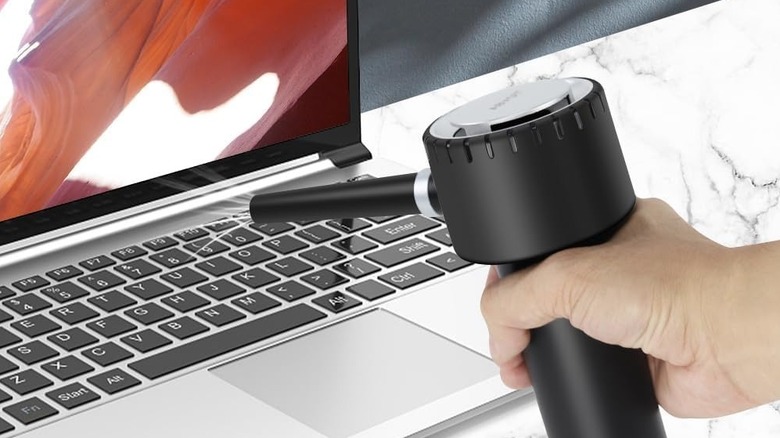
When I first tested the $32 ABVOT model found on Amazon, I was skeptical. How could a battery-powered motor compete with the raw pressure of a chemical propellant? However, the tech has matured significantly. This specific unit feels sturdy in the hand, featuring an ergonomic pistol-grip design that makes it much easier to maneuver around complex cooling towers and GPU shrouds than a clumsy metal can.
One of the most practical PC keyboard cleaning gadgets I have used, this device comes with several detachable nozzles. There is a wide nozzle for general surface cleaning and a needle-nose attachment that is perfect for dislodging debris from mechanical switches. It also includes a built-in LED light on the front. This might seem like a gimmick until you are trying to find a dust bunny hidden in the dark corner of a black ATX case. Being able to see exactly where the airflow is hitting makes the cleaning process much faster and more effective.
The unit relies on USB-C connectivity for charging, which is a massive win for modern convenience. You can top it off using your laptop charger or a phone adapter, though it generally requires a 2A adapter to hit peak charging speeds. This portability means it can live in your tech bag or desk drawer without needing a specialized power brick.
Technical Performance: RPM vs. Real-World Wind Force
When choosing an affordable electric air duster for tech gear, the most important specification to look for is the motor speed. The ABVOT model features a high-speed brushless motor capable of reaching 45,000 RPM. In the world of tech maintenance, this is the sweet spot. It produces enough airflow velocity to move stubborn, static-charged dust without being so powerful that it risks stripping small surface-mount components off a PCB.
In real-world testing, this translates to about 2.5 oz of wind force. While a fresh can of compressed air might have a higher initial burst, the electric duster wins on consistency. You can keep the trigger pulled for five minutes straight and the wind speed will remain exactly the same. This is crucial for deep-cleaning heat sinks where dust tends to pack tightly between the fins.
The 6,000mAh internal battery provides enough juice for about 15 minutes of continuous high-speed use. While that may not sound like much, consider that most cleaning tasks take only 20 to 30 seconds of air. I found that I could clean three full desktop towers and several keyboards on a single charge. The electric air duster battery life and runtime guide usually suggests charging after every major cleaning session to ensure the motor has the voltage it needs to hit that top RPM.
Safety Guide: Cleaning Electronics Without Damage
Using an Electric Air Duster is generally safer than canned air, but you still need to follow a few ground rules for circuit board safety. First, always ensure your PC is powered off and unplugged. While the air from these devices is dry and room-temperature, you should still maintain a distance of 2-3 inches from the surface of the components.
A common mistake is letting the cooling fan debris fly by blowing air directly into a fan at high speed. If you spin a fan too fast with external air, it can act as a generator and send a small current back into the motherboard, potentially damaging the fan header. I always recommend holding the fan blade still with a finger or a wooden toothpick while you blast the dust out of the motor housing.
For gaming rig upkeep, focus on the intake filters and the fins of your GPU. Because you do not have to worry about liquid leakage, you can turn the duster upside down or sideways to reach the underbelly of a graphics card. This maneuverability is the primary reason I recommend this as the best electric air duster for pc cleaning for enthusiasts with complex liquid-cooled loops or cramped ITX builds.
The Math: Breaking Down the ROI
The global air duster market was valued at approximately $163.43 million in 2024 and is projected to reach $236.02 million by 2032, showing just how many people are looking for better ways to keep their tech clean. But for the individual user, the economics are even more compelling.
When doing a rechargeable air duster vs compressed air cans comparison, the "break-even" point is incredibly low. If a pack of two cans costs you $25, then by the third can, the $32 Electric Air Duster has already paid for itself. Over a five-year lifespan, a single unit can replace hundreds of disposable compressed air cans, saving you hundreds, if not thousands, of dollars.
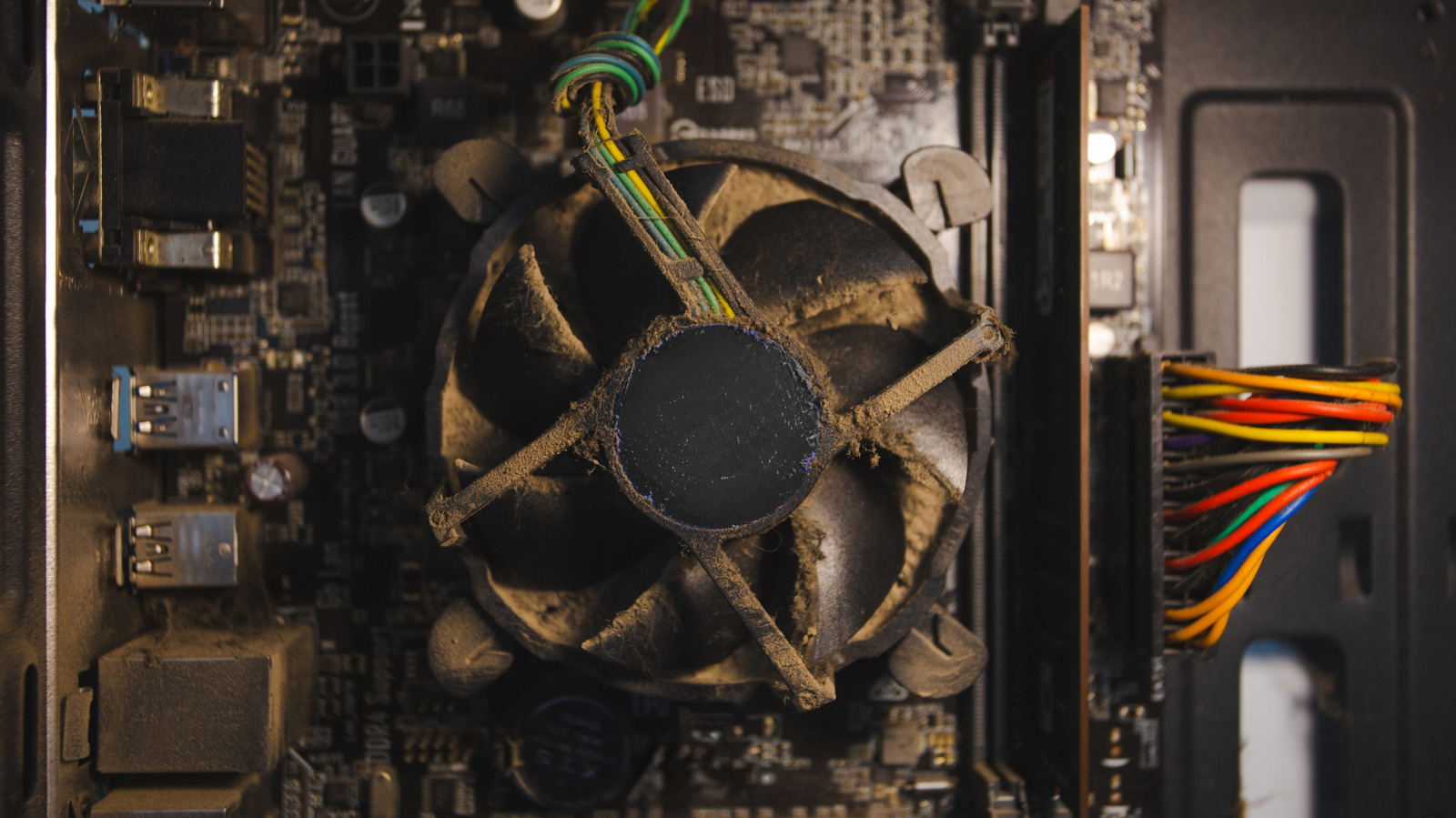
Beyond the money, there is the factor of hardware longevity. Dust is a silent killer; it acts as an insulator, trapping heat and forcing your fans to work harder. Regular PC maintenance with a high speed electric air duster for heavy debris can extend the life of your CPU and GPU by keeping temperatures within optimal ranges. It is an eco-friendly cleaning solution that benefits both your hardware and your bank account.
The ABVOT model features a 45,000-rpm motor and a built-in 6,000mAh battery that supports up to 15 minutes of continuous operation. When you look at the raw data, the argument for disposable cans completely falls apart.
FAQ
Are electric air dusters better than canned air?
In almost every practical scenario, yes. They offer a one-time cost, consistent air pressure that doesn't drop during use, and no risk of spraying freezing liquid onto your sensitive electronics. While the initial blast of a brand-new can of compressed air might be slightly higher, the electric duster provides unlimited air that is safer for long-term hardware maintenance.
Can an electric air duster damage a computer?
If used properly, it is very unlikely to cause damage. However, you should never hold the nozzle too close to fragile components and you must always hold cooling fans in place to prevent them from over-spinning. Over-spinning a fan can generate back-EMF which might harm the motherboard. Maintaining a 2-inch distance is the best way to ensure workstation hygiene without risk.
Are electric air dusters safe for sensitive electronics?
Yes, they are generally safer than canned air because they do not contain chemicals or moisture. They produce a steady stream of dry, room-temperature air. This eliminates the risk of thermal shock or liquid residue that can happen with traditional canisters. They are ideal for motherboard care and cleaning intricate gaming rigs.
How long does the battery last on an electric air duster?
Most high-quality $32 models, like the ABVOT, offer about 15 minutes of continuous use on the highest speed setting. Since most cleaning tasks only require 5 to 10 seconds of air at a time, a single charge is usually enough to clean an entire home office worth of equipment, including multiple PCs, keyboards, and monitors.
Is an electric air duster worth the money?
Absolutely. Since it pays for itself after the equivalent of three or four cans of disposable air, it is one of the best ROI tech investments you can make. It also encourages more frequent cleaning because you aren't "wasting" money every time you pull the trigger, leading to better hardware longevity and overall system performance.
Final Verdict
If you are still buying disposable cans, you are essentially throwing money away and risking your hardware's health. The switch to an Electric Air Duster is one of those rare tech upgrades that is better for your wallet, better for your PC, and better for the planet. For $32, the ABVOT model provides the perfect balance of power and portability. It is time to stop worrying about freezing cans and start enjoying the convenience of unlimited, high-speed air for all your PC maintenance needs.