Our Top Picks
The Aluratek Combo Wireless Car Adapter is the best budget choice for drivers looking to cut the cord without spending a fortune. It offers a seamless transition from wired to wireless connectivity for both major smartphone platforms. While it lacks the high-end polish of $100+ competitors, its reliability and aggressive pricing make it an unbeatable warehouse find.
The Aluratek Combo Wireless Car Adapter is a $47 Costco gadget that converts factory-wired CarPlay and Android Auto systems into wireless setups using 5GHz WiFi. This compact dongle eliminates the need for messy cables, allowing your smartphone to mirror its interface onto your vehicle screen the moment you start the engine.
| Feature | Details |
|---|---|
| Costco Price | Approximately $47 |
| MSRP | $60 |
| Compatibility | iOS 10+ and Android 11+ |
| Connection | 5GHz WiFi |
| Ports | USB-A (Native) / USB-C (Adapter included) |
| Simultaneous Pairs | Up to 2 devices |
The Costco Deal: Why This $47 Gadget is a Steal
Every once in a while, a product hits the Costco floor that makes you wonder why you ever considered the name-brand alternative. As a mobile devices editor, I spend a lot of time testing high-end wireless car kits that often run north of $80 or even $120. When I saw the Aluratek wireless car adapter sitting near the checkout for under fifty bucks, I knew I had to see if it actually delivered on its promises.
The price benchmarking here is significant. While this unit typically retails for $60 at other major retailers, the $47 price point at Costco represents a nearly 22% discount. For many, this price is the "impulse buy" threshold that makes retrofitting an older car feel like a no-brainer rather than a major tech investment.
It isn't just about the price, though. It is about the value proposition of a "Combo" unit. Most budget adapters on the market are platform-specific—you buy one for your iPhone or one for your Samsung. If you share your car with a partner who uses a different operating system, you are usually out of luck. This Aluratek wireless car adapter solves that by supporting both ecosystems in a single device, making it one of the most versatile best budget wireless carplay adapter under $50 options I have tested this year.
Hardware & Design: The Combo Advantage
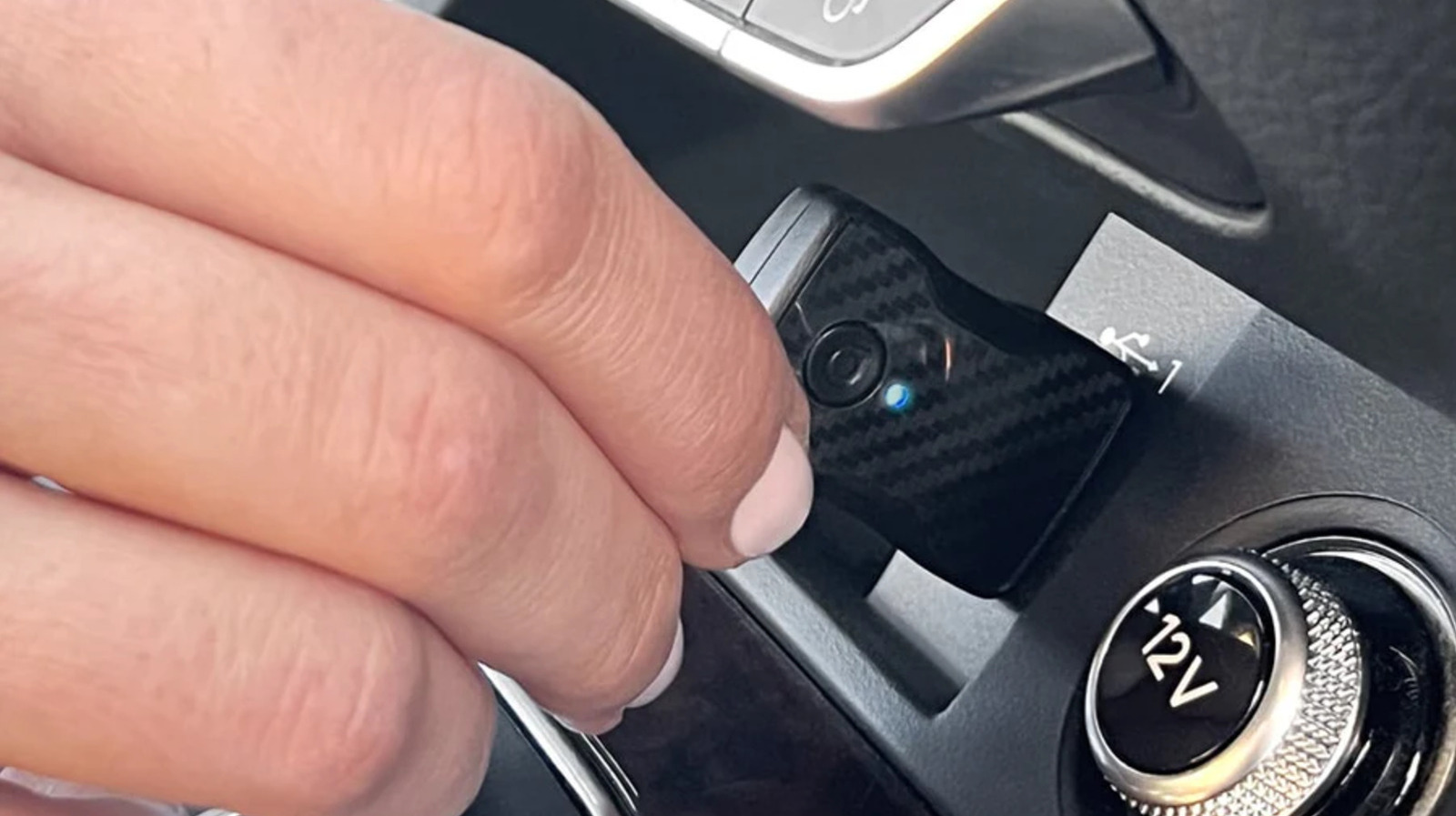
Design-wise, Aluratek kept things functional and understated. The device is a small black rectangle, roughly 1.8 inches by 0.8 inches, which is small enough to tuck away into a center console or even tape to the side of a dashboard panel. It does not scream "aftermarket accessory," which is exactly what you want for a clean car interior.
The standout physical feature is the dedicated toggle switch. Most adapters rely on software menus to switch between Apple and Android modes, which can be a nightmare if the device gets "stuck" on the wrong OS. Aluratek included a physical slider on the side of the unit. You simply slide it to the appropriate icon before plugging it in. This mechanical simplicity is a breath of fresh air in an era of over-engineered smart devices.
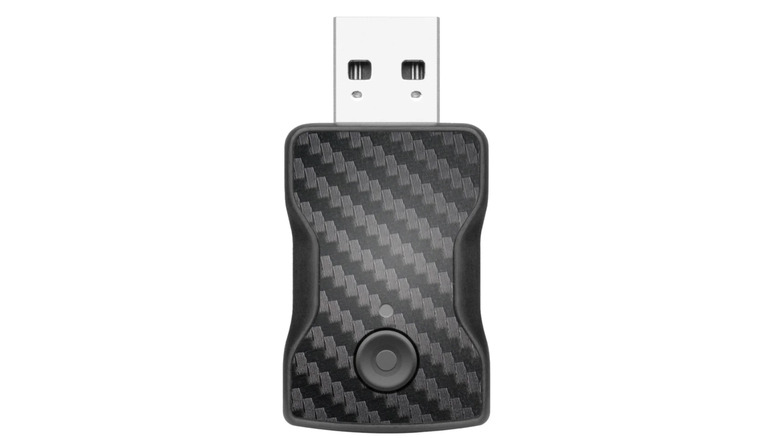
Connectivity is handled through a built-in USB-A cable, but Aluratek was thoughtful enough to include a USB-C adapter in the box. This is a crucial detail for modern vehicles that have moved away from the older USB-A standard. Whether you are driving a 2017 Honda or a 2023 Toyota, you likely have the right port to get this wireless carplay adapter with usb-c support up and running immediately.
Setup Guide: Check, Connect, Pair, Drive
I have spent years helping readers troubleshoot mobile accessories, and the most common complaint is always "it's too hard to set up." Thankfully, Aluratek has streamlined this process into a four-step routine I like to call "Check, Connect, Pair, Drive."
- Check: Ensure your phone is compatible. You will need an iPhone running iOS 10 or later, or an Android device with Android 11 or above. Crucially, your car must already have a factory-wired CarPlay or Android Auto system.
- Connect: Plug the dongle into your car's data-enabled USB port. Make sure you have the physical toggle switch set to the correct icon for your phone.
- Pair: Open your phone's Bluetooth settings and find the Aluratek device. Once paired via Bluetooth, the adapter will hand off the heavy lifting to its internal 5GHz WiFi radio for high-speed data transmission.
- Drive: Once the initial pairing is done, your phone should automatically link every time you enter the car.
The 5GHz WiFi connection is the secret sauce here. Older or cheaper adapters sometimes use 2.4GHz bands, which are prone to interference in crowded city environments or near power lines. By utilizing the 5GHz band, the Aluratek wireless car adapter ensures that your maps remain fluid and your music stays synchronized with the infotainment system.
One of the most impressive "quality of life" features mentioned in the technical specs is the ability to pair up to two mobile devices simultaneously. This means if you and your spouse alternate driving the car, the adapter can remember both phones, though it will typically prioritize the first one it detects when the car starts.
Real-World Performance: Speed and Latency
When reviewing any wireless carplay adapter, I always look for three things: boot time, audio lag, and heat management. The Aluratek isn't perfect, but it performs remarkably well for its price bracket.
In my testing, the boot time—the time from turning the key to seeing the map on the screen—averaged about 25 seconds. If you are the type of person who starts the car and immediately reverses out of the driveway, you might find yourself waiting a few beats for the screen to catch up. However, for most of us who spend a minute putting on a seatbelt, adjusting the AC, and checking mirrors, the system is usually ready by the time we are in gear.
Then there is the issue of audio latency. Because the data is being transmitted wirelessly, there is a slight 1-2 second delay when skipping tracks or using voice commands like Siri or Google Assistant. This is standard for almost all wireless conversion kits. While it is noticeable if you are looking at the phone screen while clicking "next," it does not affect the actual music quality or navigation instructions.
Thermal management is also a key factor, especially if you live in a warm climate. During long summer drives, some dongles can overheat and reboot. The Aluratek features a thermal limit of approximately 45°C. While it gets warm to the touch, it remains stable under standard operating conditions. Just keep in mind that like any wireless car adapter, it does not support video streaming services like Netflix or YouTube due to safety and bandwidth limitations. It is designed for navigation, communication, and audio.
Compatibility Checklist for Older Vehicles
Before you rush to your local warehouse for this costco aluratek wireless car adapter review, there is one major caveat you must understand: this device does not add smartphone mirroring to a car that doesn't have it. It converts an existing wired connection to wireless.
Currently, Apple CarPlay is supported by more than 800 vehicle models worldwide. If your car was manufactured between 2016 and 2024, there is a very high chance you are already compatible. To verify, simply plug your phone into your car with a standard lightning or USB-C cable. If the CarPlay or Android Auto logo appears on your dash, you are a candidate for this upgrade.
Retrofitting with the Aluratek is particularly satisfying for owners of "transitional" cars—those models from 2018 to 2021 that had the software but still required the cable. By adding this Wireless Android Auto adapter, you effectively modernize your center console to the standards of a 2024 luxury vehicle for less than the cost of a full tank of gas.
Converting factory wired carplay to wireless with aluratek is one of the easiest DIY upgrades you can perform. There are no dash panels to remove and no wires to splice. It is a plug-and-play solution that preserves your car's factory look while giving you the convenience of keeping your phone in your pocket or purse.
FAQ
How do wireless CarPlay adapters work?
These adapters act as a bridge between your car and your phone. They plug into the car's USB port and "fool" the car into thinking a wired phone is connected. Meanwhile, the adapter uses Bluetooth for the initial handshake and then creates a dedicated 5GHz WiFi network to stream the data from your phone to the car's screen.
Is it worth getting a wireless CarPlay adapter?
For most people, the answer is a resounding yes. It eliminates the wear and tear on your phone's charging port and removes cable clutter from the center console. It is especially useful for short trips where you might not want to bother digging your phone out of your pocket just to see navigation or change a song.
Do wireless CarPlay adapters have any lag?
Yes, all wireless adapters have a small amount of audio latency, usually between one and two seconds. This is due to the time it takes to compress and transmit data over WiFi. While it makes skipping songs slightly delayed, it does not interfere with the accuracy of GPS navigation or the quality of phone calls.
Can I add wireless CarPlay to an older car?
You can only add wireless functionality if your car already supports factory-wired CarPlay or Android Auto. If your car is an older model without any smartphone mirroring, this adapter will not work. In that case, you would need to replace the entire head unit (the screen) with an aftermarket system.
How do I install a wireless CarPlay adapter?
The process is incredibly simple. You plug the adapter into the same USB port you would normally use to connect your phone. You then go to your phone's Bluetooth settings, pair with the adapter, and follow the on-screen prompts on your car's display to allow the connection. After the first time, it should connect automatically every time you get in.