Our Top Picks
- Bevel: The ultimate tool for recovery, using Heart Rate Variability to tell you exactly how hard to train.
- WorkOutDoors: A must-have for hikers and runners needing offline vector maps and 800+ customizable metrics.
- WhatsApp: Finally a native experience that lets you leave your phone at home while staying connected.
With over 640.15 million smartwatch users globally projected by 2026, the watchOS ecosystem has evolved into a powerhouse of independent productivity. Finding the best Apple Watch apps means looking beyond stock features to unlock professional-grade health data and native communication that works without your iPhone nearby.
Methodology: How We Tested for 2026 Hardware
As someone who has lived with every iteration of Apple’s wearable since the original "Series 0," I don’t take app recommendations lightly. For this 2026 guide, I spent six months testing third-party software on the latest Series 11 and Ultra 3 hardware. My testing focused on three core pillars: battery efficiency, biometric accuracy, and what I call the Independence Score.
The Independence Score (rated 0-10) measures how well an app functions when you are away from your iPhone. With Apple maintaining a 23% share of the global shipment market, developers are finally treating the watch as a primary computer rather than a secondary screen. I looked for apps that leverage the faster S-series chips to provide real-time metrics and seamless haptic feedback without lag.
1. Bevel: The Pro Alternative to Activity Rings
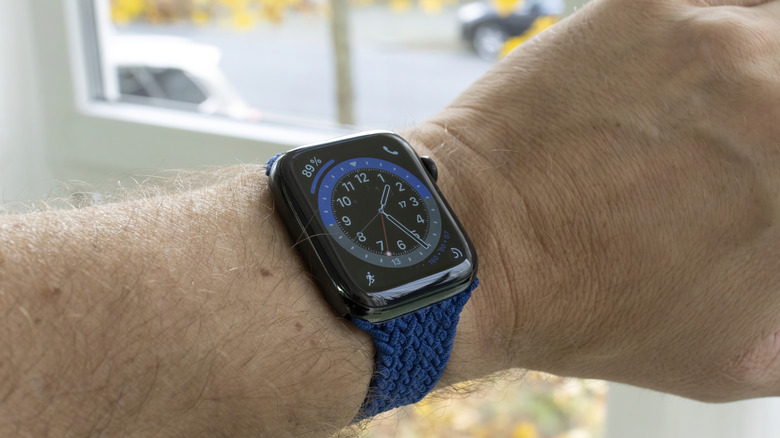
One of the biggest frustrations with the native Activity Rings is that they only care about what you do, not how you feel. If you are sick or exhausted, those rings still push you to close them. This is where Bevel changes the game. It is designed for those who want a deeper understanding of their sleep recovery and readiness scores.
By analyzing your Heart Rate Variability during sleep, Bevel calculates a daily readiness score that tells you if it’s a day for a personal best or a day for a long nap. It writes over 15 metrics to Apple Health, creating a holistic view of your wellness tracking. In my testing on the Ultra 3, the data synergy was flawless, providing a much-needed layer of intelligence over the standard fitness tracking.
- Price: $49.99/year
- Independence Score: 8/10
- Best For: Athletes and data nerds who want to avoid burnout.
2. WorkOutDoors: Professional Mapping on Your Wrist
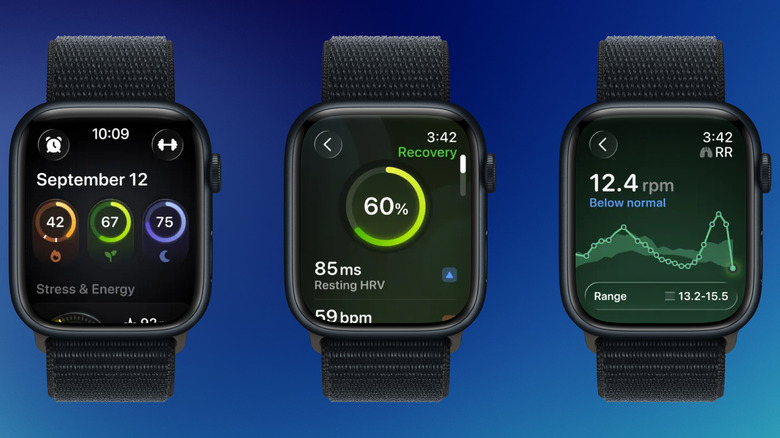
If you have ever tried to follow a complex trail using the native Workout app, you know it can be a bit basic. WorkOutDoors is essentially a professional GPS navigation system that lives on your wrist. It offers offline vector maps, meaning you can download an entire national park to your watch and navigate via GPS without any cellular signal.
The level of customization here is staggering. You can choose from over 800 metrics and display them across multiple screens that you navigate using the Digital Crown. It is arguably the best third-party apple watch apps for fitness tracking specifically for outdoor enthusiasts who need more than just a heart rate graph.
- Price: $8.99 (One-time purchase)
- Independence Score: 10/10
- Best For: Hikers, trail runners, and cyclists.
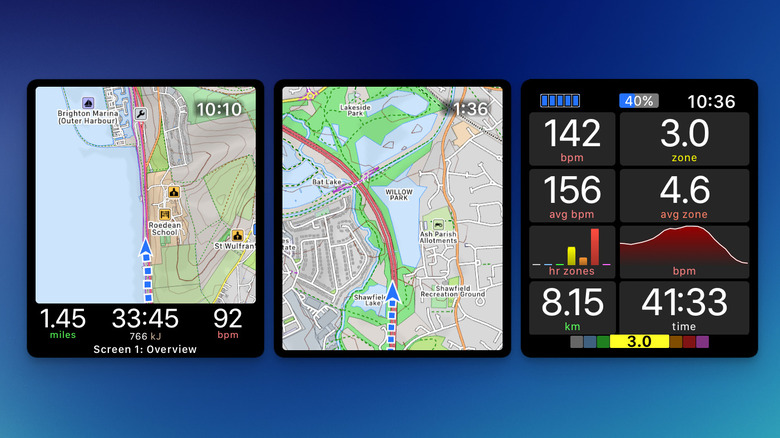
Pro Tip: Using the Ultra 3 Action Button Many apps like WorkOutDoors allow you to map the Action Button to specific functions. I suggest setting it to "Mark Waypoint" or "Pause Workout" to avoid fumbling with the screen while wearing gloves or when your hands are sweaty.
3. WhatsApp: The Native Wrist Messenger
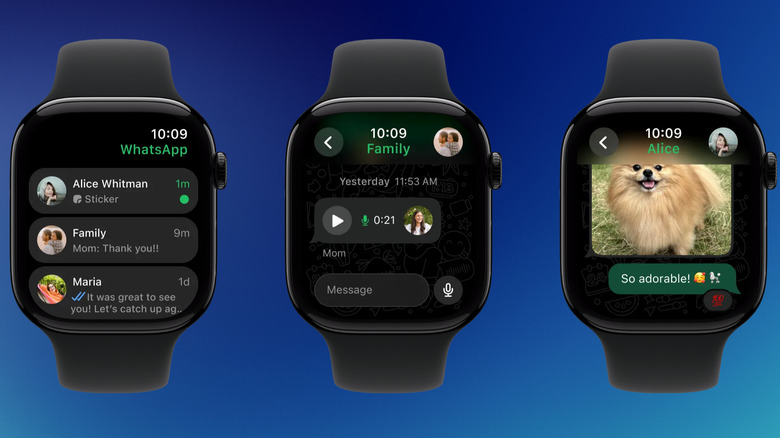
For years, we had to settle for basic notifications that often failed to show images or long threads. Following the native release in late 2025, WhatsApp on watchOS has become a revelation for mobile connectivity. You can now view full conversation histories, listen to voice notes, and respond using the full QWERTY keyboard.
If you have a cellular-enabled watch, this app effectively allows you to go for a run or head to the beach without your iPhone while staying fully reachable. The haptic feedback for incoming calls is distinct, ensuring you never miss an urgent message. It is the ultimate bridge for those trying to reduce their screen time on their phones without going off the grid.
- Price: Free
- Independence Score: 9/10
- Best For: Everyone who wants to leave their phone behind.
4. Pedometer++: Steps at a Glance
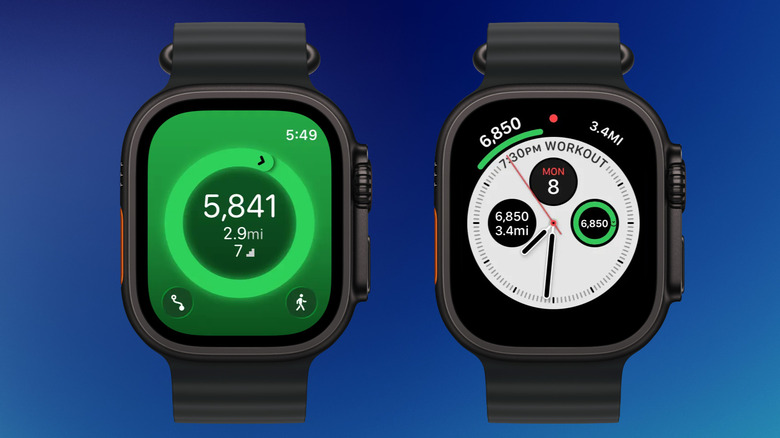
It remains a mystery why Apple still doesn't allow you to see your step count directly on most watch faces. Pedometer++ solves this by specializing in watch face complications. It uses the biometric sensors of the watch to provide a live step count that updates throughout the day.
With the introduction of Smart Stack widgets in recent watchOS updates, Pedometer++ has become even more useful. You can swipe up from any watch face to see a detailed graph of your hourly progress. Approximately 92% of smartwatch users use their devices to track and improve their health, and for many, the simple step count remains the most motivating metric of all.
- Price: Free (with optional tip jar/premium features)
- Independence Score: 7/10
- Best For: Casual walkers and anyone who finds the "rings" confusing.
5. Waterllama: Gamified Hydration Tracking
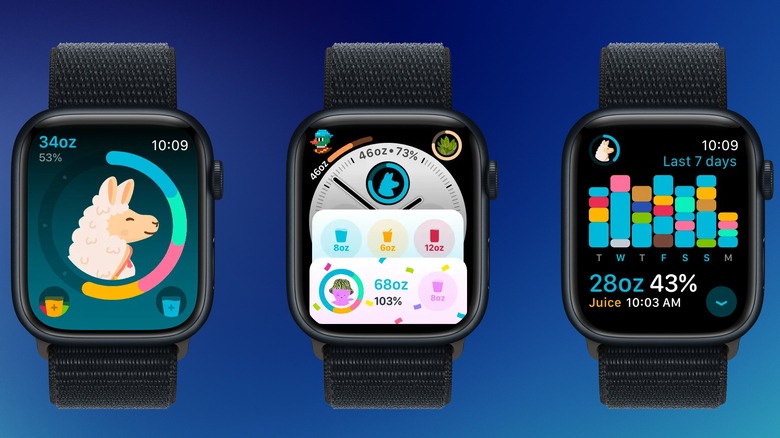
Hydration is a critical component of sleep hygiene and physical recovery, yet it’s the easiest habit to forget. Waterllama makes it fun. The app uses a charming, gamified interface where you "fill up" various animals by logging your beverage intake.
What sets this apart from basic timers is the personalized coaching. It calculates your hydration needs based on your weight, activity levels, and even the local weather. The watch app is incredibly efficient, allowing you to log a glass of water with two taps. It’s one of the best apple watch apps for hydration reminders and tracking because it focuses on positive reinforcement rather than annoying pestering.
- Price: Free (Premium for more characters/beverages)
- Independence Score: 6/10
- Best For: Users who struggle to drink enough water during busy workdays.
6. Spotify: True Offline Listening
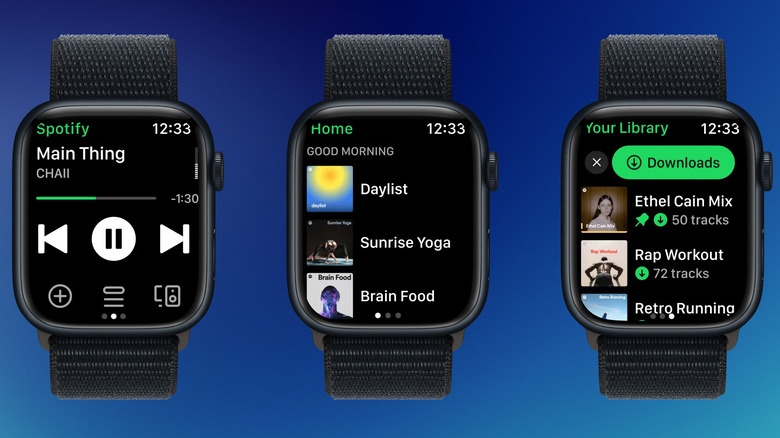
While Apple Music is the default, Spotify’s watchOS app has made massive strides in wearable technology integration. For Premium users, the ability to download playlists directly to the watch is a game-changer. This means you can stream high-quality audio to your Bluetooth headphones during a workout without needing a cellular connection or an iPhone nearby.
The interface is snappy, and I love using the Digital Crown to fine-tune the volume. It also supports playback through the watch speakers on the newer Series 11 and Ultra 3 models, which is surprisingly handy when you’re doing a quick workout at home and don’t want to wear headphones.
- Price: Requires Spotify Premium for offline features
- Independence Score: 9/10
- Best For: Music lovers and podcast addicts.
7. Cheatsheet: Essential Quick Access
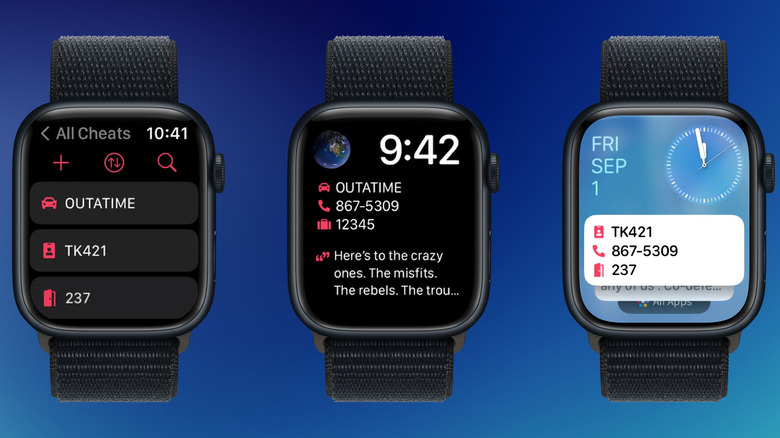
Sometimes you don't need a complex app; you just need to remember your gym locker combination or your office keycode. Cheatsheet is a micro-utility designed for exactly these moments. It allows you to create small "cheats" on your iPhone that sync instantly to your watch.
The brilliance of Cheatsheet lies in its use of watch face complications. You can set a specific code to appear right on your watch face, or just a tap away. It’s one of those essential apple watch utilities that you’ll find yourself using ten times a day without even thinking about it.
- Price: Free (One-time purchase for full features)
- Independence Score: 8/10
- Best For: People who are tired of digging through their phones for simple ID numbers.
8. Zenitizer: Mindfulness Simplified
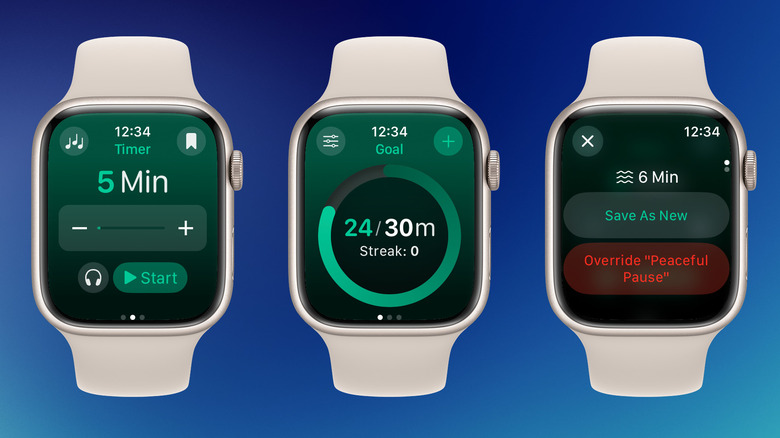
In a world of constant notifications, Zenitizer offers a sanctuary on your wrist. It is a streamlined meditation timer that focuses on the essentials. Unlike other apps that try to sell you expensive subscriptions and celebrity-narrated stories, Zenitizer provides a clean interface for timed sessions.
The app uses haptic feedback to signal the start and end of intervals, which is much more peaceful than a jarring alarm. It syncs perfectly with Apple Health, contributing to your "Mindful Minutes" goal. Because it runs entirely on the watch, it’s a great way to practice essential apple watch utilities for daily productivity by taking a "tech-free" break while still tracking your progress.
- Price: Free / Premium subscription
- Independence Score: 7/10
- Best For: Anyone looking to reduce stress and improve focus.
9. Pownap: The Smartest Nap Timer
Taking a nap can be risky; sleep too long and you wake up groggy. Pownap is a specialized tool that uses the watch’s biometric sensors to detect the exact moment you fall asleep. Instead of setting a 20-minute timer that starts while you're still tossing and turning, Pownap waits until your heart rate and movement suggest you are actually in a light sleep.
This ensures you get exactly the amount of rest you intended. It’s a brilliant use of real-time metrics and biometric sensors to solve a very human problem. For anyone focused on sleep recovery and readiness scores, this is a tiny investment that pays huge dividends in afternoon energy levels.
- Price: $3.00 (One-time fee)
- Independence Score: 8/10
- Best For: Power nappers and shift workers.
FAQ
What are the best free apps for Apple Watch?
Some of the best free options include Nike Run Club for guided workouts, Waterllama for basic hydration tracking, and Pedometer++ for viewing your step count. WhatsApp is also a free essential for communication, though it requires a cellular model or Wi-Fi for full independence.
Which Apple Watch apps are essential for beginners?
If you are just starting out, Pedometer++ is essential for adding steps to your watch face. Waterllama helps you build healthy habits, and Cheatsheet is great for keeping important notes handy. These apps are intuitive and don't require much configuration.
What are the top-rated fitness apps for Apple Watch?
WorkOutDoors is widely considered the gold standard for outdoor mapping and professional metrics. For those who want more intelligent data than the native rings provide, Bevel is highly rated for its ability to calculate recovery and strain based on Heart Rate Variability.
Can Apple Watch apps run without an iPhone nearby?
Yes, many modern apps are designed with high Independence Scores. Apps like WorkOutDoors (with offline maps), Spotify (with downloads), and native WhatsApp (on LTE models) can function perfectly without your iPhone being in the same building.
Which sleep tracking app is best for Apple Watch?
While the native Sleep app is good for basics, Bevel is the best for those who want to use their sleep data to guide their daily activity. It provides a more comprehensive look at how sleep quality affects your overall readiness.
Are there any good productivity apps for the Apple Watch?
Cheatsheet is excellent for quick reference of codes and IDs. Zenitizer helps with productivity by encouraging mindful breaks, and WhatsApp allows you to handle urgent communications without getting sucked into the distractions of a full smartphone.