Quick Facts
- Calculator: 14-year wait (Released 2024, iPadOS 18)
- Weather: 12-year wait (Released 2022, iPadOS 16)
- Instagram: 15-year wait (Projected 2025)
- WhatsApp: 16-year wait (Released 2025)
- Health: 13-year wait (Released 2023, iPadOS 17)
- Key Turning Point: iPadOS 13 (2019) signaled the shift toward professional workflows.
- Core Verdict: The arrival of these long-awaited iPad apps marks the end of the "large iPhone" era and the beginning of a true tablet-first software ecosystem.
Discover the long-awaited iPad apps that took over a decade to arrive. From the official Calculator to Instagram, several high-profile applications took over a decade to transition from iPhone to native iPad versions, finally moving beyond scaled iPhone apps to native iPadOS experiences that leverage Screen real estate and specialized hardware.
The Decade-Long Gap: A Brief History of Tablet Software
For years, iPad users lived in a strange limbo. We had the most powerful mobile silicon in the world—chips that rivaled MacBooks—yet we were still using a weather widget and a scaled-up version of iPhone apps for our most basic needs. The wait for these long-awaited iPad apps wasn't just about lazy developers; it was a fundamental debate about what a tablet should be.
In the early days, the iPad was a consumption device. Apple and major developers like Meta or Google often felt that a native iPad app vs scaled iPhone app debate wasn't worth the resources. If the iPhone version worked at 2x zoom, why build a bespoke version? However, as the iPad transitioned into a productivity powerhouse, the missing Apple apps for iPad became a glaring omission in professional workflows.
| App Name | Initial iPhone Debut | iPad Native Launch | Years of Waiting |
|---|---|---|---|
| Calculator | 2007 | 2024 | 14 Years |
| Weather | 2007 | 2022 | 12 Years |
| Health | 2014 | 2023 | 9 Years |
| 2010 | 2025 | 15 Years | |
| 2009 | 2025 | 16 Years |
The Tale of the Missing Calculator: 14 Years of ‘Scaling’ Resistance
The story of the iPad calculator is legendary in Silicon Valley circles. When the original iPad was being developed in 2010, the team had simply scaled up the iPhone calculator app to fit the 9.7-inch screen.
According to internal lore, Steve Jobs saw the scaled-up calculator just weeks before the iPad launch and hated it. He felt it looked "bloated" and "unrefined." When the software team couldn't design a new one in time, Jobs pulled it entirely.
For the next 14 years, users were forced to choose between official iPad Calculator app vs third-party alternatives. These third-party apps were often cluttered with intrusive advertisements, making a simple addition feel like navigating a minefield of "Close Ad" buttons.
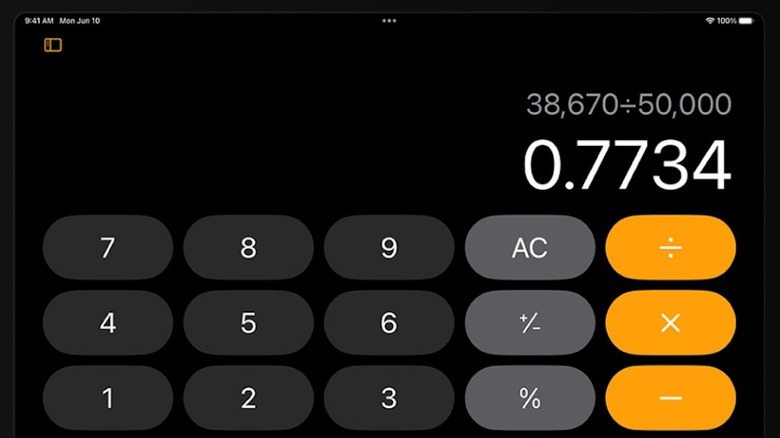
The wait finally ended in September 2024. Apple’s native Calculator app arrived on the iPad with the release of iPadOS 18, ending a 14-year absence since the tablet's initial launch in 2010. This wasn't just a basic grid of buttons. Apple leveraged the unique Screen real estate of the iPad to introduce Math Notes. By using Apple Pencil with the new iPad Calculator app, users can write out complex equations by hand, and the system solves them in real-time, matching the user’s handwriting. This is a prime example of why waiting for a native iPad app is better than settling for a scaled-up port.
Social Giants: Why Instagram and WhatsApp Took 15 Years
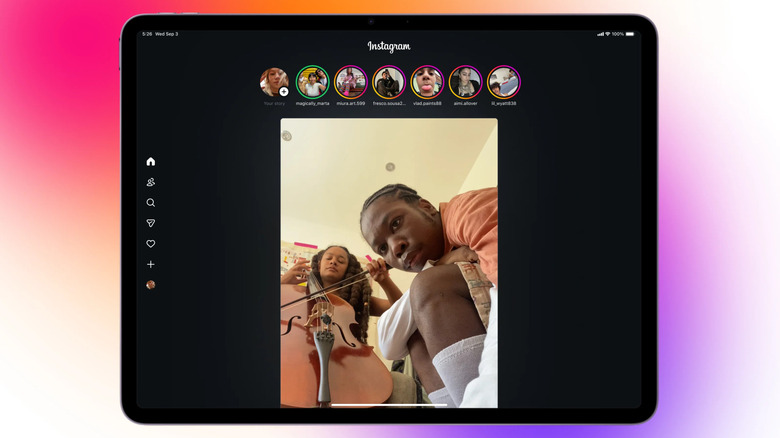
If the lack of a calculator was a meme, the lack of a native Instagram app was a genuine daily frustration for creators. For over a decade, Instagram CEO Adam Mosseri maintained that the iPad user base wasn't "large enough" to justify a dedicated development roadmap. Photography enthusiasts were stuck with a tiny iPhone-sized window or a blurry, pixelated mess when they hit the 2x button.
However, the tide has finally turned. Instagram took 15 years to release a native iPad application following its 2010 iPhone debut, with the dedicated version finally launching in September 2025. This new version is a revelation for those who value User interface design. It utilizes Tablet-optimized layouts that put the feed on one side and notifications or DMs on the other, making full use of the wide display. The Instagram iPad app benefits for photography enthusiasts are massive, allowing for high-resolution photo editing and viewing on a ProMotion display.
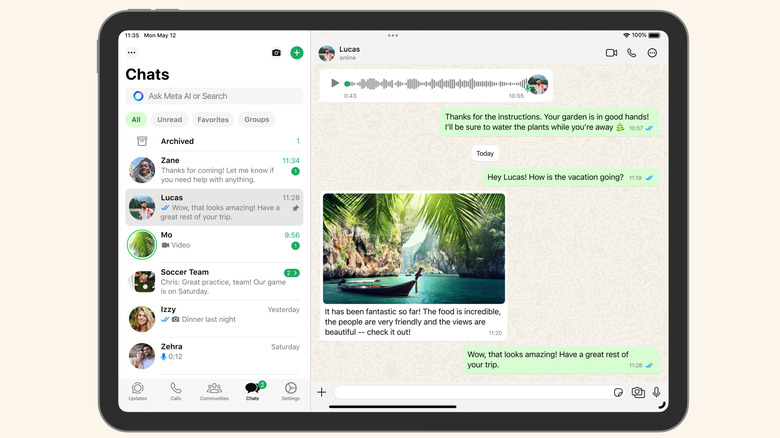
WhatsApp followed a similar, albeit more technical, path. Because WhatsApp was historically tied to a single phone number and device, the iPad was left out in the cold. With the launch of the native app in 2025, the developers finally solved the multi-device sync issue. Now, users can learn how to use WhatsApp multitasking features on iPad, such as dragging a photo from the Files app directly into a chat window using Split View. By syncing WhatsApp and Instagram data across iPad and iPhone via iCloud and Meta’s own servers, the mobile ecosystem finally feels complete.
Utility Evolution: Weather and Health Fill the Gap
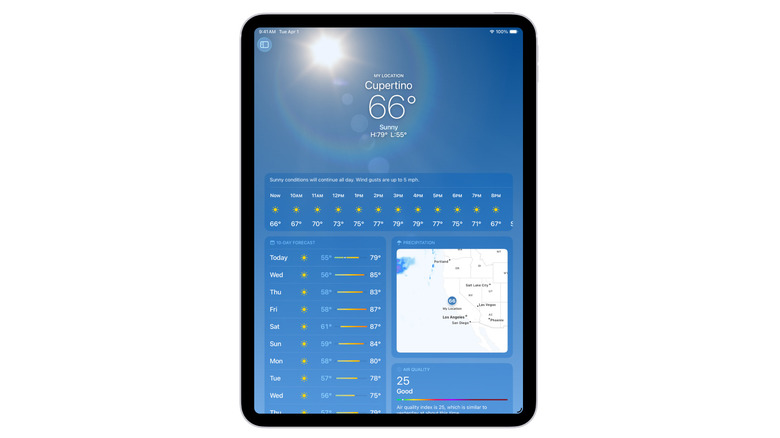
Before 2022, if you wanted to check the rain forecast on an iPad, you either asked Siri or opened a browser. Apple's first-party Weather app was added to the iPad in October 2022 as part of the iPadOS 16 update, exactly 12 years after the original iPad was released.
The Weather app on iPad is a masterclass in using a digital canvas. Instead of a single column of data, you get a full dashboard of interactive maps, air quality indices, and hourly forecasts that look stunning on the Liquid Retina display. This was followed by the Health app in 2023. Improving iPad workflow with missing Apple default apps like Health allowed users to view their fitness trends and sleep data on a much larger scale, which is particularly useful for those managing chronic conditions or analyzing complex workout metrics.
These updates represent a significant shift in iPadOS software evolution. Apple realized that for the iPad to be a true "computer replacement," it couldn't rely on third-party developers to fill basic utility gaps.
From Large iPhone to Professional Tool: The iPadOS Fork
The real reason these long-awaited iPad apps took so long to arrive boils down to the 2019 "divorce." Before 2019, the iPad ran iOS—literally the same software as the iPhone. This meant developers often treated it as a secondary thought. When Apple announced iPadOS 13, it was a declaration of independence.
By creating a dedicated iPadOS software evolution path, Apple introduced features like:
- Desktop-class Safari: No longer forcing mobile versions of websites.
- Stage Manager and Split View: Allowing for real multitasking.
- Apple Pencil Integration: Turning the tablet into a specialized tool for artists and students.
This shift changed the ROI for developers. A native iPad app vs scaled iPhone app was no longer just about aesthetics; it was about UX consistency and professional workflows. Developers realized that users were willing to pay for "Pro" versions of apps if they actually took advantage of the Magic Keyboard and the M-series chips. We have moved from the "Consumption Era" to the "Productivity Era," where the iPad is finally treated as its own distinct platform.
FAQ
Why did the iPad finally get a native calculator app?
The iPad finally received a native calculator app because Apple developed a unique way to utilize the tablet's larger screen and stylus input. Rather than just making the buttons bigger, they introduced Math Notes, which allows users to solve handwritten equations using an Apple Pencil. This met Apple's internal standard of providing a bespoke tablet experience rather than a simple scaled-up port.
Why isn't there an official Instagram app for iPad?
For years, Instagram's leadership stated that the iPad was not a priority compared to the massive growth of the iPhone and Android mobile markets. They argued that a web-based version or the scaled iPhone app was sufficient for the small percentage of tablet users. However, with the rise of iPad productivity and better screen resolutions, they finally committed to a native version to support photography enthusiasts and professional creators.
Which apps are still missing from the iPad?
While most major gaps have been filled, some users still lament the lack of a native Journal app (currently iPhone-only) and a dedicated Apple Watch management app. Furthermore, professional-grade software like Xcode, which developers use to build apps, remains exclusive to the Mac, though Swift Playgrounds has filled some of that gap for iPad users.
How can I use apps that don't have an iPad version?
If an app lacks a native iPad version, you can still download the iPhone version from the App Store. By default, it will open in a small window. You can tap the "2x" button in the corner to expand it to fill the screen, though this may result in some pixelation. Alternatively, many services offer a mobile-optimized web experience that can be accessed through Safari and "Added to Home Screen" for a more native feel.
Why do some developers avoid making iPad-specific apps?
Developers often avoid iPad-specific apps due to the added cost of designing and maintaining a separate user interface. Designing for a tablet requires more than just stretching the layout; it requires implementing features like Slide Over, Split View, and keyboard shortcuts. For smaller teams, the resources required for a native iPad app vs scaled iPhone app often don't justify the smaller user base compared to smartphones.