Quick Facts
- Cost of Noise: Poor digital communication can paralyze a workforce, and when netiquette is ignored, it leads to significant workplace stress.
- Response Window: The standard for professional email communication is to respond within 24 to 48 hours to maintain momentum.
- The Sweet Spot: Messages between 50-125 words receive the highest engagement, often seeing response rates 50% higher than longer drafts.
- Mobile-First: With 59% of emails opened on smartphones, using 11-12pt font sizes is essential for cross-platform readability.
- AI Parsing: Structured emails with clear subject lines and [ACTION] tags allow AI tools to extract tasks and summarize information more accurately.
- Time Management: Knowledge workers spend an average of 15.5 hours per week managing their inboxes, making efficiency a top priority.
Core professional email etiquette involves using clear subject lines, maintaining grammatical accuracy, and responding within a 24-hour window. Professionals should use a standardized signature block for credibility and double-check recipient names to avoid errors. Keeping messages concise and structured helps both human recipients and AI tools process information efficiently, which is a vital part of professional email etiquette for workplace productivity.
The modern inbox is no longer just a mailbox; it is a task manager, a legal record, and often, the primary way we build our professional brand. However, for many, it has become a source of anxiety. The average office worker receives approximately 121 emails every day, contributing to a constant flow of information that can lead to significant workplace stress. When communication is disorganized, we don't just lose time—we lose clarity and professional credibility.
As a content editor, I’ve seen how the difference between a high-performer and a struggling employee often comes down to how they handle their digital correspondence. Research indicates that the implementation of proper netiquette significantly improves the clarity of communication and increases overall employee job satisfaction. By following these five essential tips, you can turn your inbox from a burden into a powerful productivity tool.

1. Master the 24-Hour Rule: Setting Response Standards
Timing is the heartbeat of business email communication standards. If you respond too slowly, you become a bottleneck. If you respond too fast to every single message, you signal that you have no deep-work boundaries. The goal is to hit the professional sweet spot.
The gold standard for business email response time standards is 24 hours. Adhering to this window maintains momentum without appearing desperate. In a world of instant gratification, a 24-hour reply feels like a deliberate, thoughtful action. Research shows that most professional replies happen within a day, and missing this window without explanation can damage trust.
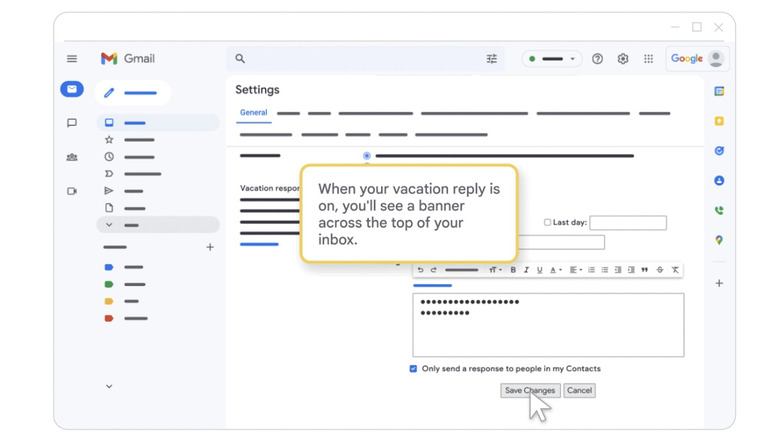
However, we must differentiate between urgent requests and asynchronous communication. Email is, by design, asynchronous. It allows you to respond when it fits your workflow. If you are deep in a project or away from your desk, the out-of-office auto-reply is your best friend. It manages expectations and provides alternative contacts for urgent matters, ensuring your professional credibility remains intact even when you aren't hovering over your inbox.
2. Structure for Clarity: The Inverted Pyramid & AI Readiness
We are no longer writing just for human eyes. Today, your email is often being parsed by AI tools that summarize threads or extract "to-do" lists for your recipient. To be effective, you must practice professional email etiquette in the age of AI. This means your email needs to be highly structured and "scannable."
One of the most effective strategies is the Inverted Pyramid. Place your most important information—the purpose of the email—in the very first sentence. Don't bury the lead. If you need a decision, ask for it immediately.
Writing clear and concise email subject lines is also a non-negotiable skill. A subject line should act as a mini-summary. Using prefixes like [ACTION], [FYI], or [URGENT] helps both the human recipient and their AI filters prioritize your message. Furthermore, you must double-check your text to avoid common professional email grammar mistakes to avoid being flagged by spam filters or appearing unprofessional.
| Subject Line Category | Bad Example | Good Example |
|---|---|---|
| Meeting Request | Hi / Quick Question | [ACTION] Meeting: Project Alpha Review (Tuesday @ 2pm) |
| Information Sharing | Thought you'd like this | [FYI] Q3 Market Research Report - Competitor Analysis |
| Urgent Issue | Help needed ASAP | [URGENT] Website Down - Technical Support Required |
3. The 125-Word Sweet Spot: Brief is Best
If your email looks like a wall of text, your recipient has already decided to "read it later"—which often means never. Data suggests that emails between 50 and 125 words are the most effective. This length is enough to provide context but short enough to be read in under a minute.
Think of the "Andrew Bosworth" approach: limit yourself to 5 to 10 sentences. If you find yourself writing more than three paragraphs, it might be time to pick up the phone or schedule a brief call. Short emails force you to be precise with your call-to-action and eliminate the "hope this finds you well" filler that adds no value to the conversation.
Readability also extends to technical formatting. Since over half of all emails are opened on mobile devices, use a standard 11-12pt font. Anything smaller is a strain on the eyes, and anything larger looks like shouting. Stick to clean fonts like Arial or Calibri to ensure your message renders correctly across all devices, from MacBooks to Android phones.
4. The Digital Handshake: Professional Signatures and Salutations
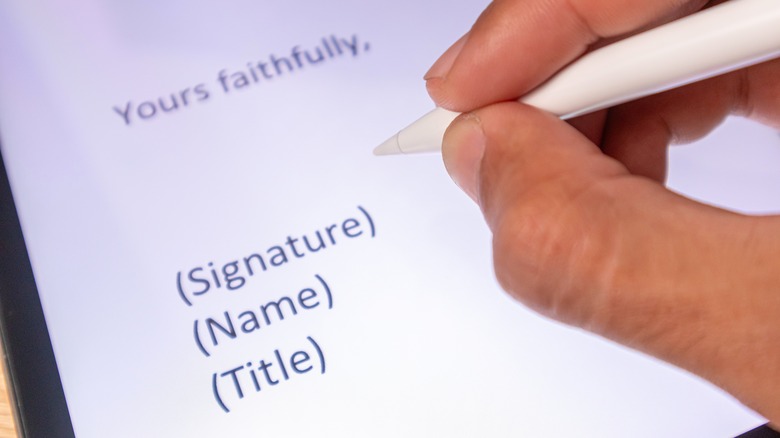
Your email signature acts as a digital business card. It establishes trust and provides necessary context without cluttering the email body. A professional email signature should include your full name, title, company affiliation, and contact information.
In modern workplaces, including pronouns and a brand logo further enhances professional branding and prevents communication ambiguity. However, avoid "signature bloat." Remove bulky images that don't load, inspirational quotes that might alienate recipients, and dozens of social media icons that break mobile rendering.
Matching the tone of your salutations and sign-offs is equally important. While "Hey" might work for a teammate on Slack, a formal "Dear [Name]" or "Hi [Name]" is usually safer for external partners. For sign-offs, "Best," "Regards," or "Sincerely" remain the standard.
| Signature Element | Professional | Unprofessional |
|---|---|---|
| Contact Info | Direct Phone & Title included | Just a link to a personal blog |
| Imagery | Small, high-res company logo | Large "Inspirational" cat meme |
| Social Links | LinkedIn Profile only | Facebook, Instagram, and TikTok |
5. Channel Selection: When to Email vs. Slack/Teams
The final pillar of workplace professionalism is knowing when not to send an email. We are currently facing a crisis of information overload because we use the wrong channels for the wrong tasks.
Email should be reserved for formal records, complex instructions, external partners, or messages that do not require an immediate response. It is a long-term professional record. If you have a quick question or need a rapid-fire brainstorming session, tools like Slack or Microsoft Teams are far more appropriate.
The Decision Matrix
- Use Email if: The message is for an external client, requires a paper trail, or is over 3 sentences of instructions.
- Use IM (Slack/Teams) if: You need a "yes/no" answer, you're checking someone's availability, or the topic is social/casual.
- Use a Call/Meeting if: The topic is emotionally charged, requires nuanced debate, or you have gone back and forth more than 4 times on email.
By choosing the right channel, you respect your colleagues' time and ensure that when you do send an email, it is treated with the importance it deserves.
FAQ
What are the basic rules of professional email etiquette?
Basic rules include using a clear and descriptive subject line, starting with a professional greeting, and keeping the body of the email concise. You should always proofread for spelling and grammar errors, use a professional signature, and ensure your tone remains respectful and workplace-appropriate, even in casual settings.
What is the standard response time for professional emails?
The generally accepted standard is to respond within 24 to 48 hours. Most professionals aim for a 24-hour turnaround to keep projects moving. If a detailed response will take longer, it is polite to send a brief note acknowledging receipt and providing an estimated timeframe for a full reply.
What should be included in a professional email signature?
A professional signature should include your full name, job title, and company name. It is also beneficial to include your primary phone number and a link to the company website. Modern signatures often include professional pronouns and a clean company logo, but they should avoid large image files or distracting quotes.
How do you write a professional email subject line?
An effective subject line should be a concise summary of the email's content. Use specific keywords like Project Update or Meeting Request. Adding tags like ACTION or URGENT helps the recipient prioritize. Avoid vague subject lines like Hello or Checking in, as these are often ignored or caught in spam filters.
Is it appropriate to use emojis in business emails?
The use of emojis depends heavily on your company culture and your relationship with the recipient. In internal communications with close colleagues, a simple smile can add warmth. However, for external clients, formal reports, or the first time you are contacting someone, it is best to avoid them to maintain a high level of professionalism.
Conclusion: Turning Etiquette into Productivity
Mastering professional email etiquette is no longer optional—it is a critical productivity skill. When you take the time to structure your messages, respect response windows, and use clear signatures, you aren't just being polite; you are making it easier for everyone around you to do their jobs.
By reducing the noise in your colleagues' inboxes, you elevate your own professional brand. Before you hit send on your next message, run through this final checklist: check recipient names for accuracy, ensure your font is readable at 11-12pt, and verify that your call-to-action is clear. Communication is the engine of the modern workplace; keep it running smoothly by sticking to these essential standards.