Quick Facts
- Light Metering: High-quality Android utility apps use the ambient light sensor to measure lux or footcandles, replacing dedicated photography meters.
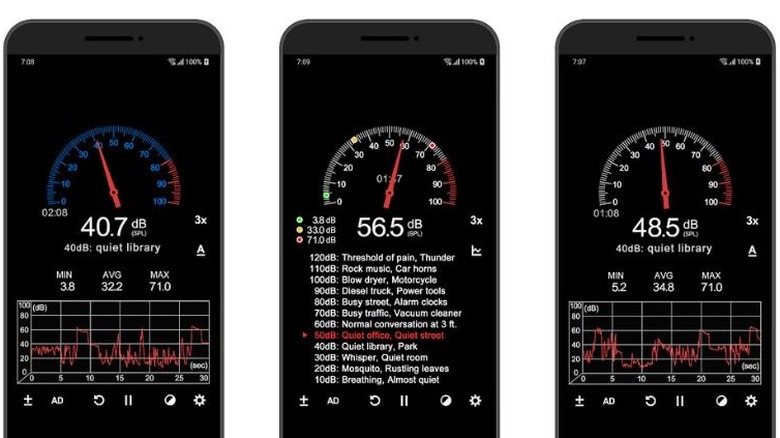
- Acoustic Monitoring: Modern smartphones utilize internal microphones and digital calibration to function as professional decibel meters for environmental noise tracking.
- Document Scanning: Advanced mobile document scanning on Android uses the camera and optical character recognition to eliminate the need for bulky flatbed scanners.
- Navigation Hardware: Magnetometer-based apps provide reliable directional data and coordinates, making traditional analog compasses and basic handheld GPS units redundant.
- Economic Impact: Transitioning from physical tools to smartphone sensor measurement applications can save professionals between $100 and $500 in specialized equipment costs.
- Market Growth: The global productivity app market reached $13.15 billion in 2025 and is projected to grow as businesses adopt mobile-first digital workflows.
Android utility apps like Light Meter – Lux Meter and Sound Meter utilize a smartphone's ambient light sensor and microphone to replace professional measurement hardware. These applications provide digital and analog readings for illuminance in lux or footcandles and noise levels in decibels. Most include calibration features to ensure precision for studio photography, plant care, or monitoring environmental noise levels, effectively reducing legacy hardware redundancy in a professional’s toolkit.
The Professional Light & Sound Kit: Sensor-Driven Productivity
For years, photographers and environmental consultants had to carry a bag full of specialized tools. As a mobile editor, I’ve watched the gap between these handheld instruments and our phones narrow to the point of disappearing. The secret lies in the sophisticated sensors nestled within your Android device. Every modern smartphone includes an ambient light sensor, usually located near the front-facing camera, designed to auto-adjust screen brightness. Android utility apps tap into this raw data to provide real-time illuminance readings.
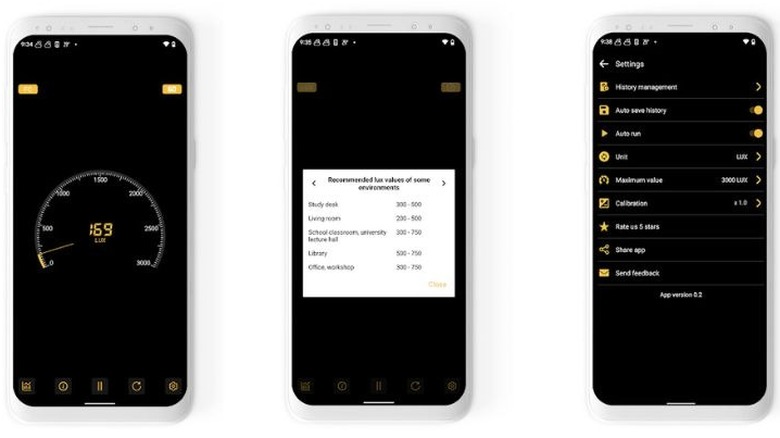
Using budget-friendly ways to replace clunky hardware with Android apps starts with tools like Light Meter – Lux Meter. Instead of spending $30 to $50 on a physical lux meter, you can get professional-grade results from your pocket. This is particularly useful for niche hobbyists; for instance, many users are now finding success with Android light meter apps for indoor plant lighting. By measuring the specific light intensity in a corner of your living room, you can determine exactly which tropical plant will thrive there without the guesswork.
Similarly, decibel monitoring has become a standard feature for those concerned with workplace safety or home theater setup. Apps like Sound Meter use the phone’s microphone to measure sound pressure levels. While a $40 dedicated decibel meter might offer a slightly higher ceiling for volume measurement, smartphone sensor measurement applications are more than adequate for monitoring environmental noise levels in a standard office or home setting. These apps often include digital calibration offsets, allowing you to fine-tune the app against a known reference for even greater accuracy.
- Best for: Studio photographers, indoor gardeners, and home theater enthusiasts.
- Hardware Replaced: Handheld Lux meters, dedicated decibel meters, and incident light meters.
Document Digitization: Replacing the Office Flatbed
The era of the bulky office scanner is coming to an end. The mobile scanner apps market was valued at $1.05 billion in 2026 and is forecast to double by 2035. This shift is driven by remote workers who realize that their phone’s high-resolution camera, combined with intelligent software, is actually more efficient than a flatbed scanner.
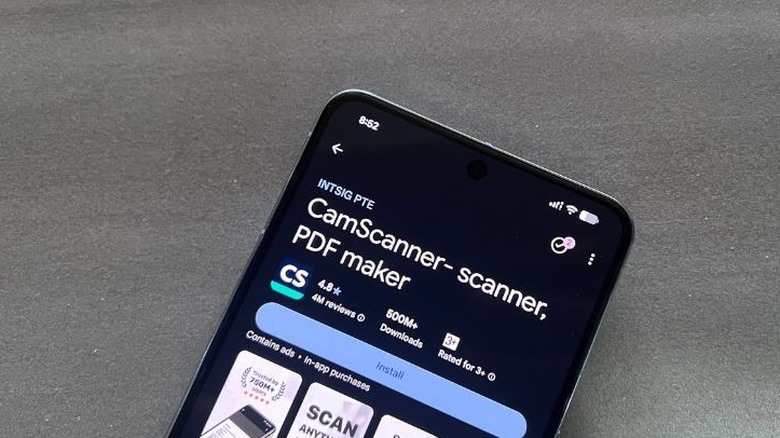
Professional mobile document scanning on Android for remote work has reached a level of sophistication where it can handle complex tasks like multi-page PDF creation and automatic edge detection. Apps like Microsoft Lens or Adobe Scan don't just take a photo; they use optical character recognition to identify text, making your scanned documents searchable and editable. Whether you are scanning a wrinkled receipt in a dim coffee shop or digitizing a 20-page contract, these tools apply perspective correction to flatten the image and remove shadows.
The transition to document digitization also has a significant impact on storage. The global note-taking app market is projected to grow from $11.02 billion in 2025 to $13.3 billion in 2026, reflecting how we’ve moved from paper notebooks to digital productivity platforms. By using your phone, you gain the benefit of cloud synchronization, ensuring your documents are available on your laptop the moment you finish scanning them on your mobile device.
- Best for: Remote workers, students, and small business owners.
- Hardware Replaced: Flatbed scanners, photocopiers, and physical filing cabinets.
Outdoor Navigation: Magnetometers vs. Analog Compasses
For the outdoor enthusiast, the smartphone is no longer just a communication device; it is a survival tool. While some traditionalists still swear by the mechanical needle, using Android utility apps to replace a physical compass outdoors has become a reliable reality. Modern Android phones are equipped with a magnetometer, a sensor that measures the Earth's magnetic field to provide directional data.
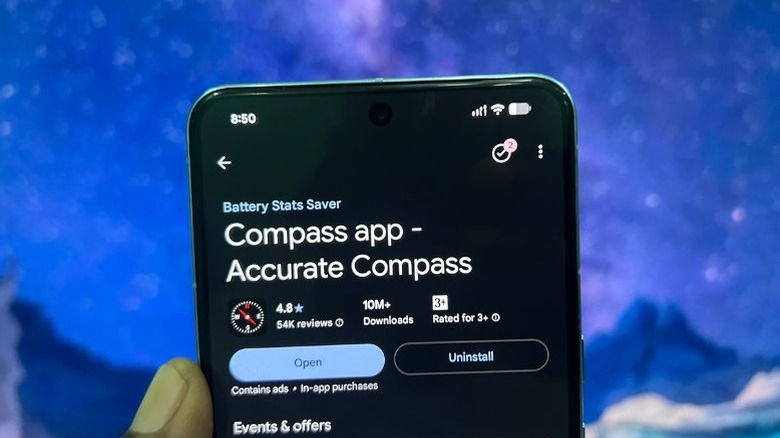
Apps like Accurate Compass leverage this magnetometer alongside GPS data to provide real-time coordinates and altitude. Unlike a simple mechanical compass, these apps can account for magnetic declination automatically, providing a true north reading without manual calculations. For wilderness navigation, having your coordinates, altitude, and heading on a single screen is an immense advantage. Many of these apps that replace physical gadgets also feature camera overlays, allowing you to see your heading superimposed on the actual landscape through your viewfinder.
While I always recommend a physical backup for extreme multi-day treks, for 95% of hikers and explorers, sensor-driven productivity in navigation is more than sufficient. The ability to mark waypoints digitally and share them via messaging apps adds a layer of safety and convenience that legacy hardware simply cannot match.
- Best for: Hikers, geocachers, and urban explorers.
- Hardware Replaced: Analog magnetic compasses, basic handheld GPS units, and topographic paper maps.
High-Precision Measuring: AR and LiDAR Capabilities
Perhaps the most impressive feat of modern Android utility apps is their ability to measure physical space. While we used to rely on metal tape measures that would inevitably buckle, we now have access to spatial measurement tools that utilize Augmented Reality (AR) and, in some high-end devices, LiDAR sensors.
Apps like Moasure represent the cutting edge of this category. Instead of using optical sensors alone, Moasure uses the phone's accelerometers and gyroscopes to track its position in 3D space. You simply move your phone from one point to another, and the app calculates the distance, area, or even the volume of the space. For architects and contractors, smartphone sensor measurement applications are becoming a standard for quick estimates.
However, a technical warning is necessary: for high-accuracy room scanning or professional CAD workflows, the hardware limitations of the phone matter. While a standard camera-based AR app is great for measuring if a new sofa will fit in your living room, devices with dedicated LiDAR sensors provide the sub-centimeter precision required for construction-grade floor plans. Even without LiDAR, the average user can effectively eliminate the need for a 30-foot tape measure for most daily household tasks.
- Best for: Interior designers, DIY enthusiasts, and real estate agents.
- Hardware Replaced: Metal tape measures, ultrasonic distance measurers, and spirit levels.
Security and Quality Standards for Android Utilities
With the vast number of Android utility apps available on the Play Store, it is crucial to maintain high security and quality standards. As an editor, I often see "utility" apps that are little more than wrappers for aggressive advertising or, worse, data-harvesting tools. When you are looking for best smartphone sensor measurement applications for noise levels or light, you should prioritize apps that perform on-device processing.
On-device processing means that the data from your microphone or camera never leaves your phone to be analyzed on a remote server. This is essential for privacy, especially with document scanning. Furthermore, digital calibration is a hallmark of a high-quality utility. A reputable app will allow you to calibrate the sensor readings to account for the specific hardware variations of your phone model.
Vetting these apps involves looking at the permissions they request. A light meter app needs access to the camera (to use the sensor), but it definitely doesn't need access to your contacts or call logs. By being selective, you can build a mobile-first professional workstation that is both powerful and secure.
FAQ
What are the must-have utility apps for Android?
The essential kit for most users includes a high-quality document scanner like Microsoft Lens, a measurement tool like Google’s AR tools, a sound meter for environmental tracking, and a reliable compass app. For professionals, adding a dedicated lux meter app for light management is also highly recommended.
Are Android utility apps safe to download?
Most utility apps from reputable developers like Microsoft, Adobe, or Google are perfectly safe. However, you should always check the permissions. If a simple utility app like a level or a compass asks for access to your text messages or location when it’s not needed, it is best to avoid it. Stick to apps with high ratings and transparent privacy policies.
Can utility apps help free up storage on my phone?
Indirectly, yes. By using document scanning apps to digitize physical paperwork, you can clear out physical storage in your home. Within the phone itself, using multi-purpose utility suites can replace several single-use apps, which helps organize your app drawer and can save a small amount of internal storage.
Are built-in Android tools better than third-party utility apps?
Built-in tools, such as the level found in the Google app or the scanning feature in Google Drive, are excellent for casual use because they require no extra downloads. However, third-party Android utility apps often offer more advanced features, such as decibel logging over time or advanced calibration for light sensors, which are necessary for professional tasks.
How can I tell if a utility app is a scam?
Scam apps often have "generic" names, an overwhelming number of 5-star reviews that look fake, and they usually bombard you with ads immediately after opening. If an app requires a high-priced weekly subscription for a basic feature like a flashlight or a simple compass, it is a red flag. Always look for apps that offer a one-time purchase or a reasonable pro-version upgrade.
Conclusion
The shift toward a mobile-centric lifestyle is more than just a trend; it is a fundamental change in how we interact with the physical world. By leveraging the ambient light sensor, magnetometer, and microphone already in our pockets, we can effectively retire a dozen pieces of legacy hardware. Whether you are using Android light meter apps for indoor plant lighting or professional mobile document scanning on Android for remote work, the power of these tools lies in their accessibility. In 2026, your smartphone isn't just a phone—it's the most versatile multi-tool ever invented.