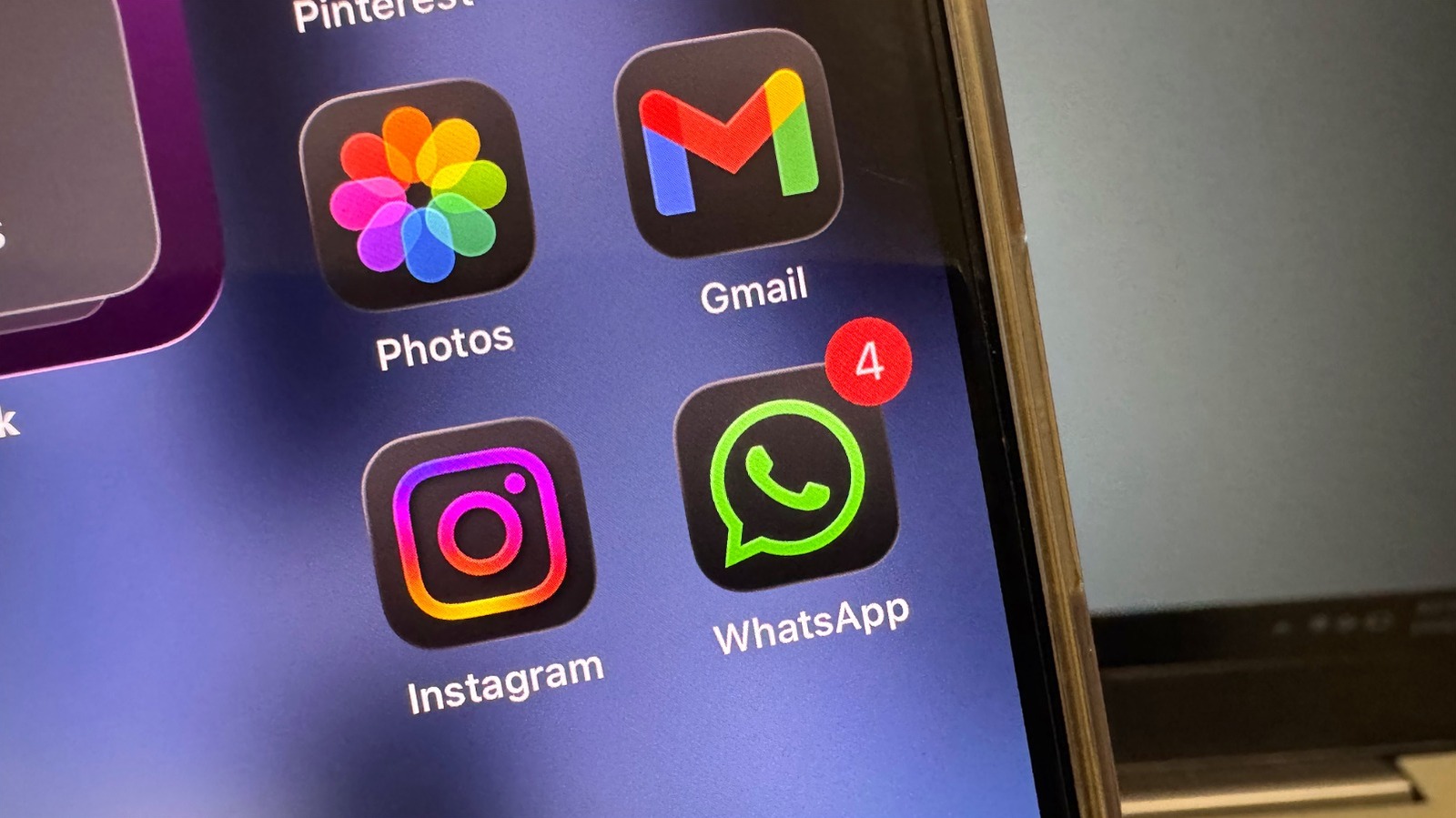
As we move into 2026, the way we interact with our mobile devices has shifted from simple communication to managing a complex digital identity. For many of us, WhatsApp is the center of that universe. With the platform now boasting 3.3 billion monthly active users globally, the sheer volume of data we share is staggering. Every single day, participants are sending more than 150 billion messages and 7 billion voice notes, making security and efficiency more critical than ever before.
Whether you are navigating high-pressure work environments or simply trying to keep your personal life private, knowing the right hidden WhatsApp features can transform your user experience. The latest updates for 2026 have introduced powerful tools designed to minimize your digital footprint while maximizing productivity. As a mobile editor, I have spent weeks testing these new settings to find the ones that actually make a difference in your daily routine.
Quick Facts
- Top Privacy Feature: 2026 Strict Account Settings for advanced lockdown and media blocking.
- Security Requirement: Android 9+ or iOS 16+ required for native Passkeys support.
- Max File Size: 2GB limit for uncompressed media transfers using the document path.
- Best Productivity Hack: Native multi-account support to run two numbers on one device.
- Accessibility Win: AI-driven voice message transcription for reading audio in noisy spots.
- Media Tip: Use the Document selector to send photos in original resolution without compression.
The 2026 update introduces Strict Account Settings, a high-security mode that blocks media from unknown senders and silences unfamiliar calls. Users can also lock specific chats with secret codes, use passkeys for biometric login, and hide profile pictures from specific contacts to minimize their digital footprint and prevent unauthorized access. These hidden WhatsApp features are essential for anyone looking to maintain a secure and organized workspace on their mobile device.
1. Advanced Security: Strict Account Settings & Passkeys
Security is no longer just about a six-digit PIN. In the 2026 landscape, the threat of account takeovers and sophisticated phishing has forced a more robust approach. The most significant addition to the hidden WhatsApp features roster is the Strict Mode. Located deep within the Privacy menu under the Advanced tab, this feature acts as a digital bunker for your account. When enabled, it triggers a 24-72 hour account recovery window if a login attempt is made from a new device, giving you ample time to block unauthorized access.
One of the most requested security updates is the full implementation of Passkeys. Traditional SMS-based two-factor authentication is increasingly vulnerable to SIM-swapping attacks. By moving to biometric authentication, WhatsApp ensures that only you—using your fingerprint, face, or device passcode—can access your messages.
To set up your passkey:
- Open WhatsApp and go to Settings.
- Tap on Account and then select Passkeys.
- Follow the on-screen prompts to link your account to your device's biometric security.
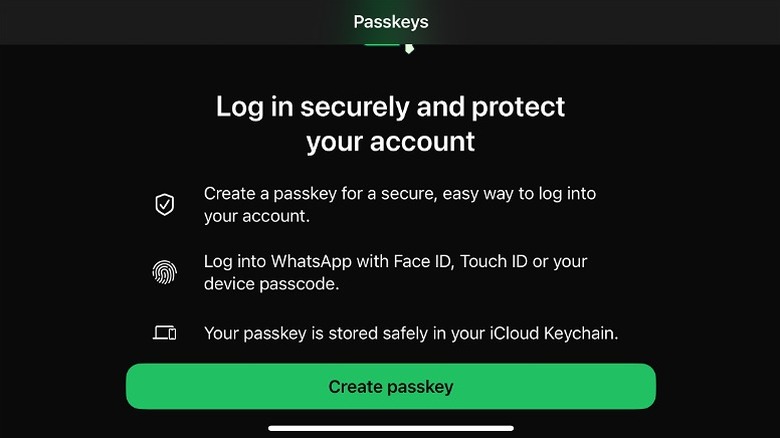
This setup is particularly useful for those using modern hardware with dedicated security chips. It eliminates the need to wait for a text message that might never arrive in areas with poor cellular reception, relying instead on the hardware already in your hand.
2. Privacy Lockdown: Secret Codes & IP Masking
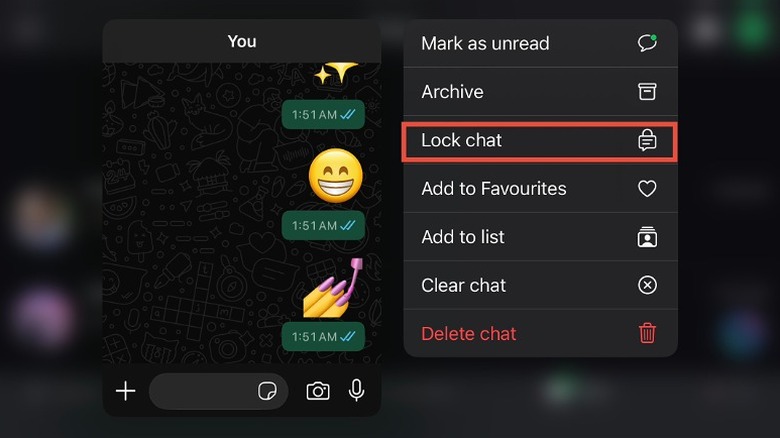
While end-to-end encryption has been a staple for years, 2026 brings more granular control over who sees what. Many users are unaware that they can now lock private WhatsApp chats with a secret code that is entirely different from their phone’s main lock screen password. This is a game-changer for those who might share their device with family or colleagues.
To activate a secret code for a specific chat:
- Long-press the chat you want to secure.
- Select Lock Chat from the menu.
- Go to the Locked Chats folder, tap Settings, and choose Secret Code.
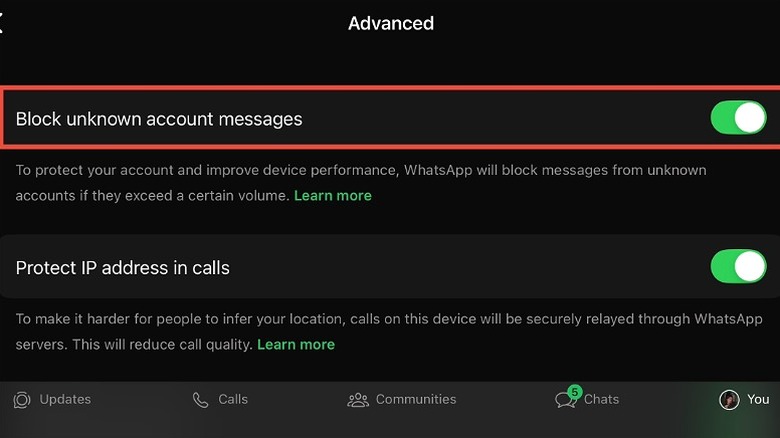
Beyond chat locks, the platform has addressed a long-standing privacy concern regarding IP protection. When you make a call on WhatsApp, a direct peer-to-peer connection is often established, which can inadvertently reveal your IP address to the other party. In the Privacy > Advanced menu, you can now toggle on Protect IP address in calls. While this may slightly impact call quality due to the traffic being relayed through Meta servers, it is an essential step for preventing metadata leaks and maintaining a low digital footprint.
3. Productivity & Accessibility: Multi-Account & Transcripts
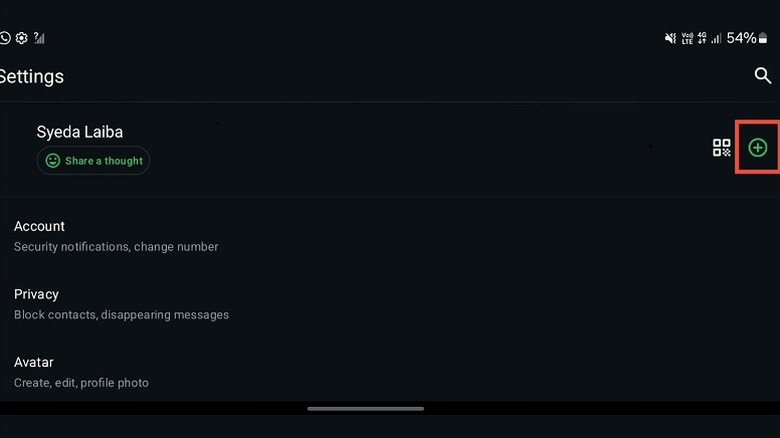
Managing professional and personal lives on a single device used to require "cloning" apps or carrying two phones. Now, one of the best hidden WhatsApp features is native multi-account support. This allows you to add a second account—perhaps for a work number—within the same app. You can switch between them with two taps, and notifications are clearly labeled so you never send a family photo to your boss by mistake.
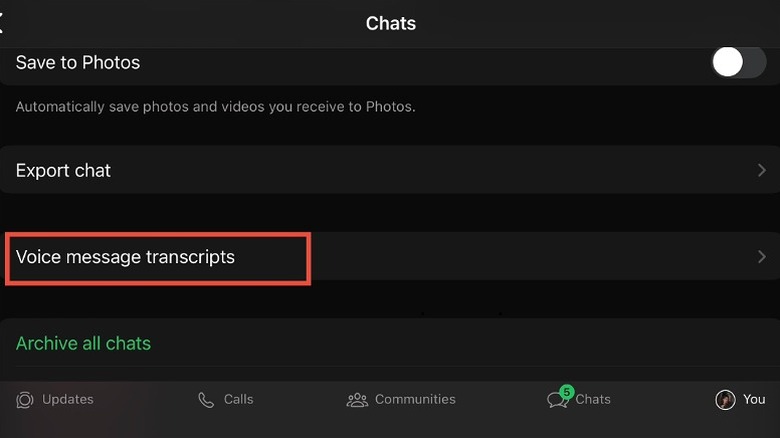
For those who find themselves in noisy environments or back-to-back meetings, the voice message transcription feature is a lifesaver. Given that the average WhatsApp user spends approximately 17 to 20 hours per month on the platform, and 7 billion voice notes are sent daily, the ability to read audio is a major accessibility win.
To use transcription:
- Long-press an incoming voice message.
- Select Transcribe (if not already appearing automatically below the bubble).
- The text will appear directly within the chat interface, allowing you to respond via text without ever needing to find your headphones.
4. Media & Storage Mastery: 2GB Files & Auto-Download Fixes
Mobile storage is a precious commodity, especially with the high-resolution sensors found on 2026 flagship devices. A common frustration is the "gallery clutter" caused by incoming media. You can solve this by navigating to Settings > Storage and Data and disabling media auto-download for photos, audio, videos, and documents. This ensures that nothing is saved to your phone’s internal storage until you manually select it.
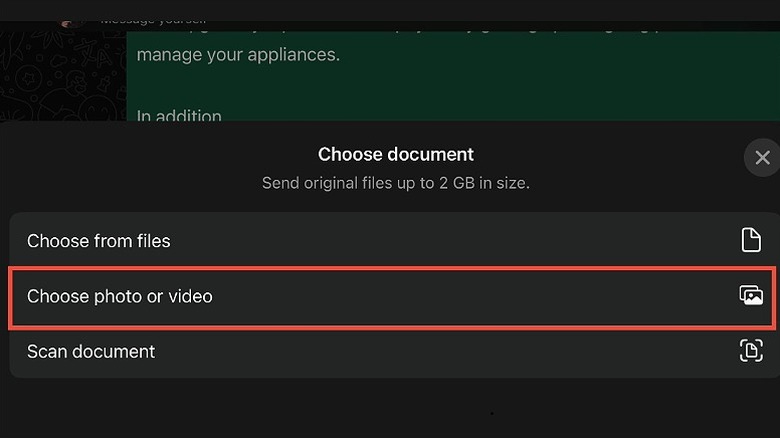
When you do want to share a high-quality photo, the standard "Attach Photo" method often applies heavy data compression. To preserve the original resolution, you should send media files as documents. WhatsApp now supports individual file transfers of up to 2GB, which is more than enough for 4K video clips or RAW photography.
- Tap the + or paperclip icon in a chat.
- Choose Document.
- Select the photo or video from your file picker rather than the gallery.
Another vital privacy tweak is the ability to hide your profile picture from specific contacts. Instead of the "All or Nothing" approach of the past, you can now go to Settings > Privacy > Profile Photo > My Contacts Except... and curate exactly who sees your face. This is perfect for maintaining a professional boundary with distant acquaintances or one-time buyers from online marketplaces.
5. Pro-Communication: Text Formatting & Spam Mitigation
Effective communication often requires emphasis. While the UI doesn't always show buttons for it, WhatsApp supports various formatting syntaxes that can help your messages stand out. This is particularly useful in group chats, which account for 57.5% of the total message volume sent on the platform.
| Style | Syntax | Result |
|---|---|---|
| Bold | text | text |
| Italic | text | text |
| Strikethrough | ~text~ | text |
| Monospace | text |
text |
As the platform grows, so does the challenge of unwanted messages. The 2026 update includes advanced spam mitigation tools. If you receive a message from an unknown number, you can now report and block them directly from the lock screen or the top of the chat window. Furthermore, the new automated shield in the security settings can automatically silence calls from unknown numbers that have been flagged by the community.
By combining these formatting tips with the latest spam blocking tools, you can ensure that your important messages get seen while the noise is filtered out. The WhatsApp Channels feature, which reached 500 million monthly active users within one year of its 2023 launch, has also evolved into a more sophisticated broadcast tool, but keeping your personal inbox clean remains the priority for most users.
FAQ
What are some useful hidden features in WhatsApp?
Some of the most useful hidden features include the 2026 Strict Account Settings for advanced security, the ability to send uncompressed files up to 2GB by using the document attachment path, and voice message transcription which converts audio into readable text for noisy environments. Additionally, the multi-account feature allows you to manage two different phone numbers on a single app without needing third-party clones.
How can I send photos in full resolution without losing quality?
To send photos without losing resolution, you should avoid the standard gallery attachment button. Instead, tap the attachment icon and select Document. Navigate to your photo file and send it as a document. This prevents WhatsApp from applying its standard data compression, ensuring the recipient receives the file in its original quality and file size, up to a limit of 2GB.
Is it possible to lock individual chats with a password?
Yes, you can lock individual chats using the Chat Lock feature. By long-pressing a conversation and selecting Lock Chat, the conversation is moved to a hidden folder. For extra security, you can set a secret code in the Locked Chats settings that is different from your main phone passcode, making the folder invisible until you type the specific code into the search bar.
Can I hide my profile picture from specific contacts?
WhatsApp allows for granular privacy control over your profile picture. Go to Settings > Privacy > Profile Photo and select My Contacts Except.... This allows you to choose specific individuals from your contact list who will be unable to see your profile picture, while still allowing your friends and family to view it as usual.
How do I use the same WhatsApp account on multiple phones?
You can use the same account on multiple phones by using the Linked Devices feature. When setting up WhatsApp on a secondary phone, instead of entering your phone number, tap the three dots in the corner and select Link as Companion Device. This will generate a QR code that you can scan with your primary phone (Settings > Linked Devices) to sync your chats across up to four additional devices simultaneously.