Quick Facts
- Top Async Pick: Slack (supporting 2,600+ app integrations)
- Top Project Management: Trello (leading in Kanban-style efficiency)
- Best Free Utility: Forest (gamified deep work sessions)
- Top AI Tool: Granola (AI-driven silent meeting transcription)
- Security Standard: NordLayer (Zero-trust architecture for home offices)
- Market Growth: The global market for remote working tools was valued at $30.5 billion in 2024.
The best remote work apps for productivity in 2026 focus on seamless integration and asynchronous workflows. Key tools like Slack, Notion, and Trello serve as the foundation, while AI-native software for working from home like Granola and Forest eliminate friction and distraction for a distributed workforce.
Remote work in 2026 is no longer just about 'getting by'—it's about optimization. Using the best remote work apps can bridge the gap between a scattered home office and a high-performance digital workspace. Whether you need asynchronous communication tools for remote teams or visual project management software for remote work, our curated list covers the essential productivity tools for remote employees looking to stay ahead in a distributed workforce.
1. Asynchronous Communication: Breaking the Real-Time Barrier
The era of being 'always-on' is fading. In its place, the modern digital workspace prioritizes meaningful synchronization over constant availability. For many teams, this means moving away from the fatigue of back-to-back video conferencing and toward asynchronous communication tools for remote teams. This shift is reflected in the market, where the cloud-based segment of remote tools alone accounts for over $18 billion.
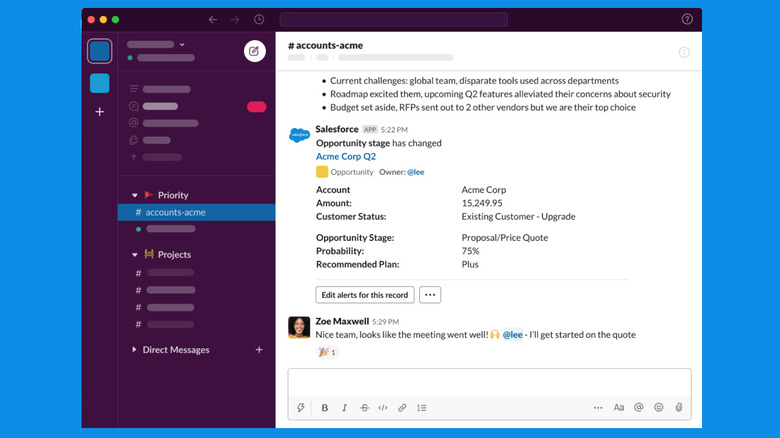
Slack: The Central Nervous System
Slack remains the undisputed leader in remote team collaboration software. By 2026, its AI-driven summaries allow employees to catch up on hours of missed conversations in seconds. Currently used by 77% of Fortune 100 companies, it bridges the gap between different time zones.
- Pros: Massive integration library, robust search, powerful AI threading.
- Cons: Can become noisy without strict notification discipline.
- Social Proof: 4.5/5 rating on G2 with over 30,000 reviews.
Zoom: High-Fidelity Connection
While async is king, some discussions require a face-to-face touch. Zoom continues to dominate video conferencing by offering low-latency connections even in low-bandwidth environments. Its 2026 feature set includes real-time translation and automated follow-up tasks, making it essential software for working from home.
- Pros: Unmatched stability, high-quality audio/video.
- Cons: Meeting fatigue remains a psychological hurdle.
- Social Proof: Over 500 million annual meeting participants.
2. Visual Project Management: From Task Lists to Global Workflows
The biggest challenge of a distributed workforce is context switching. When you can't walk over to a colleague's desk, you need a single source of truth to understand project health. This is why visual project management software for remote work has become the backbone of modern operations.
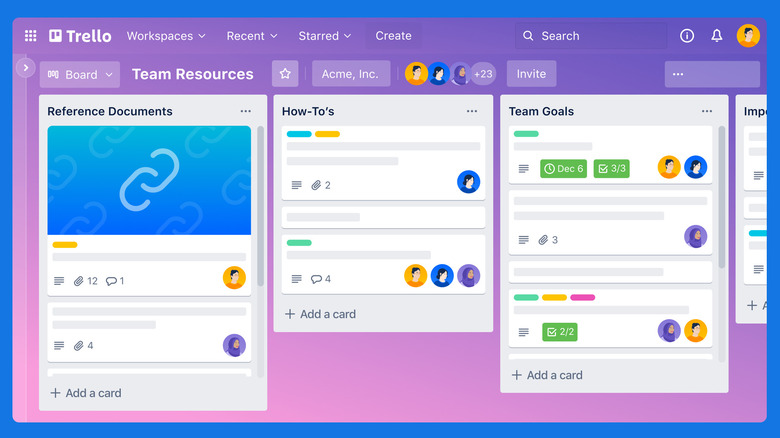
Trello: The Kanban Pioneer
Trello uses simple boards, lists, and cards to provide a bird's-eye view of any project. It is often cited as one of the best remote work apps for beginners because of its intuitive drag-and-drop interface.
- Pros: Extremely visual, great free tier for small teams.
- Cons: Can struggle with highly complex, multi-layered projects.
- Social Proof: Over 50 million registered users worldwide.
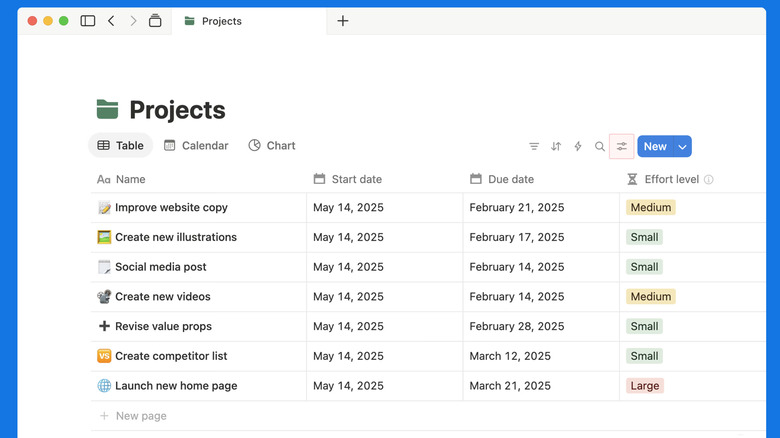
Notion: The All-in-One Workspace
Notion has evolved from a simple note-taking tool into a comprehensive team wiki and knowledge management platform. It allows remote employees to host their entire documentation, task lists, and databases in one searchable location.
- Pros: Highly customizable, replaces multiple apps.
- Cons: Steeper learning curve compared to simple task managers.
- Social Proof: Valued at $10 billion with a cult-like following among tech startups.
3. Deep Work and Time Mastery: Tools for the Individual Contributor
Productivity is not just about how you talk to your team; it is about how you manage yourself. In 2024, productivity apps generated $32.5 billion in revenue, as workers sought ways to regain their focus in a world of digital distractions. Protecting your schedule is paramount when using productivity tools for remote employees.
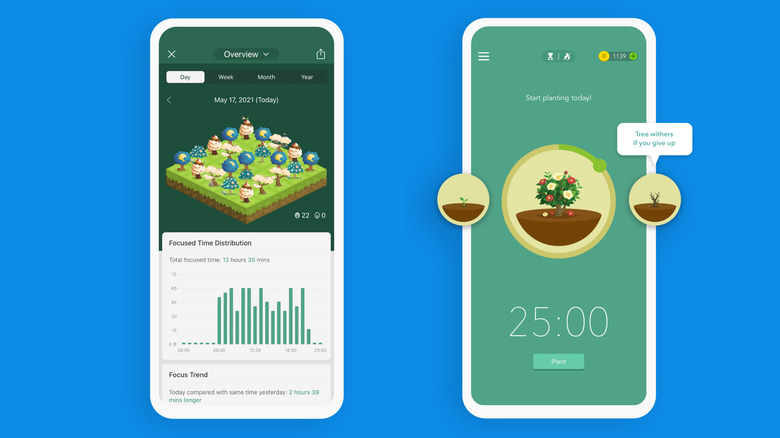
Forest: Gamified Focus
For those struggling with distraction blocking apps for working from home, Forest offers a unique solution. You plant a virtual tree when you start a task; if you leave the app to check social media, the tree withers.
- Pros: Encourages deep work, real-world environmental impact (planting real trees).
- Cons: Mobile-centric, though desktop extensions exist.
- Social Proof: Over 2 million real trees planted by users.
Toggl Track: Effortless Time Analysis
Understanding where your day goes is the first step toward efficiency. Toggl Track is frequently recommended as one of the best time tracking apps for remote workers because it provides detailed reports without the friction of complex timers. This is vital because a one percentage-point increase in remote work adoption is associated with an 0.08 percentage-point increase in total factor productivity growth, provided time is managed well.
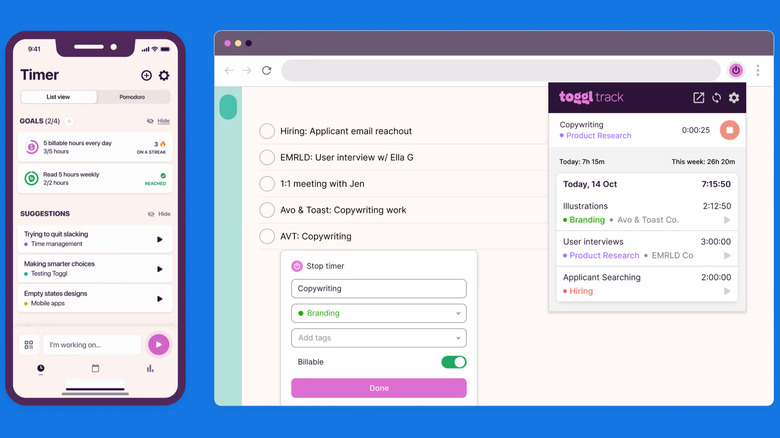
- Pros: One-click tracking, excellent reporting, great free software for working from home.
- Cons: Requires discipline to start and stop timers.
- Social Proof: Used by over 5 million people globally.
4. The 2026 AI Edge: Automation Without the Bot Presence
Artificial intelligence has moved beyond simple chatbots. The best AI productivity apps for remote work now act as invisible assistants that handle the administrative overhead of your day. In 2024, AI productivity apps specifically generated $4.5 billion, more than doubling their revenue from the previous year.
Granola: The Silent Scribe
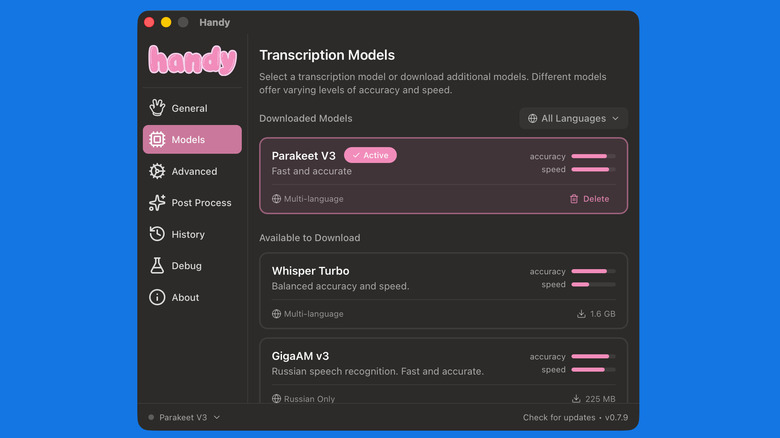
Granola is an AI tool that sits quietly during your meetings and provides high-fidelity transcriptions and summaries. Unlike traditional bots that join the call as a participant, Granola works in the background to capture nuances and action items.
- Pros: Non-intrusive, high accuracy, summarizes key takeaways.
- Cons: Currently limited to specific desktop operating systems.
- Social Proof: Rapidly gaining traction among high-growth engineering teams.
ClickUp Brain: Connected Intelligence
ClickUp Brain integrates AI across your entire project management suite. It can answer questions about your documents, summarize project status, and even write project briefs based on existing data. It is a top choice for remote work productivity tools for small teams looking to scale without adding headcount.
- Pros: Deep integration, saves hours of manual searching.
- Cons: Can feel overwhelming due to the sheer number of features.
- Social Proof: ClickUp has raised over $400 million in funding to build its "everything app."
5. Building Your Persona-Specific Stack: Strategies for Success
The goal is not to use all these apps, but to find the combination that works for your specific role. Avoiding tool sprawl is just as important as finding the right software for working from home. Before adding a new tool to your kit, perform a 3-step workflow audit: identify where your time is leaking, check if your current apps have hidden features to solve it, and only then search for a dedicated solution.
| Persona | Primary Communication | Task Management | Focus Tool |
|---|---|---|---|
| The Freelancer | Slack (Free) | Trello | Toggl Track |
| The Project Manager | Slack (Pro) / Zoom | ClickUp | RescueTime |
| The Creative | Discord / Notion | Todoist | Forest |
| The Executive | Slack / Granola | Notion | Brain.fm |
For those just starting, essential remote work apps for beginners usually include a communication hub (Slack), a task manager (Todoist), and a reliable cloud storage solution like Google Workspace. As you become more comfortable, you can layer in specialized tools for deep work and AI automation.
FAQ
What are the most essential apps for working remotely?
The core stack for any remote worker should include a communication tool like Slack, a video conferencing app like Zoom, and a project management tool such as Trello or Notion. Additionally, a reliable cloud storage service like Google Drive is necessary for document collaboration and file security.
Which free apps are best for remote work?
Many high-quality tools offer robust free tiers. Trello is excellent for visual task management without a subscription. Forest provides a great free version for focus, and Slack’s basic plan is sufficient for smaller teams that don't mind a limited message history. For individual productivity, Toggl Track offers comprehensive time tracking for free.
What are the best communication tools for remote teams?
Slack remains the gold standard for team messaging and integrations. For synchronous meetings, Zoom offers the most stable video experience. However, for teams working across many time zones, asynchronous communication tools for remote teams like Loom (for video messages) or Slack’s Huddles are becoming increasingly popular.
How do remote work apps improve productivity?
Remote work apps improve productivity by reducing the "friction of distance." They centralize information, automate repetitive administrative tasks through AI, and provide visual clarity on project statuses. This allows employees to spend less time looking for information and more time on high-value deep work.
What tools do I need for a successful remote home office?
Beyond software, a successful home office requires a stable internet connection, a dedicated workspace, and security software like a VPN (e.g., NordLayer). On the digital side, you need a balance of communication, organization, and focus tools to replicate the collaborative environment of a traditional office.