Quick Facts
- Deadline: The final Samsung Messages app end of service date July 2026 has been set as the definitive sunset for the application.
- OS Requirements: The Samsung Messages discontinuation applies specifically to devices running Android 12 or newer.
- Legacy Support: Samsung Galaxy users on Android 11 or older are currently exempt from the service sunsetting mandate.
- New Hardware: Starting with the Galaxy Z Fold 6 and continuing through the Galaxy S25, Google Messages is now the pre-installed default.
- Post-Shutdown Functionality: After the deadline, the legacy app will only permit communication with emergency contacts.
- Data Migration: Most conversation history migrations occur automatically when setting the new default SMS handler.
- Feature Gain: Switching to Google Messages on Samsung enables full Rich Communication Services support, including end-to-end encryption.
The official Samsung Messages discontinuation is set for July 2026, marking a major shift in the One UI ecosystem. As Samsung moves toward standardizing Rich Communication Services (RCS) via Google Messages, users on newer Galaxy hardware need to prepare for the switch. Samsung is officially discontinuing its Messages app in July 2026 for devices running Android 12 and later. While older devices on Android 11 or lower may still support the app for now, newer Galaxy models will no longer be able to send or receive standard texts through Samsung Messages after the shutdown date.
The 2026 Shutdown Timeline: What to Expect
For those of us who have followed the Galaxy evolution since the early days of TouchWiz, the Samsung Messages discontinuation feels like the end of an era. However, this isn't an overnight disappearance. Samsung has structured a phased software transition period to ensure the millions of Galaxy users aren't left in a communication vacuum. The pivot began in earnest in mid-2024 with the launch of the Galaxy Z Fold 6 and Z Flip 6, where Google Messages became the out-of-the-box primary option.
The timeline accelerates as we move into 2025. Many are asking, is Google Messages pre-installed on Samsung Galaxy S25? The answer is a firm yes. Samsung has confirmed that for the S25 and the subsequent S26 series, the proprietary app will no longer be the default, and in many regions, it won't even be pre-loaded. This lead-up culminates in the Samsung Messages app end of service date July 2026, which acts as the hard cutoff.
According to official reports, Samsung has announced that its proprietary application will be discontinued in the United States in July 2026, which serves as a benchmark for other global markets. During this period, users still clinging to the old app will see increasing numbers of in-app prompts and push notifications. These aren't just suggestions; they are necessary warnings to initiate the messaging app migration before the legacy service stops processing standard carrier signals.
Android 11 vs Android 12: Technical Requirements
One of the most frequent questions I receive in my inbox involves device compatibility. Not every Galaxy phone is treated equally in this transition. The Samsung Messages discontinuation Android 11 vs Android 12 distinction is the most critical technical detail to understand. If you are holding onto an older flagship or an A-series device that hasn't been updated past Android 11, you have a temporary reprieve.
The technical reason for this split lies in how modern Rich Communication Services are integrated into the OS. Samsung and Google have collaborated to move the RCS stack from a manufacturer-controlled service to the Google Jibe platform. This change is deeply baked into the firmware of Android 12 and newer. Consequently, legacy devices operating on Android 11 or lower are currently exempt from the July 2026 mandate because their older kernels cannot easily bridge the gap to the new Google-centric infrastructure.
However, for the majority of active users on a modern One UI ecosystem, the countdown is real. If your device is running Android 12, 13, 14, or the upcoming Android 15, the July 2026 deadline applies to you. After this date, if you haven't performed the messaging app migration, your ability to send a simple text will be restricted to emergency services. This is a drastic measure, but it ensures that users are pushed toward a platform that supports modern security standards like end-to-end encryption.
Why Switch? Google Messages vs Samsung Messages
Transitioning away from a familiar interface can be frustrating, but from a mobile editor's perspective, the Google Messages RCS features for Samsung Galaxy users offer a significantly better experience. The primary driver here is the industry-wide move toward Rich Communication Services. While Samsung Messages had its own RCS implementation, it was often fragmented and dependent on specific carrier support.
By standardizing on Google's platform, Galaxy users gain access to a unified set of Galaxy RCS messaging features that work seamlessly across different carriers and international borders. You get real-time indicators for typing, high-quality media sharing that doesn't compress your photos into a pixelated mess, and much-improved group chat functionality with iPhone users thanks to recent cross-platform standards.
| Feature | Samsung Messages | Google Messages |
|---|---|---|
| RCS Standard | Carrier-dependent | Universal Jibe Platform |
| Security | Standard encryption | End-to-end encryption |
| Spam Protection | Basic | AI-powered scam detection |
| Desktop Access | Link to Windows | Google Messages for Web |
| Interface | One UI Optimized | Material You / One UI hybrid |
| Recycle Bin | 30-day storage | Immediate deletion (Archived) |
One of the standout benefits is the advanced spam and scam detection. Google leverages its massive AI database to flag suspicious links and phishing attempts in real-time, a feature that has become essential in an era of increasing smishing attacks. On the flip side, some users may miss the One UI specific ergonomics of the Samsung app, but Google has worked closely with Samsung to ensure the new app follows the One UI design language, keeping the interactive elements within thumb's reach.
Step-by-Step Guide: How to Migrate Without Losing Texts
The fear of losing years of sentimental text messages is the biggest hurdle for most users. Fortunately, the process of how to switch from Samsung Messages to Google Messages without losing texts is remarkably straightforward because both apps read from the same underlying database on your Galaxy device.
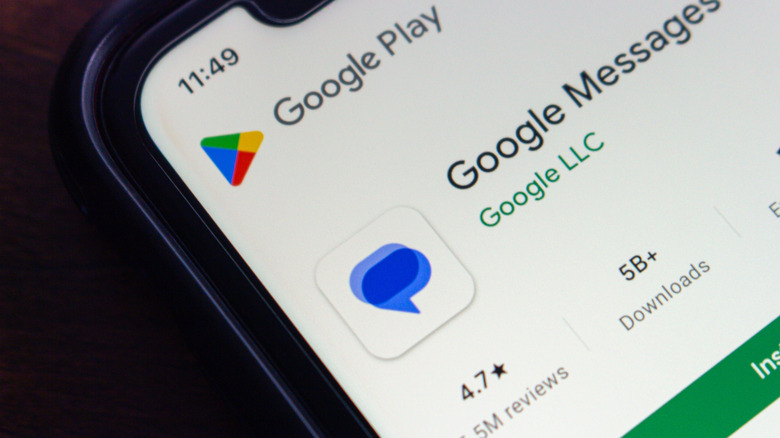
- Locate the App: On most newer devices, Google Messages is already installed. If not, visit the Play Store and search for Messages by Google.
- Open and Initialize: Upon opening the app for the first time, you will see a prompt asking to make it your primary messaging tool.
- Confirm Default Status: Follow the setting Google Messages as default app on Samsung phone guide within the app pop-up. This essentially tells the Android OS to route all incoming SMS and RCS traffic through this specific gateway.
- Wait for Indexing: Once you confirm, the app will begin indexing your existing threads. This can take anywhere from a few seconds to several minutes depending on the size of your message database.
- Verify RCS: Go into the app settings, select RCS Chats, and ensure the status says Connected. This confirms you are now using the modern Rich Communication Services instead of legacy SMS.
There is a small caveat for users with legacy hardware, specifically those using older Tizen-based Galaxy Watches (pre-Watch 4). These older wearables may experience some sync delays because they were optimized specifically for the Samsung Messages architecture. If you are in this camp, you might find that notification replies are less reliable after the switch. For everyone else with a Wear OS-based Galaxy Watch, the transition is seamless.
FAQ
Is Samsung Messages being discontinued?
Yes, Samsung is officially ending support for its proprietary messaging app. The Samsung Messages discontinuation is set for July 2026 for all devices running Android 12 and later. After this date, the app will lose its core messaging functionality for most users.
Why is Samsung switching to Google Messages?
The move is designed to create a more consistent and secure messaging experience across the Android ecosystem. By adopting Google Messages, Samsung ensures all Galaxy users have access to universal Rich Communication Services standards, better security through end-to-end encryption, and more reliable group chats.
What happens to my old texts when I switch messaging apps?
Your old texts are safe. Android stores SMS and MMS messages in a system-wide database that can be accessed by any app you set as the default. When you perform the messaging app migration, Google Messages will simply read your existing history and display it in the new interface.
Will Samsung Messages still work on older Galaxy devices?
The current Samsung Messages discontinuation Android 11 vs Android 12 mandate means that legacy devices on Android 11 or older are currently exempt. These devices will likely continue to support the app for the time being, though they will miss out on new RCS features and security updates.
How do I set Google Messages as my default app?
You can do this by opening Google Messages and following the on-screen prompts. Alternatively, go to Settings > Apps > Choose default apps > SMS app, and select Messages (the Google version). This is the standard setting Google Messages as default app on Samsung phone guide for any One UI device.
Does Google Messages support all Samsung messaging features?
Most features are present, including the ability to share location, voice notes, and high-res images. However, some specific One UI features like the 30-day recycle bin and the exact folder organization of Samsung Messages may differ. Google Messages offers its own unique benefits like AI-powered smart replies and better web-based integration.