Is a gaming laptop worth it? It is the question I get asked more than any other. As someone who spends my days tearing down chassis and benchmarking the latest silicon, I can tell you that the allure of high-end gaming on the go is powerful. However, the reality of living with these machines involves a series of technical compromises that don't always appear on the marketing sticker.
Whether you are looking for the best gaming laptop for your workspace or a budget machine to get through a semester of college, you need to understand exactly what you are trading away for that portability.
Quick Facts
- Durability: 3-5 years average lifespan before hardware fatigue or obsolescence.
- The 2026 Baseline: 32GB RAM and 8GB VRAM are essential for modern longevity.
- Performance Gap: Entry-level $800 laptops often lose to $500 consoles in optimized performance.
- Thermal Safety: Critical internal temperatures should stay below 85°C to avoid permanent hardware damage.
- Upgradability: Core components like the CPU and GPU are permanently soldered and non-replaceable.
- Battery Reality: Expect no more than 1.5 to 4 hours of gameplay away from a wall outlet.
The primary downsides of a gaming laptop include limited upgradability, thermal management challenges, and poor battery life. Because the CPU and GPU are typically soldered to the motherboard, users cannot upgrade core performance components later. Additionally, the high power draw of these parts generates significant heat, which can lead to loud fan noise or performance throttling during intensive sessions. Selecting a gaming laptop requires getting the specifications right from the start, as you are essentially locked into your hardware for the life of the machine.
Issue 1: The Upgradability Dead-End
When you build a desktop, you are buying a platform. When you buy a gaming laptop, you are buying a sealed box. The most significant issue most users face three years down the line is that their machine can no longer keep up with the latest Ray-tracing requirements or AI-driven game engines. Unlike a desktop, where you can simply swap out an aging graphics card, a laptop forces you to replace the entire system.
Most modern machines feature soldered components. This means the processor and the discrete GPU are literally part of the motherboard. If you find your frame rates dropping in 2026, you cannot just buy a new card. You are limited to minor tweaks. When looking at upgradable parts in gaming laptops, you are generally restricted to the storage and the RAM.
Even this is changing. Many thin-and-light models are now soldering RAM to save space, making it vital to choose the right specs on day one. For anyone planning to keep their machine for more than two years, a gaming laptop 1tb storage configuration is the absolute bare minimum. With modern titles regularly exceeding 100GB, a smaller drive will leave you constantly shuffling files. Think of your purchase not as a modular PC, but as a high-performance appliance with a fixed expiration date.
Issue 2: Thermal Throttling & The Portability Paradox
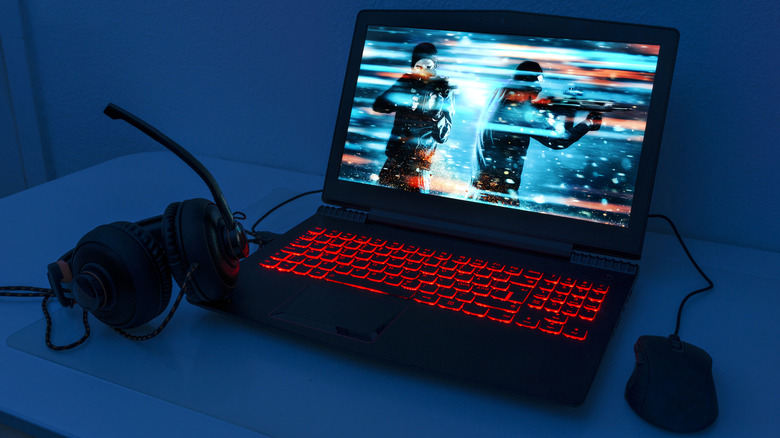
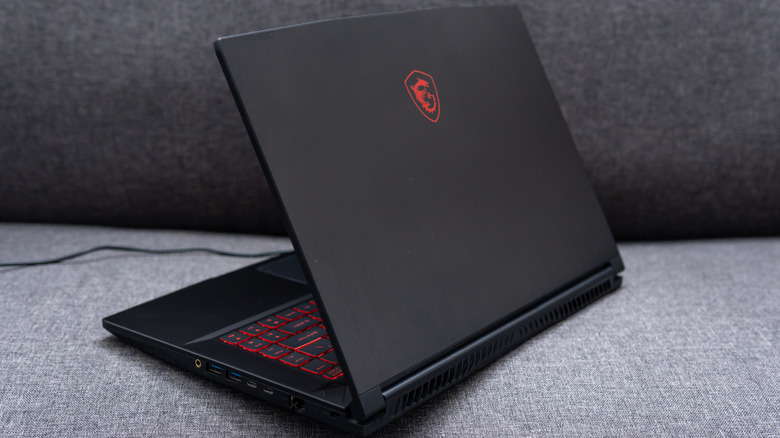
Physics is the greatest enemy of the gaming laptop. To get desktop-class performance, you need power, and power generates heat. In a desktop, you have massive heatsinks and multiple 120mm fans. In a laptop, you have millimeters of clearance.
This leads to a phenomenon called thermal throttling. When the internal sensors detect the heat is reaching dangerous levels—usually around 90°C to 100°C—the system intentionally slows down your hardware to prevent it from melting. This results in sudden frame rate drops right when the action gets intense. Approximately 87% of enthusiast gamers favor desktop systems over laptops due to their superior thermal management and higher power limits, which allow for more consistent frame rates during long gaming sessions.
Furthermore, the portability of a gaming laptop is often an illusion. To get the advertised performance, these machines must be plugged into a wall. When running on battery, the system often cuts the power to the GPU by half or more. Even then, intensive gaming workloads significantly reduce battery runtime to between 1.5 and 4 hours on a single charge. If you’re looking for the best portable gaming laptop for travel, you must accept that you'll still be hunting for a power outlet every few hours.
Ryan’s Pro Tip: If you are struggling with heat, look into how to fix gaming laptop overheating by using a high-quality cooling pad and ensuring you aren't playing on soft surfaces like beds or carpets.
Issue 3: Hidden Spec Bottlenecks (TGP & VRAM)
The biggest trap for a new buyer is assuming all chips are created equal. You might see two different laptops both listing an "NVIDIA RTX 4070," but one could be 40% faster than the other. This is due to Total Graphics Power (TGP). Manufacturers are allowed to set the wattage of the GPU based on how much heat their specific laptop design can handle. A thin laptop might limit that chip to 60W, while a thick desktop replacement might let it run at 140W.
VRAM capacity is another silent killer. As we move toward 2026, many games are demanding more than 8GB of video memory just to load high-resolution textures. If your machine only has 6GB of VRAM, you will experience stuttering even if the processor is fast enough.
For future-proofing, your minimum specs for gaming laptop 2026 should include:
- A CPU with at least six performance cores.
- A GPU with at least 8GB of dedicated VRAM.
- 32GB of system RAM to handle background tasks and heavy assets.
Issue 4: The Build Quality & Display Lottery
When you look for a gaming laptop under $500 or even $800, manufacturers have to cut corners somewhere. Usually, that is the "chassis feel" and the screen. Budget machines often use cheap plastics that creak under pressure, and their hinges are prone to failing after repeated use.
The display is where many users feel the most regret. A budget gaming laptop might boast a 144Hz refresh rate, but if the brightness is only 250 nits and the color accuracy is poor, games will look washed out or be invisible in a sunny room. In contrast, premium models are moving toward OLED display technology and Mini LED benchmarks that provide deeper blacks and vibrant colors that rival high-end TVs.
| Feature | Budget Red Flag | Premium Standard |
|---|---|---|
| Brightness | Under 250 nits | 400-600+ nits |
| Color Gamut | 45% NTSC (vague colors) | 100% sRGB or DCI-P3 |
| Material | Flexing plastic chassis | Magnesium alloy or CNC Aluminum |
| Cooling | Basic copper heat pipes | Vapor chamber cooling |
Issue 5: Platform Value—Laptop vs. Console vs. Desktop
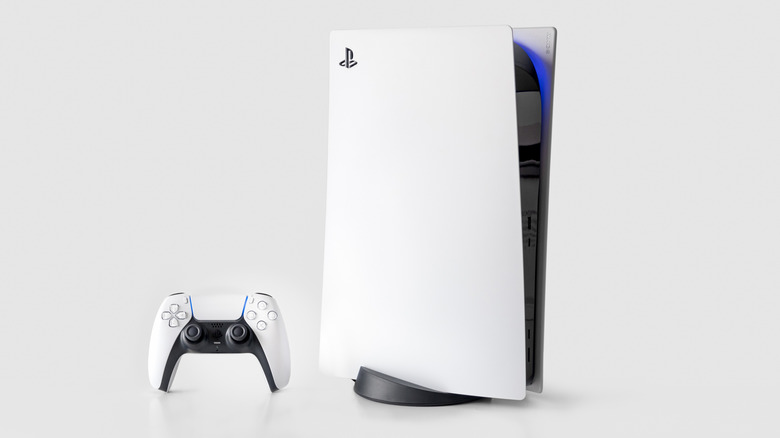
Is a gaming laptop worth it compared to the alternatives? For a beginner, the choice usually comes down to a gaming laptop vs console for beginners. A PlayStation 5 or Xbox Series X costs roughly $500 and provides a consistent, high-quality experience that lasts for a 7-year cycle. To get that same level of performance and visual fidelity in a mobile PC, you typically have to spend at least $1,200.
Laptops offer versatility—you can do your taxes, edit videos, and write emails on them. But you are paying a "portability tax." If you don't actually plan on moving your computer frequently, a desktop will always provide better value, better thermals, and an easier upgrade path. The sweet spot for a gaming laptop is for the user who truly needs one machine for school or work that can also play AAA titles in their downtime.
The First 24 Hours: Post-Purchase Validation
If you’ve decided to take the plunge and buy a new machine, your work isn’t done when you leave the store. The first 24 hours are critical for identifying "lemons" before your return window closes. Follow this checklist to ensure your investment is solid:
- Check for Backlight Bleed: Turn the brightness to max in a dark room with a black screen. If the edges glow significantly, the panel might be poorly seated.
- Run a Stress Test: Use a free tool like Cinebench or 3DMark. Monitor your temperatures; if they hit 95°C instantly on a flat desk, your unit may have a poor factory thermal paste application.
- Verify Dual-Channel RAM: Some manufacturers ship with a single stick of RAM, which can cut your performance by 20%. Ensure you have two sticks for peak efficiency.
- Test Every Port: Plug something into every USB, HDMI, and cooling vent to ensure nothing was damaged during shipping.

FAQ
Is a gaming laptop worth buying?
It depends on your lifestyle. If you need a single device for travel, school, or work that can also handle high-end gaming, it is a great investment. However, if you plan to leave it on a desk 90% of the time, a desktop PC offers much better value and longevity.
What kind of laptop is good for gaming?
A good gaming laptop should have a dedicated (discrete) GPU rather than integrated graphics. Look for brands that prioritize thermal management and offer screens with at least 300 nits of brightness and a 144Hz refresh rate.
Is $1000 enough for a gaming laptop?
In the current market, $1000 is the "entry-mid" tier. It will get you a very capable machine that can play most modern games at 1080p high settings, but you may have to compromise on build materials (more plastic) and secondary features like speaker quality.
How much RAM do I need for gaming?
While 16GB was the standard for years, 2026 gaming requirements are shifting toward 32GB. Many new titles and background applications like Discord or Chrome browsers consume significant memory, and 32GB ensures smooth multitasking.
Is 32 GB RAM overkill gaming?
For simple indie games, yes. However, for AAA titles, open-world games, and productivity tasks like video editing, 32GB is no longer overkill; it is the new benchmark for a high-performance experience without stuttering.