Quick Facts
- Top Hub: Apple TV 4K (2025/26) for its Ethernet port and Thread border router capabilities.
- Value Pick: Meross Smart Plug Mini, often priced as low as $7.50 per unit in multi-packs.
- Best Security: Yale Assure Lock 2 Plus, featuring native Apple HomeKey support via NFC.
- Best Speed: Eve Motion sensor, utilizing the Thread protocol for sub-200ms response times.
- Protocol: Look for Matter 1.3+ support to ensure compatibility with future device categories like robot vacuums.
- Ecosystem Size: As of early 2025, there are 816 smart devices officially listed as compatible with Apple Home.
For 2026, the best HomeKit accessories focus on Matter compatibility and Thread support for sub-200ms response times. Essential upgrades include smart locks with Apple HomeKey support and HKSV-enabled cameras for end-to-end encrypted security within the Apple Home app, ensuring that your data stays private and your automations run locally.
Building a smart home on the Apple ecosystem has never been more rewarding. While Apple HomeKit accounts for approximately 20% of the market share among top management apps, its focus on privacy and local execution makes it the gold standard for many enthusiasts. We are currently seeing a massive shift in the industry as the global smart home market, valued at $127.80 billion in 2024, is projected to grow to over $537 billion by 2030. This growth is fueled by the Matter standard and Thread, technologies that have finally made Apple Home compatible devices as easy to set up as a pair of AirPods.
The Essential Hub Infrastructure
Before you buy your first smart bulb, you must establish a strong foundation. In 2026, a smart home hub is not just a luxury; it is the brain that manages local execution and remote access. We strongly recommend the Apple TV 4K (WiFi + Ethernet) or the HomePod mini. These devices act as a Thread border router, creating a dedicated mesh network for your accessories that doesn't bog down your primary Wi-Fi.
The advantage of a wired hub like the Apple TV 4K is stability. When your automations rely on local processing, your lights turn on instantly when you walk into a room, even if your internet connection goes down. This "hub-first" approach prevents the frustration of seeing the "No Response" status in your Home app.
Compatibility Checklist
| Feature | Apple TV 4K (Ethernet) | HomePod mini | iPad (as Hub) |
|---|---|---|---|
| Thread Support | Yes | Yes | No |
| Matter Controller | Yes | Yes | Partial |
| Local Execution | Fast | Moderate | Not Recommended |
| Siri Voice Control | Via Remote | Built-in | Built-in |
Smart Locks with Apple HomeKey Support
The most significant "wow" factor in a modern smart home comes from the front door. We have moved past simple Bluetooth locks. The current standard is Apple HomeKey, which uses NFC technology. This allows you to unlock your door by simply tapping your iPhone or Apple Watch against the lock, just like you use Apple Pay at a grocery store.
The Yale Assure Lock 2 Plus remains our top recommendation for its slim design and reliability. However, for those looking for retrofitting options, the Aqara U200 offers a great alternative that fits over existing deadbolts. One of our favorite HomeKit automation routine ideas is to have the door lock trigger an "I'm Home" scene. When you tap your watch to enter, the hallway lights turn on, the blinds close, and your favorite playlist begins to play on the HomePod.
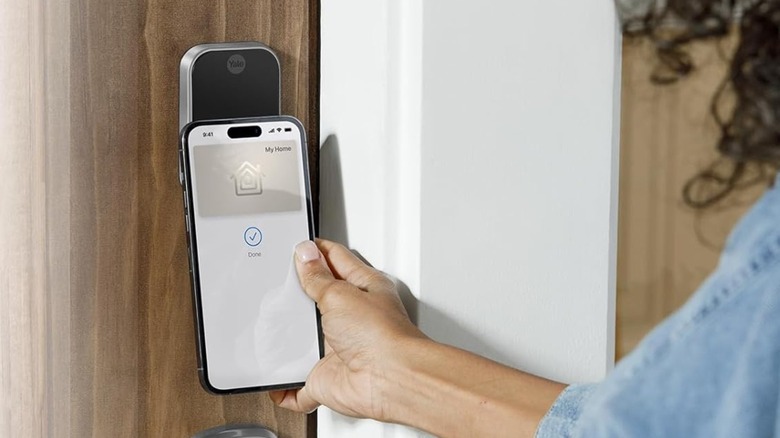
Verdict: Yale Assure Lock 2 Plus
- Get this if: You want the fastest entry experience with Apple HomeKey and a sleek, key-free aesthetic.
- Skip this if: You are renting and cannot replace your entire deadbolt assembly.
High-Security Vision (HKSV)
When discussing smart home security for Apple users, privacy is the headline. Unlike other ecosystems that store video on their own servers, HomeKit Secure Video (HKSV) uses end-to-end encryption to store footage in your personal iCloud account. This means not even Apple can see your clips.
For the best HomeKit security cameras with local storage and HKSV support, we look at the Logi Circle View for outdoors and the Aqara G4 for the front door. The Aqara G4 video doorbell is particularly impressive because it offers dual-power options (battery or wired) and local AI facial recognition. When someone rings the bell, your Apple TV can even show a picture-in-picture notification of who is at the door.
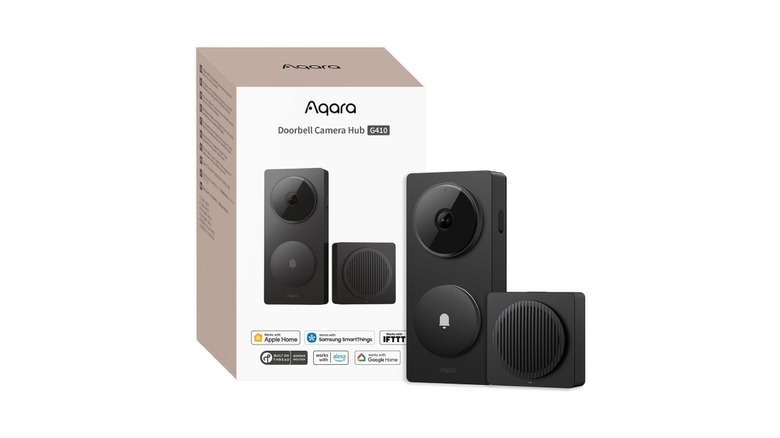
Verdict: Aqara G4 Video Doorbell
- Get this if: You want a doorbell that identifies family members and stores video securely in iCloud.
- Skip this if: You don't have an iCloud+ subscription (required for HKSV recording).
Lighting & Power Retrofitting
Most people start their journey with bulbs, but we suggest focusing on smart switches. Using smart switches from brands like Lutron Caséta or Kasa allows you to maintain manual control at the wall while adding smart automation to your built-in fixtures. This avoids the "smart bulb problem" where a guest flips a switch and kills the power to your smart device.
For those seeking affordable HomeKit devices for beginners, the Meross and TP-Link Tapo smart plugs are essential. These are perfect for retrofitting existing appliances like coffee makers or floor lamps. A popular HomeKit automation ideas for morning routines involves using a Meross plug to start your kettle 10 minutes before your alarm goes off, while your bedroom lights use Adaptive Lighting to slowly transition from warm orange to bright daylight.
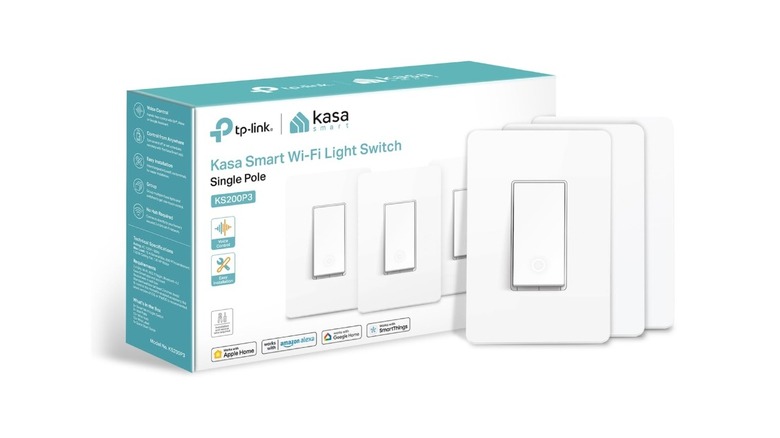
Best Budget Power Options
- Meross Smart Plug Mini: Best for price-per-unit ($7.50 in multi-packs).
- Kasa Smart Wi-Fi Light Switch: Best for built-in ceiling lights.
- Tapo Matter Plug: Best for future-proofing with the Matter standard.
Climate Control & Leak Prevention
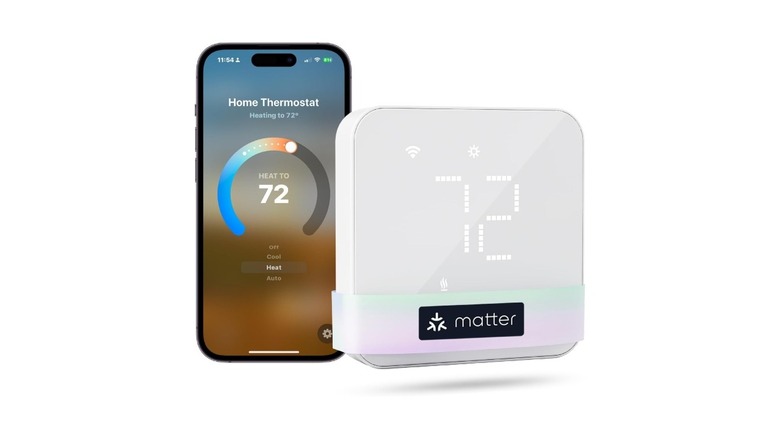
Energy efficiency is a primary driver for the $537 billion market growth projected by 2030. A HomeKit compatible smart thermostat reviews 2026 would be incomplete without mentioning the Ecobee Smart Thermostat Premium. It integrates seamlessly with the Home app and uses remote sensors to balance the temperature across different rooms based on occupancy.
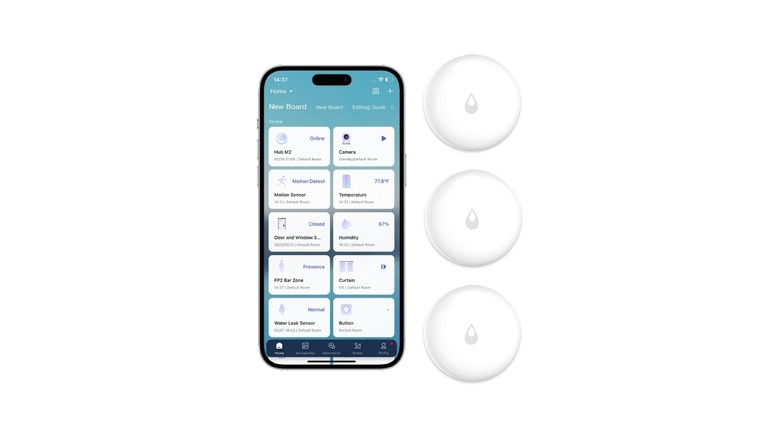
Beyond comfort, you should prioritize home protection. We consider smart sensors for water leak detection HomeKit a "hidden essential." Sensors from Eve or Aqara can be placed under sinks or near water heaters. If a leak is detected, you receive an immediate critical alert on your iPhone, potentially saving you thousands in repair costs. Many users create a routine where a detected leak automatically shuts off the main water valve if they have a compatible smart valve controller.
Verdict: Ecobee Smart Thermostat Premium
- Get this if: You want a built-in air quality monitor and the most robust Home app integration.
- Skip this if: You live in a small apartment where a simple Meross thermostat would suffice for much less.
Future-Proofing with Matter
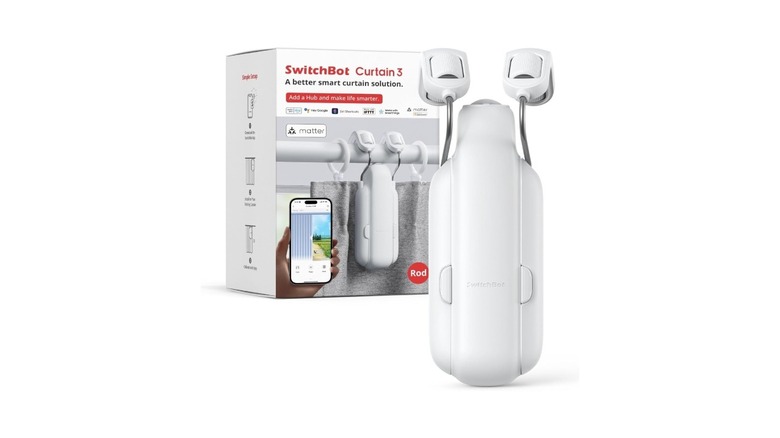
The arrival of Matter 1.3 has expanded the types of best Matter compatible devices for Apple Home. We are now seeing robot vacuums and even laundry machines appearing in the Home app. One of our favorite "niche" but highly effective devices is the SwitchBot Curtain opener. By using a Matter-compatible hub, you can now bring these window treatments into your HomeKit scenes.
When shopping in 2026, always check if a device is Thread-native. While a Zigbee bridge is sometimes necessary for larger sensor networks (like Aqara's system), native Thread devices offer a simpler setup without needing extra "bridge" hardware. This streamlined approach is exactly what makes the Apple Home experience feel so premium.
FAQ
What are the best smart home devices for HomeKit?
The best devices currently include the Apple TV 4K as a hub, Yale Assure Lock 2 Plus for security, and Lutron Caséta switches for lighting. For those looking for value, Meross and Tapo offer excellent plugs and bulbs that work natively with Siri voice control.
Do all smart home devices work with Apple HomeKit?
No, not all devices are compatible. Look for the Works with Apple Home logo on the packaging. However, with the rise of the Matter standard, many devices that previously only worked with Alexa or Google Home are now becoming compatible with the Apple Home app.
Is a hub required for HomeKit accessories?
Technically, some Bluetooth or Wi-Fi accessories can work with just an iPhone. However, to run automations, access your home remotely, or use Thread-based devices, a smart home hub like a HomePod mini or Apple TV 4K is absolutely required.
What is the difference between Matter and HomeKit?
HomeKit is Apple's specific smart home platform and software. Matter is a new industry-wide communication standard that allows devices to work across Apple Home, Amazon Alexa, and Google Home simultaneously. Matter makes it easier for manufacturers to create Apple Home compatible devices.
Which smart thermostats work best with Apple Home?
The Ecobee Smart Thermostat Premium is widely considered the best for HomeKit due to its Siri integration and remote occupancy sensors. For a more budget-friendly option, the Meross Smart Wi-Fi Thermostat offers great basic functionality within the Home app.